팟캐스트Hear the voice. See the shape of the thought.
채널 둘러보기
Reflecting on a year of Claude Code
Boris Cherny (creator and Head of Claude Code) and Cat Wu (Head of Product, Claude Code) look back on Claude Code's first year — from a Slack demo that earned two emoji reactions to running thousands of autonomous agents daily. They walk through how they think about verification, why auto mode replaced plan mode, how routines are eliminating entire categories of manual engineering work, and why the shift from "I write code" to "I talk to a loop" represents two major platform leaps in barely 18 months. ## [00:00] The origins and evolution of Claude Code Boris recalls posting the first Claude Code demo to Slack and getting exactly two reactions. A year later, his workflow involves "armies of agents" — a single loop prompting agents that prompt other agents, forming trees of thousands. The meta-principle that carried the tool this far: every time Claude makes a mistake, don't just correct the output — write the fix into a CLAUDE.md file or a skill so Claude can run unsupervised forever. > *"Every single time Claude makes a mistake, I don't tell Claude to do it differently. I tell it to write it to the CLAUDE.md or to make a skill… and if you can do this, then Claude can just run forever."* ## [01:10] How to make Claude good at verification Both Boris and Cat push back on the narrow view that "verification" means lint, type-check, and unit tests — things that were already automated before agents existed. Real agent verification means the agent can actually run the software under test. Boris cites a moment with Opus 4 where he asked Claude to build a feature and test itself by opening its own CLI — "crazy" at the time, table stakes now. Cat's current approach: a desktop development skill that has Claude spin up the local desktop app, use computer use to click through the UI, hit edge cases, and update the skill itself whenever it discovers a new failure mode. > *"I have it read Slack and understand: hey, is staging down right now, or has someone else already hit this? And then when it debugs the whole issue, I tell it to update the desktop development skill."* ## [03:14] Roles merging: Claude Code beyond engineers Boris recounts the moment he first saw a designer opening PRs — his initial alarm giving way to "okay the code looks good, so maybe it's fine." Cat reports that across enterprises, engineers adopt Claude Code first, then adjacent roles lean over their shoulders: designers making prototypes directly in the app, PMs shipping changes, the finance team running projections inside Claude Code, data scientists with it permanently on-screen. > *"It's kind of like all the roles are merging."* ## [04:48] Using routines for CI, code review, and more Cat describes a Claude Code power user on their team who shipped voice mode and then set up a routine monitoring every GitHub issue and bug report on that feature, automatically drafting fixes and pinging PRs. He later extended it to catch any unresponded bug older than five hours. Cat's own experience: she shipped a small feature with an edge case she missed, a bug was filed, and before she got to it that evening, Claude Code told her "another Claude has already fixed this." Boris adds that routines now handle all code review, babysit every PR, rebase, and respond to CI failures. He hasn't done those manually in a long time. > *"He has another routine that just looks for bug reports that haven't been responded to in five hours and puts up a fix, and he merges the ones that are easy to verify."* ## [06:43] Boris' go-to feature: auto mode Boris stopped using plan mode once Claude 4.6 arrived; by 4.7 the explicit planning step was no longer necessary. He now starts an agent in auto mode and moves directly to the next task without watching it. He traces the shift from the early permission-prompt model — where you had to approve every tool call — to auto mode routing suspicious actions to a classifier instead. Human attention degrades when 99% of prompts are harmless: eyes glaze, the one dangerous prompt slips through. Auto mode concentrates attention on genuinely flagged cases only. > *"Auto mode is more safe than reading every single permission prompt, because it means that you're only paying attention to the most important thing and not being spammed a bunch of things that are just 99% yes."* ## [08:10] Securing auto mode: red teaming and evals Shipping auto mode required building trust before it reached users. Cat describes the process: collecting thousands of full agent trajectories alongside permission prompts, having the auto mode classifier label each one, confirming it was "extremely good," then bringing in red teamers to attempt prompt injection attacks against the codebase. Every successful attack became an eval. Internal teams ran their own injection attempts to surface further gaps. The result is a model hardened not just against known attacks but against the most sophisticated adversarial constructions the team could devise. > *"It's not only just protecting you against the vulnerabilities that are out there in the wild today, but the most intelligent attacks that we can construct."* ## [10:24] Why loop is the next leap Boris frames two platform jumps in 18 months. First: stop writing source code directly — talk to an agent and let it write the code. Second, happening now: stop talking to an agent directly — talk to a loop or routine that prompts Claude Code on your behalf. Both felt obvious in hindsight, but neither was easy to see from inside the engineering mindset he brought to the project. > *"I don't talk to an agent anymore. I talk to a loop or I talk to a routine and it prompts Claude for me, and it's just crazy."* ## [11:06] How engineering orgs and responsibilities are changing Boris anchors the current transition to a 1990s Harvard Business Review piece asking why companies weren't seeing productivity gains from personal computers — and answering that computers needed to be at the center of every business process, not a side appliance next to the paper filing cabinet. At Anthropic, new hires don't ask colleagues questions; they ask Claude Code. Companies figuring out AI fastest are the ones putting it at the center of operations. Cat notes that the computer transition took 10–15 years; AI is compressing that because work is already digitized and Claude Code can both write and run code. > *"What you have to do is you throw out the filing cabinet. You have to throw out all your paper and all your pens and then you put a computer in the center and everything has to run through the computer."* ## [13:30] Is the future product or engineering? Boris' answer: both roles are merging into one. The Claude Code product team all writes code, the devrel team all writes code, designers write code, and engineers now ship products end-to-end — scoping the idea, building it, working with legal, marketing, and security to take it to market. The beneficiaries right now are people with high curiosity, strong product taste, and an appetite for end-to-end ownership. > *"AI really benefits people who have a lot of curiosity, have a lot of product taste, who love to have this end-to-end ownership."* ## [14:20] Working with hundreds of agents: using agent view, voice mode, and Remote Control Boris's multi-agent setup a few months ago: six terminal tabs, six git checkouts, manual context-switching. Today: one tab, the new agent view, and the desktop app handling work-tree cloning automatically. The unexpected change: roughly half his engineering now happens on his phone via Remote Control. He starts a task at his desk, walks to get coffee, checks in from his phone, starts new agents on the spot, and dictates to them via voice mode. Cat recalls noticing that Boris's laptop sat untouched on his desk for two consecutive days while he was actively merging PRs — he confirmed he was coding from his couch. > *"I'll like get coffee and then I'll check in on my agents and maybe I'll start another agent. And sometimes I'm talking to someone and we come up with a new idea — I'll just start an agent on the spot."* ## [16:05] From context engineering to context minimalism Boris traces the prompt engineering arc: Sonnet 3.5 required heavy prompt engineering; Opus 4 required careful context engineering; today's models need neither. The prescription now: give the model the minimal system prompt, the minimal tool set, and a way to pull in whatever context it actually needs — then let it work. Cat calls herself a "context minimalist": tell the model only what it needs to know, because too much upfront context is micromanagement, and the model often knows a better path anyway. > *"You give it the minimal possible system prompt, the minimal possible tools, and then you let the model figure it out."* ## [17:17] What's next for Claude Code Boris refuses to predict the specific form factor, only the direction: agents running longer, more autonomously, in parallel batches of dozens to thousands rather than one at a time. The exact interface for coordinating that many agents will be "really different than what came before" and won't come from Boris or Cat — it will come from the team and the broader community building with Claude Code every day. > *"In a year it's going to be a totally new set of things and it's going to be so surprising if it's still these same things."* ## Entities - **Boris Cherny** (Person): Head of Claude Code at Anthropic, creator of the tool; one of two interview subjects. - **Cat Wu** (Person): Head of Product, Claude Code at Anthropic; one of two interview subjects. - **Claude Code** (Software): Agentic coding tool developed at Anthropic, runs in the terminal; primary subject of the episode. - **Auto mode** (Concept): Claude Code permission model that routes tool-call decisions to a classifier instead of prompting the user for every action; replaces the earlier per-prompt approval flow. - **Loop / Routines** (Concept): Automated agents triggered by events (e.g., new GitHub issue, unresponded bug report) that prompt Claude Code without human initiation; described as the second major platform leap. - **Context minimalism** (Concept): Philosophy of providing models only the necessary system prompt and tools, letting the model pull additional context as needed rather than front-loading everything. - **Anthropic** (Organization): AI safety company that develops Claude and Claude Code. - **Remote Control** (Software): Claude Code feature enabling users to manage running agents from a mobile device. - **Agent view** (Software): New Claude Code interface for managing multiple parallel agents from a single pane.
첫 번째 Managed Agent 출시하기
Anthropic Applied AI 엔지니어 Isabella He가 37분에 걸쳐 빈 `agent.py` 파일에서 시작해 Streamlit 앱까지 완성하는 SRE 인시던트 대응 에이전트를 라이브로 구현합니다. 툴 호출 스트리밍, 세션 유지, P99 지연 급증 진단까지 직접 보여주면서, 5분짜리 아키텍처 개요와 실습 코드를 결합해 참가자들이 서브에이전트·메모리·볼트 확장에 필요한 실행 파일과 사고 모델 모두를 갖추고 떠날 수 있도록 이끕니다. ## [00:19] 환영 인사 및 세션 안내 Isabella는 Anthropic Applied AI팀이 "제품, 연구, 고객이 교차하는 지점"에 있다고 소개하며 세션의 세 가지 흐름을 제시합니다. 플랫폼 빠른 복습, 실습 코딩 스프린트, 드리밍·서브에이전트 등 고급 기능 미리 보기가 차례로 이어집니다. 오전 3시에 울리는 온콜 알림이라는 시나리오를 출발점으로, Managed Agents 위에 구축한 SRE 에이전트가 이를 자율적으로 처리하는 모습을 보여줍니다. > *"오늘 제 목표는 여러분이 직접 Managed Agents 위에서 빌드하고, 하네스가 내부적으로 어떻게 동작하는지 이해하고, 첫 번째 인시던트 대응 에이전트를 실제로 출시할 준비를 갖추게 하는 것입니다."* ## [02:10] Messages API에서 Managed Agents로 Isabella는 제품의 발전 과정을 추적합니다. 2023년 출시된 Messages API는 원시 토큰 접근을 제공했지만, 컨텍스트 관리·에이전트 루프·컴팩션은 개발자가 직접 구현해야 했습니다. Agent SDK는 Claude Code의 파일 시스템 접근을 추가했지만 셀프 호스팅이 필요했습니다. Managed Agents는 세 번째 세대로, Anthropic이 스케일링·샌드박싱·관측성·툴 런타임을 담당해 팀이 "10~15배 빠르게 프로덕션에 출시"할 수 있게 합니다. 유지보수 부담을 실제 사례로 설명합니다. Sonnet 4.5는 "컨텍스트 불안" 증상을 보이며 작업을 조기 종료했는데, Anthropic이 하네스를 패치했고 Opus 4.5에서는 이 동작이 완전히 사라져 패치 자체가 불필요해졌습니다. > *"하네스는 에이전트와 함께 진화해야 합니다. 그래서 Claude Managed Agents에서는 Anthropic이 컴팩션·캐싱·컨텍스트 불안에 따르는 모든 복잡성을 처리하기를 원합니다."* ## [05:55] 핵심 개념: Agent, Environment, Session 모든 Managed Agents 애플리케이션은 세 가지 객체로 구성됩니다. **Agent**는 페르소나를 담습니다. 모델 선택, 시스템 프롬프트, MCP 서버, 스킬이 여기에 속합니다. **Environment**는 실행 컨테이너로, 에이전트의 "두뇌"에 대한 "손"에 해당하며, 당일 기준으로 Anthropic 관리형 클라우드와 자체 컴퓨팅 두 가지를 모두 지원합니다. **Session**은 두 객체를 묶고 데이터 파일을 마운트합니다. 이벤트(사용자 메시지, 툴 호출, 응답)는 단일 응답으로 토큰을 반환하는 대신 호출자에게 스트리밍됩니다. 에이전트 루프와 툴 실행을 분리함으로써 P95 첫 토큰 도달 시간이 90% 이상 단축됐고, 샌드박스 컨테이너 경계 덕분에 자격 증명 노출도 차단됩니다. > *"이 분리를 통해 팀들은 실제로 P95 지연 지표에서 TTFT가 90% 이상 감소하는 결과를 확인했습니다."* ## [09:15] 워크숍 환경 설정 참가자들은 워크숍 저장소를 클론하고 `ship-your-first-managed-agent`로 이동한 뒤, 가상 환경을 만들고 의존성을 설치한 다음 `.env`에 Anthropic API 키를 붙여넣고 `streamlit run app.py`를 실행합니다. Isabella는 Streamlit URL이 인시던트 대응 채팅 UI로 연결되는 것을 확인합니다. 이것이 빌드의 출발점입니다. > *"지금 따라오셔도 되고, 오늘 나중에 혼자 해보셔도 됩니다. 화면에 모두 표시되니 따라오실 수 있습니다."* ## [10:48] 에이전트 단계별 구현 미완성 `agent.py`를 `agent_complete.py` 옆에 열어 두고 Isabella는 여섯 코드 블록을 하나씩 복사합니다. 1. **에이전트 정의** — Claude Opus 4.7을 사용하는 `SRE_AGENT`. 에이전트 역할과 사용 가능한 툴(get_metrics, get_recent_deploys, get_diff, fetch_logs)을 명시하는 최소 시스템 프롬프트 포함. 2. **Environment** — 데모용 무제한 네트워킹의 Anthropic 클라우드 환경. 프로덕션에서는 허용 목록 제한이나 Claude MCP 터널 라우팅으로 전환 가능. 3. **로그 업로드** — Files API로 로그 파일을 첨부해 에이전트가 코드를 실행할 수 있도록 함. Isabella는 컨텍스트 엔지니어링이 개발자가 반복에 가장 많은 시간을 쓰는 부분이라고 지적. 4. **세션 생성** — `agent_id`, `environment_id`, 업로드된 리소스 참조를 전달해 모든 것을 묶음. 5. **이벤트 스트리밍** — 세션에서 원시 토큰 대신 이벤트를 수신해 실시간 표시와 관측성 로깅을 가능하게 함. 6. **로컬 툴 및 세션 삭제** — `get_metrics`, `get_recent_deploys`, `get_diff`를 로컬 실행 핸들러로 등록하고, 삭제된 세션은 로그에서 완전히 제거된다는 설명과 함께 세션 삭제 호출 추가. > *"여기서 빠진 마지막 조각은 에이전트가 제 컴퓨터나 인프라에서 실제로 행동을 취할 수 있도록 로컬 툴을 제공하는 것입니다."* ## [19:43] 에이전트 실행 및 라이브 데모 Isabella가 "내 인시던트를 디버그해 줘"라는 프롬프트로 새 세션을 시작합니다. 에이전트는 `sandbox_bash`, `get_recent_deploys`, `get_diff`를 순서대로 호출하고, 각 툴 호출과 응답 토큰을 UI에 스트리밍한 뒤 구조화된 인시던트 보고서를 반환합니다. P99 지연 급증(기준치 대비 10배)의 원인은 Alice의 `refactor_order_summary_builder` 커밋이 초래한 데이터베이스 풀 고갈로 밝혀집니다. 프로덕션 환경이라면 Claude Code 접근 권한을 추가해 수정 사항 제안, PR 오픈, 루프 종료까지 사람 없이 처리할 수 있다고 덧붙입니다. 브라우저를 강제 새로 고침해도 세션 지속성이 확인됩니다. 이전 세션이 모두 클라우드 상태에서 다시 나타나며 로컬 데이터베이스는 불필요합니다. > *"모든 툴 호출을 스크롤해 보면 로그 관점에서 모든 것이 클라우드에 유지된 것을 확인할 수 있습니다. 관측성 콘솔에도 모두 기록됩니다."* ## [27:18] 아키텍처 정리, 고급 기능 및 Q&A Isabella는 이벤트 기반 아키텍처를 정리합니다. 세션은 요청-응답 쌍이 아닌 이벤트로 통신하며, 이벤트 로그 덕분에 Managed Agents는 컨테이너 재시작 후에도 에이전트 루프를 재실행하지 않고 세션을 재개할 수 있습니다. 이어서 네 가지 프리미엄 기능을 미리 보여줍니다. - **서브에이전트** — 오케스트레이터가 병렬 처리와 컨텍스트 예산 관리를 위해 독립 컨텍스트 윈도우를 가진 자식 에이전트를 생성합니다. - **메모리 / 드리밍** — 에이전트가 자신의 세션 로그를 검토해 무엇을 유지할지 스스로 결정하며, 세션 간 자기 개선과 선호 기억이 가능해집니다. - **Outcomes** — 개발자가 루브릭을 정의하면 에이전트가 원하는 결과를 내는 툴 호출을 스스로 찾아냅니다. - **Vaults** — 별도 엔드포인트와 에이전트 컨테이너 사이에서 자격 증명을 암호화하며, 아키텍처에 내장된 두뇌/손 분리 방식으로 사용자별·세션별로 관리됩니다. Isabella는 후속 "드리밍" 세션과 Managed Agents 콘솔의 내장 관측성 대시보드를 안내하며 마무리합니다. > *"여러분 모두 Managed Agents가 실제로 어떻게 작동하는지에 대한 사고 모델을 조금이라도 가져가길 바랍니다. 그리고 사이트 신뢰성 에이전트를 출시하신 모든 분께 자부심을 가지세요."* ## 등장인물 - **Isabella He** (인물): Anthropic Applied AI팀 Member of Technical Staff, 발표자 겸 워크숍 진행자 - **Claude Managed Agents** (소프트웨어): 프로덕션 수준의 에이전트를 위한 Anthropic의 관리형 인프라 하네스. 스케일링·샌드박싱·관측성·툴 런타임을 담당 - **Agent SDK** (소프트웨어): Claude Code 접근을 지원한 이전 세대 Anthropic 하네스. 개발자 직접 호스팅이 필요했음 - **Claude Opus 4.7** (소프트웨어): 워크숍 데모에서 SRE 에이전트에 사용된 모델 - **Sonnet 4.5** (소프트웨어): "컨텍스트 불안"(조기 작업 종료) 증상을 보인 이전 모델. 하네스가 모델과 함께 진화해야 한다는 점을 설명하는 사례로 사용됨 - **Files API** (소프트웨어): 로그·메트릭 등 파일을 에이전트 컨텍스트에 업로드하는 Anthropic API - **Dreaming** (개념): 에이전트가 자신의 세션 이력을 비동기로 검토해 장기 메모리를 업데이트하는 Managed Agents 기능 - **Outcomes** (개념): Managed Agents의 루브릭 기반 목표 명세. 에이전트가 명시적 단계 없이 정의된 결과에 도달하는 툴 호출을 스스로 선택 - **Vaults** (개념): Managed Agents의 암호화 자격 증명 저장소. 두뇌/손 분리 아키텍처를 통해 에이전트 컨테이너와 분리됨 - **MCP tunnels** (개념): MCP 서버 트래픽을 공용 인터넷 대신 사설 네트워크로 라우팅하는 Claude 기능 - **Context anxiety** (개념): 컨텍스트 예산이 남아 있음에도 작업을 조기에 마무리하는 Sonnet 4.5의 관찰된 동작. Opus 4.5에서 해결됨 - **Anthropic** (조직): AI 안전 기업. Claude 및 Managed Agents 플랫폼 개발사 - **DataDog** (소프트웨어): 데모의 JSON 기반 메트릭 툴을 대체할 수 있는 프로덕션 모니터링 플랫폼 - **Streamlit** (소프트웨어): 워크숍 인시던트 대응 채팅 인터페이스 구축에 사용된 Python UI 프레임워크
Trading signals that trade themselves
Tushara Fernando, Head of Data and AI at Man Group, explains how the firm integrates AI into systematic trading by codifying decades of institutional knowledge into "skills." She emphasizes that robust governance and shared workflows are essential for moving AI from individual productivity tools to enterprise-scale agentic platforms. ## [00:18] AI in Systematic Trading Man Group manages over $200 billion in assets, making the stakes for AI implementation exceptionally high for their institutional clients. Tushara Fernando describes systematic trading as an algorithmic process that uses historical backtesting to evaluate investment signals, much like managing a fantasy football team. > *A trading signal is really just this with stocks... We want to back the ones that would make money and we want to short the ones that won't.* > *[2, 43]* ## [04:38] The Role of AI-Generated Signals Man Group currently runs trading signals in production that were entirely researched, backtested, and proposed by AI. While humans review the final output for sensibility, AI handles the data acquisition, strategy proposal, and productionization of these investment ideas. > *There are trading signals running right now in production at Mang Group... that were researched, back tested and proposed by AI.* > *[4, 38]* ## [05:52] The Importance of Shared Workflows The success of a trading signal depends on the underlying workflows, such as data cleaning and outlier detection, which Fernando compares to the submerged part of an iceberg. Without shared workflows, different teams produce inconsistent results, making it impossible to compare the effectiveness of various strategies. > *If different teams are running different versions of those workflows, you get different answers.* > *[6, 50]* ## [08:43] Lessons in Skills Governance Early attempts at AI adoption failed because power users, rather than process owners, were building "skills," leading to local optimizations and errors like hardcoded cost centers. To solve this, Man Group created a governed marketplace where skills are owned by workflow owners, tested with evaluations, and tracked for usage. > *Treat those skills like production code because that's what they will become.* > *[17, 21]* ## [16:40] Scaling AI Across the Enterprise Man Group has scaled AI usage to nearly half its workforce by focusing on organizational context as a competitive moat. By treating skills as a library of institutional knowledge, the firm is preparing for a future where swarms of agents leverage these capabilities to find new investment opportunities. > *Skills governance really unlocks AI at that enterprise scale.* > *[19, 21]* ## Entities - **Tushara Fernando** (person): Head of Data and AI at Man Group. - **Man Group** (organization): An alternative investment manager with over $200 billion of assets under management. - **Claude** (product): An AI model used by Man Group for research, backtesting, and workflow automation. - **Anthropic** (organization): The AI company that assisted Man Group with skills workshops and implementation. - **Systematic Trading** (concept): Algorithmic trading capabilities that look across thousands of securities and hundreds of markets. - **Backtesting** (process): The process of running a trading strategy against historical data to evaluate its performance. - **Sharpe Ratio** (metric): A statistical factor that compares the volatility of a strategy versus its returns. - **Skills Marketplace** (product): Man Group's internal library for governed AI skills, plugins, and institutional knowledge.
Build a production-ready agent with Claude Managed Agents
This session introduces Claude Managed Agents, a suite of API endpoints designed to help developers build and deploy production-ready AI agents with built-in tools, security, and observability. The speaker outlines how core primitives like Agents, Environments, and Sessions enable complex workflows such as multi-agent coordination and human-in-the-loop controls. ## [00:00] Introduction to Managed Agent Primitives Anthropic introduces Claude Managed Agents as a suite of API endpoints providing production-ready primitives like tool calling, error recovery, and memory management. The architecture relies on 'Agents' as templates for skills, 'Environments' for sandboxed execution with granular permissions, and 'Sessions' to maintain ongoing conversational context and state transitions. > *Claude Managed Agents at a high level is just a set of API endpoints that we've developed and released... that give you access to scaled ready, production ready agent. [01:35]* ## [07:54] Secure Connectivity and Sandboxing The platform supports self-hosted sandboxes, allowing developers to use private containers and VPCs to keep sensitive data secure while maintaining model access. Additionally, new MCP tunnels facilitate safe connections to internal Model Context Protocol servers, and Credential Vaults protect authentication tokens by keeping them out of the model's context window. > *Claude can directly connect to that safely without those MCP servers ever being exposed on the internet. [09:40]* ## [10:02] Multi-Agent Orchestration and Implementation A demonstration of a multi-agent architecture shows a coordinator agent spawning specialized sub-agents for complex tasks like financial analysis and macro trend research. Developers can implement these workflows using the Anthropic SDK and tools like Claude Code, which is specifically optimized to help developers implement and iterate on managed agent APIs. > *One agent is like in charge of figuring out macro trends... whereas another one is like really good at like financial analysis. [11:36]* ## [19:28] Observability, Memory, and Infrastructure The Claude Console provides robust observability, including agent versioning, session monitoring, and the ability to edit memory stores to correct agent context. By providing integrated state transitions and durable storage out of the box, the service eliminates the need for developers to build complex custom agent loops and sandboxing fleets manually. > *With cloud manage agents, we kind of were able to get all of these things out of the box. [26:54]* ## Entities - **Anthropic** (organization): The AI research and safety company that developed the Claude model family. - **Claude Managed Agents** (software): A suite of API endpoints for building and hosting production-ready AI agents. - **MCP** (protocol): Model Context Protocol used for secure authentication and tool integration. - **Claude Code** (software): A developer tool optimized for implementing and managing Anthropic APIs. - **Bun** (software): A fast JavaScript runtime used for the technical implementation demonstrations. - **Cloudflare** (infrastructure): A cloud provider mentioned as a host for private sandboxes and environments. - **Credential Vaults** (feature): A secure storage system for authentication tokens that prevents exposure to the model. - **Memory Stores** (feature): Persistent storage allowing agents to retain and retrieve information across sessions.
How to get to production faster with Claude Managed Agents
Anthropic engineers Michael and Harrison introduce Claude Managed Agents, a platform designed to simplify the infrastructure, security, and observability required for deploying autonomous AI agents. By handling complex backend tasks like sandboxing and identity management, the system enables developers to transition from simple tool use to long-running, outcome-oriented agentic workflows. ## [01:10] The Evolution of Agentic Infrastructure Michael and Harrison trace the progression of AI from basic function calling to autonomous agents capable of managing full feature development and PRs. They argue that infrastructure, rather than model intelligence, is now the primary bottleneck for achieving productivity where months of work are completed in hours. > *where we think we're seeing things going in the future is entire quarters worth of work being able to be getting accomplished within a couple of hours.* > *[2, 34]* ## [04:22] Core Primitives and Configuration The platform provides composable primitives for context management, observability, and secure sandboxing, allowing developers to define agents via system prompts and MCP tool configurations. Features like the 'Ask Claude' button and event streams provide real-time transparency and optimization suggestions for agent sessions. > *we did all of that platform work so that you don't have to so that you can kind of pick and choose the primitives that we have available.* > *[5, 26]* ## [10:05] Advanced Orchestration and Memory Beyond single-task execution, the platform supports multi-agent orchestration where Claude can spawn sub-agents to delegate work. Advanced features like 'Dreaming' allow agents to reflect across thousands of sessions, improving long-term memory and task performance through autonomous reflection. > *It allows Claude to spawn other agent threads with their own context windows in order to delegate work to them.* > *[10, 55]* ## [11:56] Sandboxing and Secure Connectivity Anthropic offers self-hosted sandboxes and MCP tunnels to give enterprises control over network policies and audit logs while exposing private data securely. Partners like Vercel, Modal, and Cloudflare provide specialized infrastructure, ranging from lightweight isolates for rapid scaling to high-performance GPU clusters. > *MCP tunnels are basically just a way for you to get your private MCPs in your network exposed to cloud manage agents.* > *[13, 25]* ## [20:19] Real-World Automation and Optimization Companies like DoorDash and Modal are using agents for complex technical tasks, such as autonomous account management and inference tuning. By running tools like the Nvidia profiler, agents can autonomously 'hill climb' performance benchmarks to optimize workloads without human intervention. > *Claude can optimize training loops... it'll run like the Nvidia profiler. It'll read the profiles and uh it'll just go ham and and make things better.* > *[20, 39]* ## [25:23] Future Challenges: Identity and Collaboration As agents become primary users of compute, the industry faces new hurdles in identity management, egress filtering, and task resumability. The future of AI involves moving from rigid execution to collaborative 'multiplayer' environments where agents and humans dynamically pivot based on feedback. > *how do we properly assign identity all the way down the chain such that it's only getting access to the right data* > *[25, 55]* ## Entities - **Anthropic** (organization): The AI safety and research company behind the Claude model family. - **Claude Managed Agents** (product): A platform and infrastructure suite for building and deploying autonomous AI agents. - **Michael** (person): Member of Technical Staff at Anthropic working on managed agents. - **Harrison** (person): Member of Technical Staff at Anthropic working on managed agents. - **MCP** (protocol): Model Context Protocol used for tool configuration and secure tunnels. - **Cloudflare** (organization): A cloud services provider focusing on sandboxing technologies like MicroVMs and isolates. - **Modal** (organization): A compute platform specializing in high-scale GPU sandboxes and AI workloads. - **Vercel** (organization): A partner providing fluid compute infrastructure for agent sandboxes.
Building the best agentic analytics harness: Powered by Claude, built with Claude Code
Chris Merrick, CTO of Omni, details the development of 'Blobby,' an agentic analytics harness powered by Anthropic's Claude models. By combining a robust semantic layer with internal dogfooding of Claude Code, Omni enables users to translate natural language into complex data visualizations while maintaining high engineering velocity. ## [00:07] Engineering Velocity with Claude Code Chris Merrick explains how Claude Code has transformed Omni's internal development, allowing a small team of 25 to maintain high commit velocity. Even as CTO, Merrick uses the tool to stay technically involved, leveraging the efficiency of the Claude Opus model to contribute code alongside his team. > *I thank Claude very much for making me uh still able to do some software engineering from time to time. [01:12]* ## [03:14] The Semantic Layer and Business Context To bridge the gap between general LLM knowledge and specific business data, Omni utilizes a semantic layer that provides essential context like fiscal definitions and table relationships. This layer acts as a permissions and curation tool, ensuring the AI agent understands the unique nuances of a company's data environment. > *Claude is incredible at answering questions, but you need to tell it more about your business if you want it to answer questions about your business. [04:03]* ## [11:15] Architectural Evolution and the 'Blabbotomy' The team evolved their AI agent, Blobby, from a simple Q&A tool into a sophisticated harness by upgrading from Claude Haiku to Sonnet for better multi-turn performance. They addressed 'split-brain' errors—where sub-agents and outer agents failed to communicate—by consolidating all tools into a single, unified agentic brain. > *You want to be careful not to have a split brain between any sort of sub agent system and outer agent system. [15:57]* ## [16:23] Leveraging SQL and CTE Proficiency Omni shifted its query strategy from a proprietary JSON format to standard SQL to better leverage Claude’s inherent proficiency with complex Common Table Expressions (CTEs). This transition allowed the agent to handle difficult data questions in a single pass, significantly improving the accuracy of generated reports. > *Claude really likes to write SQL with CTE, common table expressions... and our parser was really good at parsing those [18:27]* ## [19:09] Evals, Observability, and UI Validation Merrick emphasizes that rigorous evaluation systems and raw trace observability are critical for ensuring the predictability required by executive users. Omni follows a 'build with AI, validate with UI' philosophy, where Blobby generates the initial dashboard and users use a workbook interface to refine and troubleshoot the results. > *Our philosophy from a product perspective is AI to build, UI to sort of validate and troubleshoot and refine. [23:21]* ## Entities - **Chris Merrick** (person): CTO and Co-founder of Omni who leads the engineering team and advocates for AI-driven development. - **Omni** (organization): An AI analytics platform that enables users to query data using natural language. - **Claude** (ai-model): The family of LLMs from Anthropic that powers Omni's analytics and internal engineering. - **Claude Code** (software): An AI-powered coding tool that significantly increased Omni's development velocity. - **Blobby** (ai-agent): Omni's AI data analyst agent designed to interpret and answer complex data questions. - **SQL** (technology): The query language that Omni's semantic layer generates to interact with data warehouses. - **Claude Sonnet** (ai-model): The specific Anthropic model used to unlock performance gains in complex agentic conversations. - **GitHub** (platform): The source of pull request (PR) data used in the agent's demonstration.
Stop babysitting your agents
Sid Budhiraja, a founding engineer of Claude Code, gave this keynote at Anthropic's Code with Claude conference to address a specific waste pattern: engineers spending most of their time staring at a screen waiting for Claude to finish, or acting as a "glorified QA tester." The talk lays out three escalating strategies—verification, parallelization, and background loops—that together let Claude run largely unsupervised. No captions existed on YouTube; transcript generated via Gemini Flash transcription (paragraph-level only, no word timestamps). ## [00:02] Opening & prerequisites Sid frames the talk as a "Claude Code 301" class and opens with a quick audience poll. Three things he calls table stakes: a high-quality CLAUDE.md file ("the single highest leverage thing you can do"), connecting external tools like Slack, Linear, and BigQuery to Claude Code so it can stitch together richer context, and setting up Claude Code on the web so that sessions are decoupled from the engineer's laptop and keep running even when the machine is closed or offline. He then lays out the structure for the rest of the talk: verification, multi-Clauding, and background loops—each building on the previous one. > *"A good rule of thumb is that if a tool is useful for you in your day-to-day life, it will also be useful for Claude. So things like Slack, Asana, Linear, Datadog, BigQuery—all of these things help Claude stitch together a much richer context for itself."* ## [05:14] Teaching Claude to verify its own work Sid asks the audience to recall how they personally verified their last feature: write code, build, run, check side effects, check logs, check the database, run unit tests, deploy to staging. That exact playbook, he argues, is also what Claude can run—if given the right tools and instructions. The key mechanism is the **loop**: an autonomous circuit where Claude writes code, hits a failure, debugs, writes more code, and keeps cycling until it reaches a success state. Once in a loop, Claude hill-climbs on a task without the engineer in the hot path. The loop works across front-end (browser-driven smoke tests), back-end (API checks), and full end-to-end flows—the principle is identical in each case. To package and distribute a verification loop, Sid recommends a **skill file**—a markdown document that stores the instructions and tool configuration for a specific verification task. Skills can be made self-improving: if you instruct Claude to update the skill every time it hits a new blocker, the document grows into a self-documenting playbook that benefits the whole team. > *"A loop essentially is an autonomous circuit that you can complete for Claude. And it allows Claude to hill climb on a given task or a given success criteria."* ## [15:46] Demo: building a verification loop live Sid demos against MonkeyType, an open-source TypeScript/Express/MongoDB/Redis typing-test application, chosen because it represents a realistic full-stack production app. Starting from a fresh Claude Code session, he tells Claude to spin up the dev server, then instructs it to use the `/chrome` Chrome MCP tool to navigate to localhost, type some text, and change a settings value—manually walking it through a basic smoke test. Once that hand-held session is complete, he tells Claude to take everything it just learned and write it into a skill file at `.claude/demo-verification`. Claude produces a skill with three sections: bring up the stack, load Chrome MCP tools, run a smoke test. He then asks Claude to build a new feature—a confetti animation on every mistype—and use the newly created verification skill to verify its own work. Claude writes the feature, hits ESLint errors, fixes them, reloads the app, and keeps cycling until the confetti appears. > *"You see the verification loop in action now where it's—it wrote some code, it encountered some issues, it fixed those issues by writing some more code, and it kind of went in a circle doing that until it came to a good state."* ## [26:38] Multi-Clauding without losing your mind Running multiple Claude instances simultaneously taxes attention, Sid's personal limit being four or five sessions before cognitive load becomes unmanageable. He covers four tools for scaling past that ceiling. The **Claude Code Desktop app** provides a unified sidebar showing all sessions across local terminal, cloud, and GitHub—sessions sorted by attention demand, color-coded, renamable. The terminal alternative is **Claude Agents** (`claude agents`), released roughly a week before the talk, which surfaces the same session list inside the terminal and sorts by urgency so the sessions that need a decision bubble to the top. **Claude Code on the Web** (claude.ai/code) runs sessions in Anthropic's cloud, fully decoupled from the engineer's hardware. And **Remote Control** (`/remote-control`) mirrors any running session to the mobile app with push notifications, so the engineer can answer Claude's questions from a car or between meetings without opening a laptop. > *"Remote Control essentially gives you the option to control any session running on any surface with your phone. If Claude needs some help from you or needs your input, your phone will buzz and you could be in your car, doing whatever you want, and you could just give Claude the input that it needs."* ## [32:41] Background loops and routines Even with good multi-session tooling, the engineer still decides when to start each session and what goal to give it. Background loops remove that last manual step. Sid describes the `/loop` command: `/loop 10 minutes "babysit my open PRs"` wakes up a Claude Code session every ten minutes, runs that prompt autonomously, and handles review comments, merge conflicts, and CI failures without the engineer watching. **Routines** are `/loop` running in Anthropic's cloud infrastructure—the same remote containers that power Claude Code on the Web. The Claude Code team itself runs two routines: one that updates docs daily, and one that scans issues and feedback and posts a summary to their Slack channel every six hours. With verification ensuring Claude's output is reliable, multi-Claude tools protecting attention across parallel sessions, and routines handling recurring bookkeeping, the engineer's role shifts from babysitter to delegator. > *"You can kind of spend your attention and your time on the tasks that you care about, and everything else can just be delegated to Claude—with high reliability and a high degree of confidence."* ## Entities - **Sid Budhiraja** (Person): Founding engineer of Claude Code at Anthropic; presenter of this keynote. - **Anthropic** (Organization): Creator of Claude and Claude Code; hosted the Code with Claude conference. - **Claude Code** (Software): Anthropic's agentic coding tool; central subject of the talk. - **Verification loop** (Concept): An autonomous write-check-fix cycle that lets Claude iterate on a task until it reaches a defined success state without human intervention. - **MonkeyType** (Software): Open-source TypeScript typing-test app (Express + MongoDB + Redis) used as the live demo target. - **Chrome MCP** (Software): Model Context Protocol tool (accessed via `/chrome`) that gives Claude programmatic control of a browser for UI verification. - **Routines** (Concept): Cloud-side scheduled Claude Code sessions with time-based or event-based triggers, enabling fully autonomous recurring tasks. - **Remote Control** (Concept): Feature (`/remote-control`) that mirrors Claude Code sessions to the mobile app with push notifications, enabling async oversight from anywhere.
How Lovable vibecodes production software at scale
Fabian Hedin, Cofounder and CTO of Lovable, walked through two production systems his team built to stop non-technical users from getting permanently blocked: Lovable Overflow, a self-maintaining corpus of issue-solution pairs injected into the agent's context at inference time, and a "vent" tool that lets the agent itself flag platform failures and auto-open PRs for engineers to review. Together they cut the platform's stuck rate by 5% — an improvement on par with a full model generation upgrade — and now drive roughly ten merged fixes per day from agent-filed pull requests. ## [00:20] From GPT-Engineer to 600 million monthly visits Lovable's lineage traces back 35 months to GPT-Engineer, a terminal program co-founded by Anton that briefly became the fastest-growing repository on GitHub. The demo — asking for a snake game, watching the model generate and execute the code end-to-end — signaled what LLMs could do for software creation, but the abstraction wasn't ready for a non-developer audience in mid-2023. Fabian marks a turning point around eighteen months ago when the chat-plus-preview model started clicking, and every three months since then a new foundational model has pushed the envelope further. Today the platform hosts 15 million projects. More telling: the sites built on Lovable collectively receive 600 million monthly visits, far more than Lovable's own traffic — evidence that users are shipping things with real reach. > *"We have 15 million projects built on the platform. We have 600 million monthly visits to the sites built on Lovable. And I think this is an interesting statistic because it's significantly more than what Lovable has itself."* ## [04:22] Production software for the 99%: why non-technical users get stuck Lovable targets the 99% of people who can't code — and deliberately holds itself to production-grade quality, not just prototyping. That combination makes the job harder than building for expert developers. When an expert gets stuck they can read the error, switch the library, or escalate to a developer-experience team. A non-technical user working at Lovable's abstraction layer — where the code is mostly out of sight — has none of those escape hatches. Fabian applies the classic software maxim: the first 90% of code takes 90% of the time, and the last 10% takes another 90%. The pattern holds in the AI era: vibe-coding gets you to a first version fast, but finishing, bug-free, takes even longer. Getting "hard stuck" in that final stretch is the worst possible user experience Lovable can deliver. > *"If they get stuck, it's a very bad experience for them. It's kind of the worst thing that can happen to them because it's much harder for them to get unstuck."* ## [09:55] Defining stuck: the is_stuck metric and three failure buckets Lovable's `is_stuck` flag fires when a user asks for the same thing three times in a row, when they explicitly complain about the output, or when they prompt and then abandon the session. A small classification model evaluates each conversation to set this signal. The team maps stuck scenarios into three buckets. The first is promptable — a differently-worded message, or slightly more context, would have solved it; Lovable's goal is to fix these before the user even realizes they need to re-prompt. The second is a platform gap: something the agent should handle but a missing or broken tool prevents it. The third is a large infrastructure investment — for example, Lovable shipped only client-side-rendered SPAs for a long time, which hurt SEO-conscious builders; they shipped server-side rendering the week of this talk. Each bucket demands a different fix, but all three share the same core vision. > *"Really our vision with Lovable on the technical side is that every app that is built on the platform should help improve the next."* ## [13:15] Lovable Overflow: fleet knowledge that routes around errors Named in honor of Stack Overflow, Lovable Overflow is a growing corpus of problem descriptions paired with solutions, harvested from real user sessions. When a user reports laggy scrolling, a lightweight retrieval model searches the corpus for similar descriptions, and if a match is relevant it injects a synthesized fix into the main agent's context — not as raw text but reformatted to fit the current situation. The harder engineering problem is keeping the corpus honest. Knowledge grows stale when a JavaScript package ships a fix, or when a new foundational model already has the fix baked into its weights. Lovable tracks a success ratio for every entry and prunes records that stop working — including entries whose embedded knowledge is now redundant in a newer model. The tension between adding new knowledge and retiring old knowledge turned out to be as important as the retrieval mechanism itself. > *"For every knowledge file we'll track its success ratio and we'll actually just remove it and prune it from the knowledge if it is outdated. So we'll continuously review every piece of knowledge in our system and make sure that it's pruned when it's no longer helpful."* ## [17:45] Venting: letting the agent report its own frustrations The second self-healing mechanism inverts the feedback loop: instead of Lovable engineers watching for failures, the Lovable agent itself files a report when it's blocked. A tool called `vent--send_feedback` is in the agent's toolset with a prompt asking it to call the tool "once per user message when tooling, docs, or platform behavior materially slows or degrades your work." The agent's complaint lands in a Slack channel, a monitor agent de-dupes and investigates, and if the issue is real, it opens a pull request for an engineer to review. About 50% of the auto-generated PRs make sense and get merged. One example: the agent hit a space-in-filename bug in the `code--copy` tool, tried URL encoding and other workarounds, then vented — and a fix was in production ten minutes later. A second example went further: the Lovable agent complained about Framer Motion's TypeScript easing types, implying the open-source library itself could benefit from a PR. Fabian floated the idea of letting the agent contribute fixes upstream to the wider JavaScript ecosystem. The vent channel also became an unexpected early-warning system. Production incidents — inference downtime, missing sandboxes, network-level failures — show up as spikes in vent volume before conventional monitoring alerts fire. In one meta case, the agent vented 43 times in a session, then filed a PR suggesting de-duplication logic to stop spamming its own creators. > *"Several times now this Slack channel with the agent venting has been kind of the first signal for us to identify a production incident. And even if it's not the first signal, it has actually become a very helpful tool for engineers to debug what is going on."* ## [26:12] Results, lessons, and what comes after self-healing Lovable Overflow reduced the stuck rate by 5% and lifted the publish rate by 2% in its first version — before incremental tuning since then. Fabian frames the 5% number in context: that's roughly the improvement Lovable sees when it upgrades to an entirely new model generation. The venting pipeline merges about ten platform fixes per day. Three lessons stood out. First, failure-mode knowledge is model-specific: when a new foundational model ships, existing Lovable Overflow entries need revalidation because some will be redundant and others will need rephrasing for the model's different behavior. Second, knowledge has a half-life — even fixes that were correct become wrong as libraries evolve. Third, an earlier attempt at this system failed not because the idea was bad but because the success signals were too coarse to tune against; 15 million apps and 200,000 new projects per day give Lovable enough signal to make it work now. Beyond these two systems, the team is fine-tuning on fleet data and building out eval coverage to gate every model release. Fabian's closing frame: Lovable users arrive with strong intent to ship real products, and when they leave stuck, that's a failure Lovable owns — the entire self-healing apparatus exists to close that gap. > *"The stuck rate is reduced by 5%. That might not sound like a big number, but in reality that is on the same order of magnitude in what we would see this metric move if we had a new generation of a foundational model in our system."* ## Entities - **Fabian Hedin** (Person): Cofounder and CTO of Lovable; delivered this keynote at Code with Claude 2026 - **Lovable** (Organization): AI software builder for non-technical users; 15M projects, 600M monthly visits to hosted sites - **Claude** (Software): Foundational model powering Lovable's agent at consumer scale - **GPT-Engineer** (Software): Open-source terminal tool co-founded by Anton (Lovable co-founder); became the fastest-growing GitHub repo in 2023 and evolved into Lovable - **Lovable Overflow** (Concept): Fleet-learning knowledge corpus — problem/solution pairs harvested from real sessions, injected into the agent's context, and continuously pruned by success ratio - **Venting / vent--send_feedback** (Concept): Agent-side tool that files platform failure reports to Slack; a monitor agent de-dupes and auto-opens PRs for engineer review - **is_stuck** (Concept): Binary metric that flags when a user has repeated the same request three times, complained about output, or abandoned a session after prompting - **Framer Motion** (Software): TypeScript animation library; cited as an example of an open-source dependency the Lovable agent identified as having a suboptimal type API
Coding is no longer the constraint: Scaling devex to teams and agents at Spotify
Niklas Gustavsson, Spotify's Chief Architect and VP of Engineering, walks through how a 3,000-person engineering org went from 0 to 99% AI tool adoption in months — and what that does to your product development constraints. The talk covers three concrete systems Spotify built: FleetShift for fleet-wide automated migrations, Honk as a background Claude-powered coding agent, and Backstage as the structured environment that makes agents reliable at scale. The central argument is that the same standardization practices that made human teams fast now make agents fast too. ## [00:18] Spotify's AI adoption surge Spotify's adoption of AI coding tools didn't grow gradually — it inflected sharply around the Claude Opus 3.5 release in November 2024. Within months, 99% of engineers used AI tools weekly, 94% reported meaningful productivity gains in the latest internal survey, and PR frequency jumped 76%. Niklas notes he had to update the PR frequency slide while preparing it because the numbers kept rising. The volume shift is also qualitative: by now, the majority of PRs shipped at Spotify are co-authored by an AI agent together with the developer, not written by a human alone. > *"Today more than 99% of our engineers use AI coding tools every week. And in the latest [survey], 94% of our engineers reports that using AI tooling has helped them become more productive."* ## [03:52] FleetShift: automating fleet-wide maintenance before AI Spotify's pre-AI problem was that its production codebase was growing seven times faster than the engineering headcount. That meant engineers spent progressively more time on maintenance — version bumps, API deprecations, security patches — leaving less capacity for new features. The answer was FleetShift, a fleet management system that treats those changes as coordinated mutations across thousands of repositories rather than per-component manual work. By the time AI entered the picture, FleetShift had already automerged 2.5 million maintenance PRs with no human in the loop: automation creates the PR, validates it in CI, and merges it. That infrastructure became the orchestration layer that Honk would later plug into. > *"Today up until today we've now merged two and a half million of those automated maintenance PRs. Work that our developers did not have to do."* ## [07:38] Building Honk — a background coding agent on Claude's Agent SDK Simple rule-based scripts work fine for config changes and dependency bumps, but fall apart on anything involving actual code modifications. Code has, as Niklas puts it, a very wide API surface — there are many ways to call the same method, and when you run a migration script across millions of lines and thousands of repos, you hit every corner case (a phenomenon with a name: Hyrum's Law). That brittleness was the forcing function for Honk. Honk is today a Claude-based coding agent wrapped inside a Kubernetes pod, scheduled by FleetShift, and equipped with CI tools so it can run builds, catch compile errors, and self-correct before opening a PR. A Java version migration that previously took multiple teams months now takes a single engineer three days. > *"Instead of writing these deterministic scripts to do these code modifications, can we use an LLM for this? [...] Out of this came a tool that we now called Honk."* ## [11:34] Honk V2 and multiplayer agent sessions Developers at Spotify quickly figured out how to invoke Honk over Slack — at-mentioning it mid-conversation and getting a PR back. That grassroots pattern pushed the team toward a more interactive product model. Honk V2, released in alpha during Hack Week the day before this talk, adds two layers on top of the original batch-migration use case. The first is integration with Chirp, Spotify's internal agent orchestration layer, which lets developers run many concurrent Honk sessions and coordinate them. The second is multiplayer: shared sessions where multiple developers can give feedback to the same agent instance simultaneously — described as "Google Docs but for Claude." Projects group those sessions into a shared workspace tracking a longer-horizon goal. > *"Basically imagine, uh, Google Docs or something similar, but for Claude."* ## [14:43] Standardization as agent infrastructure Spotify has operated for more than a decade on the principle that fewer technologies means faster execution. Limiting the stack reduces decision fatigue, makes cross-team collaboration easier, and lets engineers go deep on a smaller surface rather than maintaining breadth. That same principle, Niklas argues, directly improves agent performance. The mechanism is empirical: Spotify sees Claude produce noticeably worse outputs in their more fragmented codebases and better outputs where the stack is uniform. Backstage — their developer portal and software catalog — is the enforcement layer. It exposes component ownership, technology radar recommendations, and a "Golden State" spec for each component type. A Soundcheck UI lets teams self-assess compliance. Critically, all of these are also exposed as MCP servers and CLI tools so agents can query them directly. When Honk makes a code change, lint checks give it immediate feedback if it's using an off-radar pattern, and Niklas watches Claude self-correct against those checks in real time. > *"If Claude has a lot of other code to look at and that code looks roughly consistent, Claude will do better job. That's what we're seeing. And we actually have codebases that are more fragmented, and we can actually see Claude perform worse in those codebases."* ## [22:15] What happens when coding stops being the bottleneck The sprint Niklas closes with is a reframing: the AI transition hasn't removed constraints from product development, it has relocated them. Coding used to be where time went; now that constraint is loosening, the bottlenecks are moving to human decision-making — which ideas to pursue, which PRs actually need a human reviewer, which prototypes are worth fleshing out. On the PR review side, 76% more PRs means developers are drowning in review requests. Spotify's response is to auto-approve the low-risk ones and focus human attention where it matters. On the prototyping side, Spotify now lets anyone — including executives — open Claude in the client monorepo with a set of skills and infrastructure, prompt a feature, and get an installable app back in minutes rather than days. The talk ends with Niklas noting that in six months, Spotify's entire product development process will look fundamentally different from anything they've done before. > *"Claude and agents allows us to allow anyone to prototype in our actual production codebase. [...] This has brought prototyping for something that could take days or weeks to literally taking minutes now."* ## Entities - **Niklas Gustavsson** (Person): Chief Architect and VP of Engineering at Spotify; delivered this keynote at Anthropic's Code with Claude conference - **Honk** (Software): Spotify's internal background coding agent, built on Anthropic's Agent SDK running in Kubernetes pods; integrates with FleetShift for fleet-wide migrations - **FleetShift** (Software): Spotify's fleet management and migration orchestration platform; schedules and tracks automated PRs across thousands of repositories; has automerged 2.5 million PRs - **Backstage** (Software): Spotify's open-source developer portal and software catalog; exposes component ownership, Golden State compliance, and MCP/CLI interfaces consumed by agents - **Chirp** (Software): Spotify's internal agent orchestration layer; allows running many concurrent agent sessions and coordinating multi-developer shared sessions - **Hyrum's Law** (Concept): Principle (named after a Google engineer) that any observable behavior of a system will be depended on by some user — explaining why generic migration scripts break at scale across large codebases - **Golden State** (Concept): Spotify's per-component-type specification of recommended technologies and practices; the standard Soundcheck measures compliance against
Your first Claude Code prompt
Anthropic's second Claude Code 101 video walks through writing the first prompt itself: how to choose between approval and auto-accept, when to drop into plan mode with shift+tab, and what a real prompt looks like on a live "add dark mode" task. ## [00:03] Talking to Claude Code like any AI assistant The opening framing is deliberately low-stakes — prompting Claude Code is no different from prompting any other AI assistant. The pitch is that the things you decide before you hit enter are what protect you and make the tool easier to live with. > *You talk to Claude Code like you would talk to any AI assistant.* ## [00:15] Approval mode vs auto-accept (shift+tab) Two modes ship out of the box. In default approval mode, Claude asks before every file change. In auto-accept mode, edits and file creation go through automatically, but running shell commands still requires your permission. Shift+tab cycles between them — no setting to dig for. The narrator explicitly refuses to call one "correct"; pick whichever matches how hands-on you want to be. > *In auto accept mode, it will automatically approve an edit or creation of a file, but ask your permission to run commands.* ## [00:40] Plan mode: read-only research before code A third mode hides in the same shift+tab menu: plan mode. Claude takes the prompt, uses read-only tools to crawl the codebase, asks clarifying questions on anything ambiguous, and hands back a long detailed plan before touching a single file. Pitched use cases are multi-step feature implementations and safe code review — anywhere you want to vet the approach before the agent starts writing. > *Plan mode takes your prompt and uses read-only tools to analyze your code base and do research on your suggested implementation.* ## [01:10] Live demo: prompting a dark-mode toggle The demo is the meat of the video. From the project root, shift+tab a couple times into plan mode, then write a prompt that does three things at once: states the goal ("dark mode across the entire app"), specifies the UI ("a toggle switch on the header"), and adds a constraint Claude needs to research ("find a good contrast color that works based on my existing light" theme). Goal plus interface plus constraint — the implicit template for a good first prompt. > *Can you create a toggle switch on the header that allows user to toggle between light mode and dark mode?* ## [01:46] Reviewing what Claude actually did After Claude returns its plan and the user approves, the payoff is auditability: you can see explicitly what Claude did and how it arrived at the result. The narrator eyeballs the rendered dark mode and signs off — the implicit lesson being that "looks pretty good" is a fine review bar for low-stakes UI work, as long as you actually looked. > *At the end of all this, we can see explicitly what Claude did and how it came to its conclusion.* ## [02:09] Recap: be descriptive, use plan mode The closing rule of thumb: be as descriptive as possible in your prompt, and use plan mode when you want Claude to dig into the nitty-gritty of what you're trying to achieve before it starts executing. Approval mode keeps you in the loop step-by-step if that's your preference. > *When using Claude Code, try to be as descriptive as possible with your prompt.* ## Entities - **Anthropic Tutorial Narrator** (Person): Anthropic's official voice-over narrator for the Claude Code 101 tutorial series. - **Claude Code** (Software): Anthropic's agentic terminal-based coding assistant — the subject of the prompt-writing walkthrough. - **Approval mode** (Concept): Default mode where Claude Code asks permission before every file change. - **Auto-accept mode** (Concept): Mode that auto-approves file edits and creation but still gates shell commands. - **Plan mode** (Concept): Read-only research mode that produces a detailed plan before any code is written; toggled via shift+tab. - **shift+tab** (Shortcut): Keyboard binding that cycles between Claude Code's approval, auto-accept, and plan modes.
How Claude Code Works
Episode two of Anthropic's Claude Code 101 opens the hood: the agentic loop that gathers context, takes action, and verifies results; how the context window compacts itself before it overflows; what tools actually buy you over plain text-in-text-out; and the four permission modes you toggle with shift+tab. ## [00:04] Opening question: how is it different from a chat app The narrator frames the rest of the video as one question — Claude Code isn't a chat app, so what is the shape of the thing? The answer they're going to unpack is the agentic loop. > *We know that Claude code is different from usual chat applications, but how does it work?* ## [00:13] The agentic loop — gather, act, verify, repeat The loop has four beats. You enter a prompt. Claude gathers the context it needs by talking to the model, which returns either text or a tool call. Claude executes the action — editing a file, running a command. Then it verifies whether the result actually satisfies the prompt. Pass and it stops; fail and it loops again until the work is complete and verifiable. The user isn't locked out during this — you can add context, interrupt, or steer the model toward the end goal while the loop is running. > *And if they don't, Claude goes back and runs the loop again until the results are complete and verifiable.* ## [01:02] Context window and automatic compaction The context window is Claude's working memory — conversation, file contents, command outputs, everything it can look back on. It's bounded. When you hit the ceiling, Claude Code compacts the conversation on its own: it picks what to drop and what to summarize so the window comes back down without losing the thread. > *Once you reach that limit, Claude code compacts your conversation, which automatically determines what it can take out of the context window and what it can summarize in order to bring the context window back down.* ## [01:26] Tools — semantic dispatch to read files, run code, search the web Most AI assistants are text in, text out, with nothing between. Tools are what change that — they let the agent decide when to execute code to move closer to the goal. Read a file, search the web, run a shell command. Claude Code uses semantic search over the available tools to pick which one to call and consume the output. > *Tools let Claude code and other agents determine when to execute code to get closer to a task.* ## [01:52] Permission modes and the cost of skipping them By default, Claude Code asks before it edits a file or runs a shell command. Shift+tab cycles through alternatives: **auto-accept edits** writes files without prompting but still asks before commands; **plan mode** restricts Claude to read-only tools so it can draft a plan of action before touching anything. The narrator flags the obvious tradeoff — handing the agent free rein means a mistake is harder to catch before it lands. > *Giving Claude code free reign to run commands means a mistake could be harder to catch before even happens.* ## [02:28] Recap — what makes it not a chat window Four primitives composed into a terminal: an agentic loop, a managed context window, tools, and configurable permissions. The combination — read the codebase, act on it, verify its own work — is what separates Claude Code from a chat box. > *It can read your code base, take action, and verify its own work, and that makes it fundamentally different from a chat window.* ## Entities - **Anthropic Tutorial Narrator** (Person): Anthropic's official voice-over narrator for the Claude Code 101 tutorial series. - **Claude Code** (Software): Anthropic's agentic terminal coding assistant, built around the four primitives unpacked in this episode. - **Agentic loop** (Concept): The gather-context → act → verify → repeat cycle that drives every Claude Code session. - **Context window** (Concept): Claude's bounded working memory holding the conversation, file contents, and command output; auto-compacted on overflow. - **Tools** (Concept): Side-effects the agent can invoke — read file, search web, run command — selected via semantic search over the tool catalog. - **Permission modes** (Concept): Default (ask), auto-accept edits, and plan mode (read-only) — cycled with shift+tab. - **Plan mode** (Feature): A read-only permission mode that lets Claude compile a plan of action before any mutation.
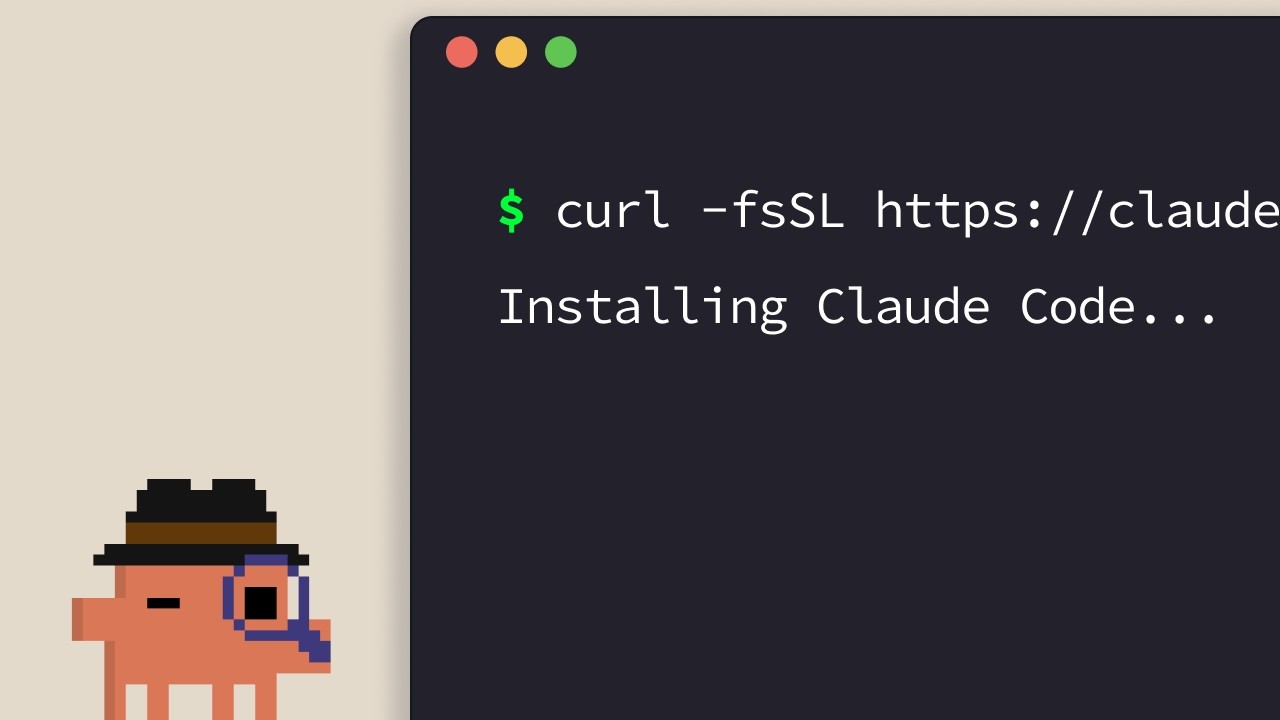
Installing Claude Code
The official install guide for Claude Code. Anthropic's narrator walks through the one-line installers for every supported platform — terminal, VS Code, JetBrains, Claude Desktop, and the web — and closes with a quick rule of thumb for picking one. ## [00:04] One-line installers for terminal (macOS, Linux, WSL, Windows) The default path is the terminal. macOS, Linux, and WSL users get a single `curl` command; Homebrew works too but skips auto-update. On Windows, PowerShell uses `Invoke-RestMethod`, CMD has its own `curl` snippet, and `winget` is available with the same auto-update caveat as Homebrew. > *If you're on macOS, Linux, or WSL, use this curl command to install it in one go. If you prefer to use Homebrew, you can also use brew install to install it, but note that this doesn't have auto-update capabilities.* ## [00:33] Run claude in your project and sign in After install, `cd` into your project and run `claude`. First launch hands you a color theme picker and a sign-in flow that accepts a Pro, Max, Enterprise, or API-key login. Enterprise accounts must explicitly pick that option. The directory you launch from defines the access boundary — Claude Code sees that folder and everything beneath it, nothing above. > *Whatever directory you decide to run cloud in, it will have access to that directory and all of its subfolders.* ## [01:02] VS Code extension Open the Extensions panel, search for the Claude Code extension by Anthropic, and confirm the blue verified check before installing. A restart may be required. Once installed, the Command Palette (`Ctrl/Cmd+Shift+P`) opens a new Claude Code tab; you can also click the logo from any open file, or opt out of the GUI entirely and stick to the terminal experience via settings. > *You can also opt out of the UI and just use the terminal experience directly in your settings file.* ## [01:32] JetBrains plugin Same shape as VS Code: install the Claude Code plugin from the JetBrains Marketplace, restart the IDE, and the Claude logo shows up on relaunch. Clicking it opens a side pane that surfaces the terminal experience next to your editor. > *For JetBrains IDEs, you can install the Cloud Code plugin from the JetBrains Marketplace. Once you install, restart your IDE.* ## [01:51] Claude Desktop and claude.ai/code on the web Claude Desktop exposes Claude Code through a "code" toggle at the top of the app once you're signed in — same chat-style feel, but scoped to a specific folder with adjustable permissions and even a cloud execution mode. The web build lives at `claude.ai/code` and mirrors the desktop experience, with one hard constraint: it only works against GitHub repositories. > *On the web, you can access Claude code by going to claude.ai/code. This works very similar to the desktop app. However, you're restricted to GitHub repositories only.* ## [02:27] Picking the right surface The narrator's heuristic: terminal first if you want new features the day they ship. IDE integrations give you a nearly identical experience tucked inside your editor. Desktop is the pick when you want Claude grinding in the background while you do something else. Web is for remote work on GitHub repos or running multiple sessions in parallel. > *If you want to constantly keep up to date with everything, the terminal is the best bet. Features ship there the fastest.* ## Entities - **Anthropic Tutorial Narrator** (Person): Voice-over host of Anthropic's Claude Code 101 course. - **Claude Code** (Software): Anthropic's agentic coding tool, installable across terminal, IDEs, desktop, and web. - **Homebrew / winget** (Software): Package-manager install paths offered as alternatives to the official curl/PowerShell installers — both skip auto-update. - **VS Code extension** (Software): Anthropic-published Claude Code extension; verify the blue check before installing. - **JetBrains plugin** (Software): Claude Code plugin distributed via the JetBrains Marketplace; opens a side pane after IDE restart. - **Claude Desktop** (Software): Desktop app exposing Claude Code via a "code" toggle, with folder scoping and a cloud execution mode. - **claude.ai/code** (Service): Web build of Claude Code, restricted to GitHub-hosted repositories.
The CLAUDE.md file
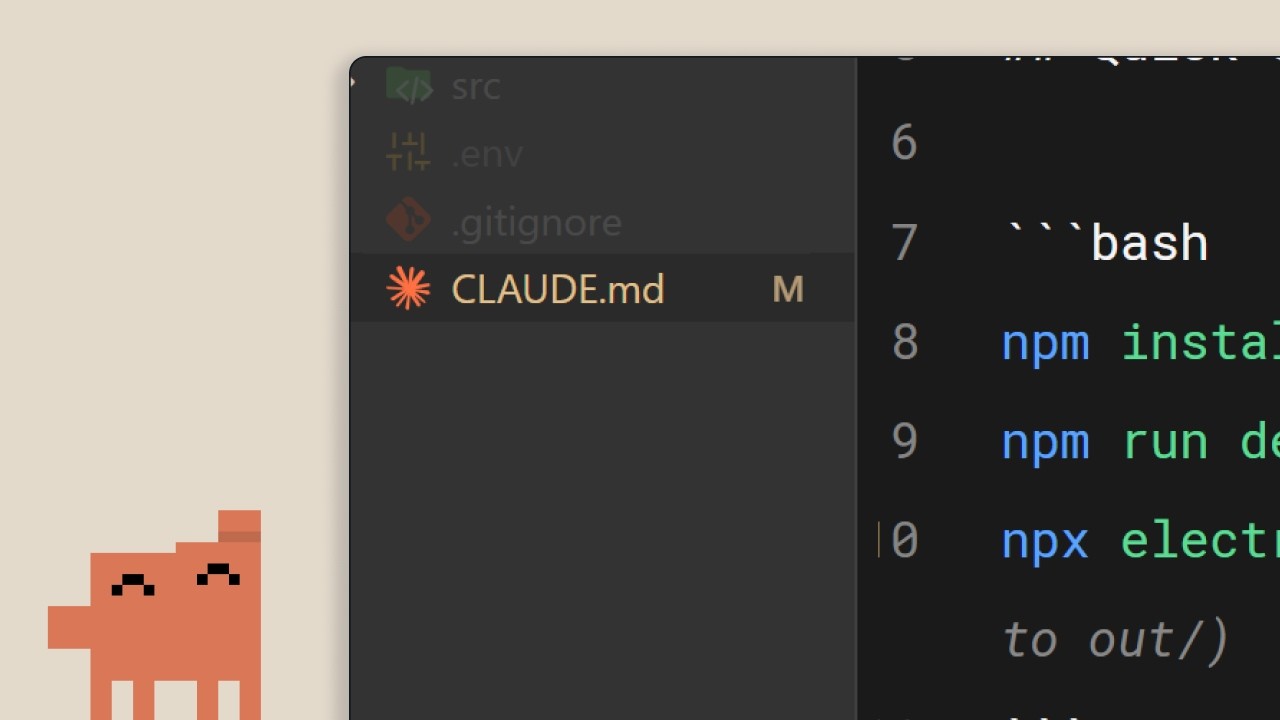
Anthropic's second Claude Code 101 episode covers the single file that turns Claude Code from a stranger into a teammate: `CLAUDE.md`. What to put in it, how the project/user hierarchy splits responsibilities, and three habits that keep the file from rotting into a wall of stale rules. ## [00:02] Why Claude Code needs persistent memory Without a `CLAUDE.md`, every session starts cold — Claude has to re-walk the codebase, guess at dependencies, and re-discover what's already implemented. Those assumptions are exactly what makes it hard to steer. The file exists to short-circuit that rediscovery on every new session. > *When you open up Claude Code without a claude.md file, it's like it has to start fresh every single time.* ## [00:34] What CLAUDE.md actually is and /init It's a plain Markdown file at the project root that gets read on every session start and appended directly to your prompt — an "onboarding script for your codebase." If you don't want to write one by hand, `/init` generates a first draft from the existing code. The walkthrough's example file is three short blocks: stack (Next.js 15 app router, Tailwind, Drizzle ORM), commands (dev server, tests, lint), and code style rules (two-space indent, named exports, API routes in `app/api`, prefer server actions). With that loaded, asking for a React component yields code styled the project's way on the first try instead of after a round of corrections. > *It's a markdown file that you add to the root of your project and Claude Code reads it automatically every time you start a session.* ## [01:34] The memory hierarchy: project vs user Yes, check it into version control — the project-level `CLAUDE.md` is meant for the team. But there's a second tier: a user-level `CLAUDE.md` in your config folder that follows you across every project. That's where personal preferences live — how you like comments written, idioms you favor — without polluting the shared file. > *But there's actually a hierarchy of memory files depending on who it's for.* ## [02:01] Three tips to keep CLAUDE.md useful Three habits the narrator pushes. First, when you have to correct Claude on something recurring ("always use server actions instead of API routes"), explicitly ask it to save that to memory so the fix sticks across sessions. Second, pull in existing docs with `@filepath` instead of copy-pasting them into the file. Third — counterintuitive — start a new project *without* a `CLAUDE.md` and watch where you keep course-correcting; only those friction points belong in the file. That's how you keep it compact instead of bloated. > *We recommend you start off a project without a claude.md file so you can see where you have to constantly course correct the model.* ## [02:39] Recap: context is the difference The whole pitch in one line: the gap between a frustrating session and a productive one is context, and `CLAUDE.md` is the delivery mechanism. Start small — stack, preferences, commands — and grow it from real friction. > *Start with your stack, your preferences, and then commands, and just build from there as you go.* ## Entities - **Anthropic Tutorial Narrator** (Person): Voice-over host of Anthropic's official Claude Code 101 series. - **CLAUDE.md** (Concept): Markdown file at a project's root that Claude Code auto-loads each session, providing persistent context appended to the user's prompt. - **/init** (Command): Claude Code command that generates an initial `CLAUDE.md` by scanning the existing codebase. - **Project-level vs user-level CLAUDE.md** (Concept): Two-tier memory hierarchy — project file lives in repo root and is shared via version control; user file lives in the config folder and carries personal preferences across all projects. - **@filepath reference** (Concept): Syntax for pointing `CLAUDE.md` at existing documentation files instead of duplicating their contents. - **Next.js 15 / Tailwind / Drizzle ORM** (Software): Stack used in the walkthrough's example `CLAUDE.md` to illustrate what a real file looks like.
MCP in Claude Code
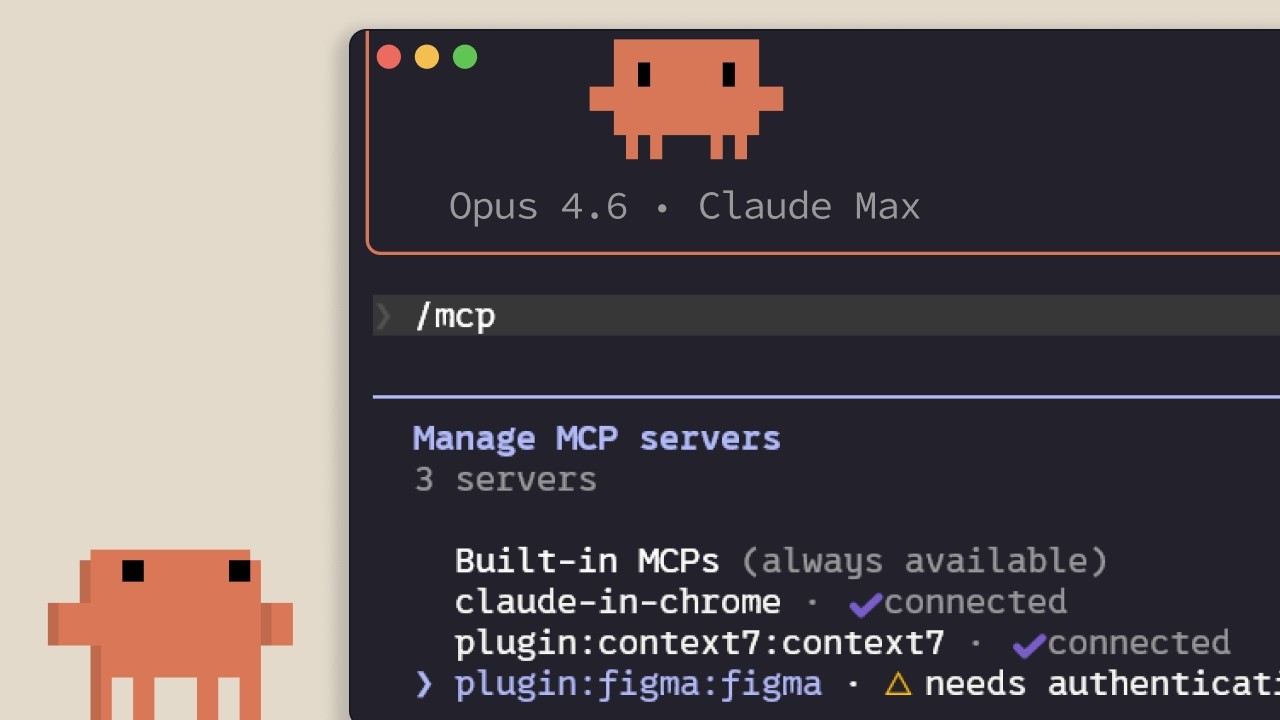
Anthropic's walkthrough of Model Context Protocol inside Claude Code: what it connects to, how to add and scope servers, and the hidden tax that every installed server puts on your context window. Aimed at developers about to wire Claude Code into Linear, GitHub, or in-house tooling. ## [00:02] Why MCP exists — context lives outside the editor The pitch up front: most of the context Claude Code needs isn't in the repo — it sits in databases, productivity apps, and public packages. MCP is the open standard that lets Claude reach those surfaces on its own and decide when to call them, instead of waiting for you to paste things in. > *Model contact protocol is an open standard that lets Claude code connect to external tools and data sources.* ## [00:35] Tools, and what MCP servers actually plug in Before naming servers, the narrator grounds the term *tool*: agents like Claude Code use tools to take actions, which is what separates them from a chat that only returns text. Two concrete examples follow — a Linear MCP server that pulls in your team's issues, and the Context7 server that streams up-to-date docs for whatever dependency you're working with. Hundreds more live at claude.com/connectors. > *Tools give agents like Claude code the ability to perform actions in order for them to better complete their tasks.* ## [01:14] Adding servers: HTTP vs STDIO, and /mcp Servers are added with `claude mcp add` and come in two flavors: **HTTP** servers, hosted remotely by the provider and reached over the network, and **STDIO** servers, local processes running on your own machine. Once installed, the in-session `/mcp` command lists what's connected, shows status, and lets you disable any server you don't want active. > *HTTP servers are for remote services... STDIO servers are for local processes that run on your machine.* ## [01:42] Three scopes: local, user, and project (.mcp.json) Every server lands in one of three scopes. **Local** keeps it to the current project for you alone; **user** makes it available across all your projects; **project** writes a `.mcp.json` you check into version control so every teammate working on the codebase picks up the same servers automatically. > *Project scope uses a .mcp.json file that you check into your version control, so anyone working on the code base gets the exact same servers automatically.* ## [02:04] Tool definitions cost context — when to prefer CLIs or skills The catch nobody mentions when they hand you a connector list: every configured MCP server injects its tool definitions into the context window whether you're using it or not. The narrator's mitigations stack — run `/mcp` and disable anything idle; prefer a CLI like `gh` or `aws` when one exists, since CLIs don't carry persistent tool definitions; or wrap the workflow in a skill, which only loads its name and description until Claude decides to pull it in. Cross 10% of context and Claude Code flips into tool search mode, discovering tools on demand — useful, but less reliable than having them pre-loaded. > *MCP servers add tool definitions to your context window, even when you're not using them. So, if you have a lot of servers configured, this eats into your available context.* ## [03:10] Recap The three things to remember: `claude mcp add` installs servers, `.mcp.json` shares them with your team, and `/mcp` is where you trim the ones you're not actually using. > *Add servers with Cloud MCP add, scope them to your project with .mcp.json so that your team gets them automatically, and keep an eye on the context usage by disabling servers that you're not actively using.* ## Entities - **Anthropic Tutorial Narrator** (Person): Anthropic's official voice-over narrator for the Claude Code 101 series. - **Model Context Protocol (MCP)** (Standard): Open protocol that lets Claude Code connect to external tools and data sources via HTTP or STDIO servers. - **Linear MCP server** (Software): Connector that brings a team's Linear issues into a Claude Code session. - **Context7 MCP server** (Software): Connector that supplies Claude Code with up-to-date documentation for the dependency in use. - **.mcp.json** (Config): Project-scoped manifest checked into version control so every teammate inherits the same MCP servers. - **/mcp** (CLI command): In-session command to list, inspect, and disable connected MCP servers. - **Tool search mode** (Feature): Fallback Claude Code enters when MCP tool definitions exceed 10% of the context window — discovers tools on demand. - **Skill** (Concept): Lightweight alternative to a full MCP server; only its name + description sit in context until Claude loads the body on demand.
Running an AI-native engineering org
Fiona Fung, who runs engineering and product for Claude Code and Cowie at Anthropic, walks through what broke when agentic coding became the team's default — review, ownership, planning, hiring — and the norms they rewrote to keep shipping. The throughline: when coding stops being the bottleneck, every process built around protecting expensive engineering bandwidth quietly stops working, and the manager's job is to notice and rewrite them fast. ## [00:00] Intro and the five themes Fiona opens with a confession that the room is much fuller than she expected (Boris and Jared's session is still letting out), takes a selfie with the audience, and frames the talk. Background: she grew teams at Meta and Microsoft before Anthropic, and is now responsible for Claude Code and Cowie engineering and product. The deck she's about to walk through has already been rewritten in the past month — routines didn't exist when she first wrote the slides. She previews five threads: bottlenecks have shifted, team norms had to be rewritten, how they rolled them out, what signals say the changes are working, and the open questions she's still sitting with. > *"I did this slide deck maybe like a month ago and already I've had to change some of the content cuz when I started this deck, there were no routines."* ## [02:10] The shift: bottlenecks have moved Fiona's subtitle for the whole talk is *what served you prior may not serve you any longer*. She takes the audience back to shipping Visual Studio 2005 on CD-ROMs — hard deadlines because the manufacturing lab had to print discs — and points out that the move from CDs to online distribution already rewired how teams ship. The new shift is bigger: for years coding throughput and engineering bandwidth were the expensive things, and that's quietly stopped being true on Claude Code. When the bottleneck moves, it doesn't disappear — it relocates to verification, review, cross-functional handoffs, and security. The questions that matter now are "is this code correct?" and "is this safe?", and the old planning and ownership norms quietly stop serving the team. > *"What served you prior may not serve you any longer."* ## [07:40] Rewriting team norms: code review, JIT planning, technical debates Inside Claude Code the team had to rewrite the norms one by one. Code review is the first — human judgment shifts to "who actually needs to look at this." Planning is the second — Fiona calls it JIT planning, like JIT compiling, because prototyping is no longer the expensive step that justifies a six-month roadmap. Technical debates are the third: code wins. Instead of two engineers arguing on a doc, both prototype the API and look at impact on callers, and Fiona made a point of caring about the API's downstream effects as much as the implementation itself. The unifying rule: when building is cheap and arguing is expensive, you don't let the last person who checks in win — you build the routines that get *you* the last word. > *"When building is cheap, arguing expensive, again, how does that shift your team norms a bit?"* ## [13:30] Routines and Claude as a second pair of hands With morning coffee Fiona now reads what a routine produced overnight rather than kicking off the work herself. The team leans on Claude code review heavily — Claude babysits PRs, handles styling, lint, and feedback requests, catches bugs before commit, and adds tests — while humans focus on the calls where trust is still being built. She also stresses product sense in tooling: she themed Claude's terminal output ice blue with snowflakes over the holidays, then pulls back to the bigger point that catching bugs earlier (shift left) and automating the double-click question matter more than any one tool. > *"Where do you trust Claude a lot, but then where do you still want a human?"* ## [16:45] Cross-functional gaps and hiring for the hard parts Fiona walks through a survey-update story: she didn't have a dedicated content designer, so Claude became her partner for terse, terminal-appropriate copy. Meanwhile PMs on the team write code, and engineers lean into PM work. The flip-side conclusion for hiring: non-traditional coders can now do more engineering, so the leader's job is to double down on the hard parts the team is actually missing. When she joined, Claude Code was strong on product generalists and creative folks but thin on distributed-systems expertise — that's where she pushed recruiting. > *"With Claude, you have non-traditional coders now being able to do more engineering, but you also have engineers that we can also now lean in to do other roles."* ## [18:51] Flat org and answering customer feedback yourself Fiona pushed her recruiters into an uncomfortable place: hire managers, but have them start as ICs first. The recruiter thought she was crazy; Fiona's answer is that dogfooding Claude Code is the job, and if a candidate isn't up for it the team is better off finding out early. Flat structure plus Claude as a context-switching aid is what lets her, as a manager, still ship code and answer customer requests directly from her desktop Claude Code — instead of routing every customer question through a triage system, she pulls up the local repository and answers it herself. > *"You want to hire managers and they will start as an IC first. No manager would be interested in that."* ## [25:00] Signals you're trending right and open questions The team's working metric is unglamorous and direct: every commit is cloud-assisted by default, and Fiona hasn't seen a non-Claude commit in roughly four months. But she warns against fetishizing the "X percent of code generated by AI" headline — throughput is one signal, not the goal. The end question is what product you're making more delightful and what problem you're solving, with quality and reliability watched alongside volume. She closes with the section she calls "audit your own effort," opens up the questions she's still asking herself, and hands suggestions back to the audience to take to their own teams. > *"For us, it's by default every commit is cloud-assisted. I don't think I've seen a non-cloud-assisted commit probably in the last 4 months or so."* ## Entities - **Fiona Fung** (Person): Director of Engineering at Anthropic, runs Claude Code and Cowie engineering + product; previously led teams at Meta and Microsoft. - **Boris** (Person): Engineering lead on Claude Code, frequent collaborator referenced throughout. - **Kat (Cat)** (Person): Anthropic colleague who gave a keynote earlier the same day on Claude code review. - **Claude Code** (Software): Anthropic's agentic coding tool that is now the default for the team Fiona runs. - **Cowie** (Software): Sister product Fiona's team also owns engineering + product for. - **Anthropic** (Organization): The company building Claude and Claude Code. - **JIT planning** (Concept): Fiona's term for shifting from a six-month roadmap to just-in-time planning, modeled on JIT compilation. - **Shift left** (Concept): Moving bug-catching and verification earlier — into automation and tooling — instead of relying on review after the fact. - **Routines** (Concept): Repeatable Claude-driven workflows the team relies on so a single human gets the last word on outcomes rather than the last commit timestamp winning.
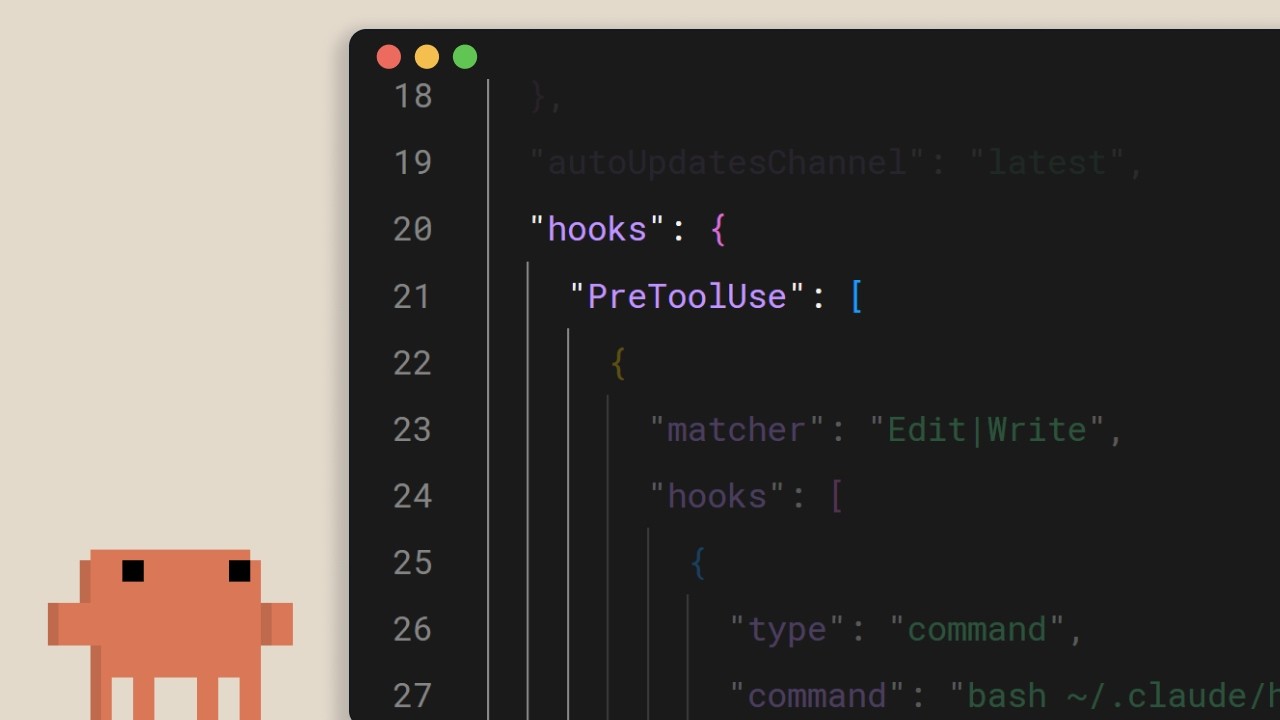
Hooks in Claude Code
A short Anthropic walkthrough of Claude Code hooks — the deterministic escape hatch for things that absolutely must happen on every edit, every tool call, every commit. The pitch: if you find yourself writing "always run prettier" into claude.md and hoping, you've already lost; move it to a hook. ## [00:02] What hooks are and why they're deterministic Hooks fire at fixed points in Claude Code's lifecycle, and the narrator's whole framing is that unlike prompt-level instructions, they always run. Telling the model in claude.md to run prettier after every edit works most of the time — but "most of the time" is exactly the gap a hook closes. Same intent, but enforced by the runtime instead of suggested to the LLM. > *You can tell Claude in your claude.md file to run prettier after every file edit and most of the time it will do that, but sometimes it won't. It's not perfect. But a hook makes it happen every single time with no exceptions.* ## [00:37] Common use cases Four representative examples set the scope: auto-format after file edits, log every executed command for compliance, block dangerous operations such as touching production files, and ping yourself when Claude finishes a long task. > *Common use cases could include auto formatting after file edits, logging all executed commands for compliance, blocking dangerous operations like modifying production files, and sending yourself notifications when Claude finishes a task.* ## [00:52] Configuring hooks and the five lifecycle events Configuration lives in `settings.json`: pick an event, optionally narrow it with a matcher for which tool it applies to, then provide a shell command. Five events cover the loop — `UserPromptSubmit` before Claude even sees a prompt, `PreToolUse` and `PostToolUse` wrapping each tool call, `Notification` when Claude pings the user, and `Stop` when Claude finishes responding. > *Pre-tool use which runs before a tool call, post-tool use runs after a tool call completes. Notification runs when Claude sends a notification, and stop runs when Claude finishes responding.* ## [01:22] Auto-formatting with a post-tool-use hook The canonical example: a `PostToolUse` hook with a matcher of `Edit` or `MultiEdit` fires whenever Claude mutates a file. The command checks the extension and routes to the right formatter — prettier for TypeScript, gofmt for Go, ruff for Python, whatever the project standardizes on. > *You set a post-tool use hook with a matcher of edit or multi-edit, right? So, it fires whenever Claude modifies a file. The command checks the file extension and runs the appropriate formatter.* ## [01:49] Blocking tool calls with pre-tool-use and exit codes `PreToolUse` hooks receive the tool name and input as JSON on stdin and decide via exit code: `0` proceeds, `2` blocks. When a hook blocks, whatever it wrote to stderr gets fed back to Claude as feedback, so the model knows why and can adjust its plan. This is where you enforce hard rules — block writes to a production config dir, refuse bash commands containing `rm -rf`, block commits to main. The narrator's framing: things your team needs guaranteed, not suggested. > *If it exits with code two, the action is blocked and the STD error message gets fed back to Claude's feedback so Claude knows why it was blocked and can adjust.* ## [02:26] Project-level hooks and team sharing Hooks in `.claude/settings.json` are project-scoped and can be committed to the repo, which means the whole team inherits them automatically on clone. Reference scripts via the `CLAUDE_PROJECT_DIR` env var so commands resolve correctly no matter where Claude's cwd happens to be. The closing rule of thumb: if something needs to happen every time without fail, don't put it in a prompt — put it in a hook. > *If something needs to happen every time without fail, don't put it in a prompt. Put it in a hook.* ## Entities - **Anthropic Tutorial Narrator** (Person): Anthropic's official voice-over for the Claude Code 101 tutorial series. - **Claude Code** (Software): Anthropic's agentic terminal coding tool that hooks plug into at lifecycle events. - **Hooks** (Concept): Deterministic commands that fire at fixed points in the Claude Code loop — the runtime-enforced alternative to prompt-level instructions. - **settings.json** (Configuration): Where hooks are declared; `.claude/settings.json` at the project root is checked into the repo so teams share the same rules. - **PreToolUse / PostToolUse / UserPromptSubmit / Notification / Stop** (Events): The five lifecycle events a hook can attach to. - **CLAUDE_PROJECT_DIR** (Environment variable): Used inside hook commands to reference project-relative scripts regardless of Claude's current working directory.
Claude Code란 무엇인가?
Anthropic의 공식 Claude Code 안내서——Claude Code가 무엇인지, Claude.ai와 어떻게 다른지, 그리고 LLM이 코드베이스에서 명령을 실행하기 전에 알아야 할 세 가지를 설명합니다. 터미널 도구를 처음 설치하려는 개발자를 대상으로 합니다. ## [00:04] Claude Code의 정의와 실행 환경 Claude Code는 에이전트형 코딩 도구로 포지셔닝됩니다. 코드베이스를 이해하고, 파일을 편집하며, 명령을 실행하고, 이미 사용 중인 개발자 도구와 통합됩니다. 터미널, VS Code, JetBrains IDE, Claude 데스크톱 앱, 웹 등 여러 환경에서 동작하지만, 이 안내서에서는 터미널을 기본 환경으로 다룹니다. > *Claude Code is an agentic coding tool that understands your code base, edits your files, run commands, and integrates with your existing developer tools to help you get things done faster.* ## [00:34] Claude.ai와의 차이점 핵심 차이는 모델 성능이 아니라 접근 방식에 있습니다. Claude Code는 터미널과 전체 코드베이스에 직접 접근하므로, 채팅창에 복사-붙여넣기하는 반복 작업이 사라지고 도구가 제자리에서 작업을 완료합니다. "AI 에이전트"라는 표현은 이 직접 실행 방식을 함축적으로 표현한 것입니다. > *Unlike Claude AI, Claude Code has direct access to your files in your terminal and your entire code base.* ## [00:51] AI 에이전트와 Claude Code로 할 수 있는 것들 여기서 AI 에이전트란 환경과 상호작용하고 정해진 목표를 달성하기 위해 행동을 취하는 소프트웨어를 의미합니다. 가장 기본적인 형태는 도구, 외부 서비스, 다른 에이전트에 접근할 수 있는 실시간 루프 속의 LLM입니다. Claude Code에서는 이것이 구체적인 기능으로 나타납니다. 코드베이스 읽기 및 설명, 파일 전체에서 버그 추적, 빌드 스크립트 및 테스트 실행, 패키지 설치, 그리고 다음 행동을 결정하기 위한 최신 API 문서 웹 검색 등입니다. > *An AI agent is a software that can interact with its environment and perform actions to complete a defined goal.* ## [01:45] 시작 전에 알아야 할 세 가지 개념 나레이터는 일상적인 사용에 영향을 미치는 세 가지 속성을 강조합니다. 첫째, **컨텍스트 윈도우**는 Claude의 작업 메모리로, 크지만 유한합니다. 그래서 에이전트는 코드베이스를 전부 불러오는 대신 전략적으로 탐색해야 합니다. 둘째, Claude Code는 명령을 실행하거나 파일을 변경하기 전에 **허가를 요청합니다**. 모든 단계를 직접 제어하고 싶든, 대부분 자율적으로 실행하게 하고 싶든 제어권은 항상 사용자에게 있습니다. 셋째, **틀릴 수 있습니다**. 의도를 잘못 파악하거나, 버그를 도입하거나, 수정을 과도하게 설계할 수 있습니다. 출력물은 다른 도구의 결과물과 마찬가지로 다루고, 무조건 신뢰하지 마십시오. > *By default, Claude Code will ask you before running commands or making changes to your code base.* ## [02:34] 요약 Claude Code는 코드베이스를 읽고, 파일을 편집하며, 명령을 실행하고, 외부 도구에 연결하여 더 빠르게 결과물을 만들 수 있도록 돕는 에이전트형 코딩 도구입니다. 현재 터미널, VS Code, JetBrains, Claude 데스크톱 앱에서 사용할 수 있습니다. > *Claude Code is an agentic coding tool. It reads your code base, edits your files, runs commands, and connects to external tools to help you ship faster.* ## 엔티티 - **Anthropic Tutorial Narrator** (Person): Claude Code 101 튜토리얼 시리즈의 Anthropic 공식 내레이터. - **Claude Code** (Software): Anthropic의 에이전트형 터미널 기반 코딩 어시스턴트로, 코드베이스에 직접 작동합니다. - **Claude.ai** (Software): 채팅 기반 Claude 제품으로, Claude Code의 환경 내 실행 방식과 대조됩니다. - **AI agent** (Concept): 정해진 목표를 추구하기 위해 도구, 외부 서비스, 다른 에이전트에 접근하며 실시간 루프에서 실행되는 LLM. - **Context window** (Concept): Claude의 작업 메모리. 유한하기 때문에 에이전트는 전체 코드베이스를 불러오는 대신 전략적으로 탐색합니다. - **VS Code / JetBrains IDEs** (Software): Claude Code가 터미널 및 Claude 데스크톱 앱과 함께 통합되는 에디터.
The Explore → Plan → Code → Commit workflow in Claude Code
Anthropic's three-minute walkthrough of the loop they consider the single most important habit when working with Claude Code: research first in plan mode, define what "done" looks like before any file is touched, then have a subagent review the diff before you push. ## [00:03] Why explore-plan-code-commit beats jumping straight in The opening pitch is blunt — if you only adopt one habit from the course, make it this workflow. The failure mode it's fighting is the reflex of pasting a task into Claude and watching it generate code immediately, which front-loads speed but back-loads correction cost. > *Without this, most people jump straight to pasting in Claude to write code, which means more course correcting later on.* ## [00:21] Plan mode: read-only research before any edits Plan mode is how you collapse explore and plan into a single move. Claude can read files and run web searches but is forbidden from writing — Shift+Tab cycles into it from the prompt. The narrator demos with a real ask (add WebP conversion to an image upload pipeline, figure out where it belongs, what dependencies are needed, how to approach it). Claude returns a plan; you read it, ask for revisions if it misses something. This is the cheapest place in the whole cycle to change direction, because nothing has been written yet. > *With plan mode, Claude can't edit files. It just reads files to gather research on how to tackle this implementation.* ## [01:11] Approve the plan, then course-correct as Claude codes Once the plan looks right, Approve hands execution back to Claude to tick through the checklist. You choose whether file edits auto-accept or prompt every time. Claude will troubleshoot on its own, but expect to intervene — and the reason plan mode pays off here is that the agent now carries the research context that produced the plan, so mid-flight corrections land in the right place instead of starting from scratch. > *This is the benefit of working with plan mode because after the plan is finished, we also have the context of how it got to the results to help it guide its next decision.* ## [01:39] Make success criteria explicit and give Claude real tools A plan without a definition of "correct" leaves Claude guessing. Spell out what success looks like, then equip the agent to actually verify it: the Claude+Chrome extension lets it drive a browser tab to test a UI it just built; a test suite gives it something to validate against on every loop, and Claude can author the tests too — but only if you've already vetted them as ground truth. A quick durability tip: when Claude keeps re-hitting the same problem, have it persist the fix into the CLAUDE.md file so it stops relearning. > *In order for Claude to be confident in its results, it has to be clear on what it deems correct.* ## [02:24] Subagent review, commit, recap Before pushing, spin up a subagent code reviewer over the diff — a second pass with no attachment to the implementation. Then have Claude draft the commit message in your style and ship it. The recap reframes each step: Explore feeds context, Plan defines success, Code is the back-and-forth that converges on the plan, Commit reviews and pushes so you can move on. > *A tip before you commit, run a sub agent code reviewer to look at your code.* ## Entities - **Anthropic Tutorial Narrator** (Person): Anthropic's official voice-over for the Claude Code 101 course. - **Claude Code** (Software): Agentic terminal coding tool whose recommended day-to-day loop is the subject of this episode. - **Plan mode** (Feature): Read-only mode toggled with Shift+Tab — Claude researches and proposes a plan but cannot edit files. - **Claude + Chrome extension** (Software): Lets Claude Code drive a Chrome tab to verify UI changes before declaring a task done. - **CLAUDE.md** (File): Project memory file used here as a persistence target for recurring fixes Claude keeps relearning. - **Subagent code reviewer** (Pattern): Pre-commit Claude subagent that reviews the diff before the human pushes.
Context Management in Claude Code
Anthropic's Claude Code 101 walkthrough on context — what fills the window, when auto-compaction kicks in, and the practical levers (/compact, /clear, /context, claude.md, MCP toggles, skills, sub agents) for keeping a session lean enough to keep working. ## [00:03] Why context is finite — and why it matters Context is Claude's working memory: every prompt, every file read, every tool call result lands in the same window. The window is large but finite, so optimizing what goes in is non-negotiable once you start running multi-step sessions. > *Every file it reads, every command it runs, every message you send, it all takes up space in the context window.* ## [00:39] Auto-compaction and the /compact command As you near the limit, Claude Code auto-compacts: it summarizes the important bits and drops noisy tool-call results to free space. You can also trigger `/compact` manually — useful when you want headroom but still want to remember what you've been working on. Tradeoff: compaction can lose detail from earlier turns. > *Compaction will summarize important details and remove the unnecessary tool call results and free up a lot of space in your context window.* ## [01:11] /clear and /context: starting over, seeing what's used If you want a true reset with no memory of the prior session, `/clear` wipes everything. To see where your space is actually going, `/context` shows total size, the categories eating the most, and a graphic of the breakdown — the diagnostic before you decide between compact and clear. > *To check the state of your context, run the /context command.* ## [01:35] The rule of thumb: compact mid-feature, clear between features The narrator gives a clean heuristic: still working on one feature and bumping the ceiling? Compact — you want the relevant history to carry over. Done with the plan, moving to something new? Clear — old conversation will bias the new work. > *If you have finished the plan and want to start on a new feature, then clear. You don't want the previous conversation to present bias in anything new that you want to create.* ## [01:57] claude.md, prompt specificity, and writing less by writing more Anything Claude should remember across sessions belongs in `claude.md` so it doesn't rediscover the same facts every time. And counterintuitively, terse prompts cost more context: when the ask is vague, Claude grep-walks the codebase and reasons more, all of which fills the window. A sentence or two of specificity buys back a lot of space downstream. > *The irony behind writing a smaller prompt is that it in the long run, it will take up more context.* ## [02:26] MCP servers, skills, and sub agents as context tools MCP servers load every tool they expose into context by default — fine if relevant, expensive if not, so turn off the ones unrelated to the project. Skills behave like MCP servers but don't dump the whole surface into context. Sub agents run in parallel with their own separate window, so for fact-finding tasks ("where are the auth endpoints?") you can dispatch a sub agent and get back just the answer instead of the whole journey. > *Sub agents run in parallel with your main agent but has a complete separate context window.* ## [03:06] Recap Managing context in Claude Code is the difference between a long productive session and a stalled one. Use `/compact` to summarize long sessions, `/clear` to start fresh, be specific in prompts, check `/context` to see what's eating the window, and delegate answer-only work to sub agents. > *Managing context within cloud code is crucial. Use slash compact to summarize long sessions and slashclear to start fresh.* ## Entities - **Anthropic Tutorial Narrator** (Person): Anthropic's official voice-over for the Claude Code 101 tutorial series. - **Claude Code** (Software): Anthropic's agentic terminal coding assistant whose context window is the subject of this episode. - **Context window** (Concept): Claude's working memory — finite, filled by prompts, file reads, and tool-call results. - **/compact** (Command): Slash command (and auto-trigger) that summarizes history and drops tool-call noise to free space. - **/clear** (Command): Slash command that wipes the session entirely for a clean start on new work. - **/context** (Command): Slash command that reports total context size and which categories are consuming it. - **claude.md** (File): Project-level memory file Claude reads across sessions so it doesn't rediscover the same facts. - **MCP servers** (Software): Tool providers that load all exposed tools into context by default — toggle off when unrelated. - **Skills** (Feature): Lighter-weight alternative to MCP servers that avoids loading the whole tool surface into context. - **Sub agents** (Feature): Parallel agents with their own context windows used to answer scoped questions without polluting the main window.
서브에이전트를 효과적으로 활용하기
서브에이전트는 중간 작업이 메인 스레드에 속하지 않을 때 강력한 도구가 됩니다. 하지만 무분별하게 위임하면 오히려 상황이 나빠집니다. 이 튜토리얼은 유용한 위임(리서치, 코드 리뷰, 도메인별 시스템 프롬프트)과 컨텍스트를 소모하고 꼭 필요한 정보를 잃게 만드는 안티패턴(전문가 페르소나, 순차 파이프라인, 테스트 러너) 사이의 선을 명확히 그어줍니다. ## [00:03] 도입: 서브에이전트가 도움이 될 때와 역효과가 날 때 시리즈에서는 지금까지 서브에이전트를 만들고 설계하는 법을 다뤘습니다. 마지막 편은 배포 관점의 질문으로 넘어갑니다. 어떤 작업이 별도 에이전트를 띄울 때 진짜 이득이 되고, 어떤 작업이 오히려 손해를 보는가? 답은 하나의 검증으로 귀결됩니다. 중간 작업이 메인 스레드에 중요한가? 탐색과 실행이 분리되어 있을 때 서브에이전트는 값어치를 합니다. 각 단계가 이전 단계의 발견에 의존할 때는 인계 비용이 꼭 필요한 세부 내용을 앗아갑니다. > *"간단히 말해, 중간 작업이 메인 스레드에 중요한지 여부가 핵심 차이입니다."* ## [00:32] 리서치 작업: 탐색을 격리된 상태로 유지하기 인증 추적은 구체적인 예시입니다. 메인 스레드가 알아야 할 것은 JWT 검증이 어디서 일어나는가 — 중간에 읽은 수십 개의 파일이 아닙니다. 리서치 서브에이전트는 코드베이스 전체를 스캔하고, 파일을 넘나들며 함수 호출을 추적해 정확한 답 하나를 돌려줄 수 있습니다. JWT 검증은 middleware/auth.js의 42번째 줄에 있고, route/api.js에서 호출됩니다. 그 모든 탐색은 서브에이전트의 컨텍스트 안에 고스란히 남습니다. 메인 스레드는 결론만 받고, 검색 기록이 컨텍스트 창을 어지럽히지 않은 채 앞으로 나아갑니다. > *"메인 스레드는 이렇게 받습니다: JWT 검증은 middleware/auth.js의 42번째 줄에 있고, Express 라우터와 route/api.js에서 호출된다 — 뭐 이런 식으로."* ## [01:15] 코드 리뷰 서브에이전트: 새로운 시각으로 피드백 받기 Claude가 스스로 작성에 참여한 코드를 리뷰하면 편향이 생깁니다. 모든 결정 과정에 있었기 때문에 외부 시각에서 무엇이 이상해 보이는지 쉽게 포착하지 못합니다. 리뷰어 서브에이전트는 이를 완전히 우회합니다. 코드가 어떻게 발전해왔는지에 대한 이력 없이, diff와 수정된 파일만 봅니다. 이 깨끗한 출발점은 두 번째 이점도 만들어냅니다. 프로젝트 고유의 리뷰 기준 — 명명 규칙, 보안 패턴, 아키텍처 규칙 — 을 서브에이전트의 시스템 프롬프트에 한 번 새겨두면 매번 메인 스레드가 기억에 의존하지 않고도 일관되게 적용됩니다. > *"리뷰어 서브에이전트는 별도 컨텍스트에서 변경 사항을 봅니다. git diff를 실행하고 수정된 파일을 읽은 뒤, 코드가 작성된 이력 없이 전문화된 리뷰 기준을 적용합니다."* ## [01:59] 커스텀 시스템 프롬프트: 카피라이팅과 스타일링 Claude Code의 기본 프롬프트는 간결하고 기술적인 출력에 최적화되어 있습니다. 랜딩 페이지나 마케팅 이메일에는 정반대가 필요합니다. 카피라이팅 서브에이전트는 톤, 대상 독자, 구조에 대해 완전히 다른 지침을 받아 메인 스레드의 기본값으로는 절대 나오지 않을 결과물을 만들어냅니다. CSS에도 같은 논리가 적용됩니다. 디자인 시스템 파일을 언급하는 스타일링 서브에이전트는 한 줄을 쓰기 전에 컬러 변수, 간격 규칙, 컴포넌트 패턴을 자동으로 컨텍스트에 불러옵니다. 모든 스타일 결정이 합리적 추측이 아닌 실제 시스템을 반영하도록 보장합니다. > *"Claude Code의 기본 프롬프트는 간결하고 기술적인 글쓰기 쪽으로 치우쳐 있어서, 랜딩 페이지나 이메일 캠페인에는 어울리지 않습니다 — 고객을 잠들게 하고 싶지 않다면요."* ## [02:57] 안티패턴: 전문가 주장, 파이프라인, 테스트 러너 세 가지 패턴이 반복적으로 상황을 악화시킵니다. 첫째, 페르소나 프롬프트 — "당신은 Python 전문가입니다" 또는 "당신은 Kubernetes 전문가입니다" — 는 아무것도 더하지 않습니다. Claude는 이미 그 지식을 갖고 있기 때문입니다. 전문가 레이블을 붙이기 위해 서브에이전트를 띄우는 것은 메인 스레드가 할 수 있는 일을 위해 격리 비용만 낭비하는 셈입니다. 둘째, 순차 파이프라인은 단계들이 진정으로 독립적이지 않을 때마다 무너집니다. 세 에이전트 흐름 — 버그 재현, 디버그, 수정 — 은 깔끔해 보이지만 실제로는 실패합니다. 디버그 에이전트에게는 재현 에이전트의 라이브 컨텍스트가 필요하지, 압축된 요약이 아닙니다. 셋째, 테스트 러너 서브에이전트는 정보를 능동적으로 숨깁니다. 테스트가 실패하면 무엇이 잘못됐는지 파악하려면 날것의 출력이 필요합니다. "테스트 실패"만 돌려주는 서브에이전트는 직접 출력에서 바로 보였을 세부 정보를 얻기 위해 추가 디버그 스크립트를 강요합니다. > *"'테스트 실패'만 반환하는 서브에이전트는 직접 출력에서 바로 보였을 세부 정보를 얻기 위해 추가 디버그 스크립트를 만들게 합니다."* ## [04:10] 시리즈 정리와 핵심 판단 기준 시리즈 전반에 걸쳐: 서브에이전트는 요약을 돌려주는 격리된 스레드이며, /agents로 만들고, 구조화된 출력과 구체적인 설명으로 설계합니다. 리서치, 코드 리뷰, 커스텀 시스템 프롬프트가 필요한 작업에 활용하세요. 전문가 페르소나, 다단계 의존 파이프라인, 테스트 실행에는 쓰지 마세요. 모든 판단 틀은 한 가지 질문으로 수렴합니다. 중간 작업이 중요한가? 답이 아니라면 위임하세요. > *"핵심 질문: 중간 작업이 중요한가? 그렇지 않다면 위임하세요."* ## 등장 인물 - **Anthropic Tutorial Narrator** (인물): Claude Code 서브에이전트 튜토리얼 시리즈 진행자, Anthropic - **Claude Code** (소프트웨어): Anthropic의 AI 코딩 어시스턴트; 서브에이전트가 만들어지고 조율되는 환경 - **Subagent** (개념): 메인 컨텍스트에서 실행되는 격리된 Claude 스레드. 전체 작업 컨텍스트를 노출하는 대신 압축된 요약을 반환함 - **JWT (JSON Web Token)** (개념): 코드베이스 전반의 인증 로직을 추적하는 리서치 서브에이전트의 실습 예시로 사용됨 - **System prompt** (개념): Claude Code의 기본 프롬프트와 다른 도메인 특화 동작을 가능하게 하는 서브에이전트별 지침 세트 - **Anthropic** (조직): Claude 및 Claude Code 서브에이전트 튜토리얼 시리즈 개발사