PodcastsHear the voice. See the shape of the thought.
Browse Channels
Creating a subagent
Claude Code ships with built-in subagents, but custom ones let you wire specialized behavior for specific tasks. This tutorial creates a code-review subagent from scratch — walking through the `/agents` command, tool selection, model choice, and the config file fields that control when and how Claude delegates to it. ## [00:03] What custom subagents are Claude Code includes built-in subagents, but you can also create your own that specialize in particular tasks. A custom subagent is a markdown file with YAML front matter: the front matter tells Claude when to route to that agent and what capabilities it has, while the markdown body is the system prompt the subagent runs under. > *"Custom sub aents are markdown files with YAML front matter. These markdown files contain configuration that helps claude understand when to use the sub aent and provides directions to the sub aent itself."* ## [00:28] Creating a subagent with /agents The `/agents` command opens the agent management panel. Selecting "Create new agent" asks two questions: scope (current project vs. shared across all projects on the machine) and generation method. The recommended path is letting Claude auto-generate the agent — the narrator types a plain-English request for a subagent that reviews code quality and security issues, and Claude handles the rest. > *"Now, the easiest way to create a sub agent is with the / agents command. Next, you can create a sub agent manually, but we recommend using claw code to automatically generate it for you."* ## [00:56] Configuring tools, model, and color Before Claude writes the file, you choose which tools the subagent can access. A code-review agent doesn't strictly need edit tools, but leaving execution enabled lets it inspect pending changes more easily. After tools, you pick the model: haiku for speed, opus for depth, sonnet for the middle ground. The last choice is a color — it appears in the UI so you can spot the subagent at a glance. > *"Now, given that our sub agent is only responsible for reviewing code, you might decide to disallow tools for editing, but I'll leave an execution to allow the sub agent to more easily identify pending changes."* ## [01:43] Understanding the config file The generated file is saved into the project at the path shown in the summary window. Four fields matter most. `name` is the unique identifier — you can reference it by typing `@agent-code-quality-reviewer` in a message. `description` is what Claude reads to decide whether to delegate; it must stay on one line (escaped `\n` characters are literal). Adding "proactively" to the description makes Claude reach for the agent more often; adding example conversations makes routing more accurate. `tools` mirrors the access granted during generation but can be edited directly in the file. > *"If you want Claude to use the sub agent automatically more often, add in the word proactively to the description."* ## [02:41] The system prompt and how Claude uses it The `model` field accepts `haiku`, `sonnet`, `opus`, or `inherit` — `inherit` runs the subagent on the same model as the parent conversation. Everything below the front matter is the system prompt: it guides the subagent through its task and tells it how to hand results back to the main agent. > *"The system prompt will provide guidance to the sub agent, helping it understand how to complete its task and how it should return information back to the main agent."* ## [03:15] Testing your subagent After saving the config, make some code changes and ask Claude to review them. If the subagent doesn't trigger when expected, the description field is the first thing to adjust — more specific examples sharpen Claude's sense of when to delegate. > *"If the sub agent isn't being used when you expect, check your description. Adding more specific examples helps Claude understand when to delegate."* ## Entities - **Anthropic Tutorial Narrator** (Person): sole host of this episode; narrates the Claude Code subagents tutorial series on Anthropic's official YouTube channel - **Claude Code** (Software): Anthropic's AI coding assistant; supports both built-in and user-created custom subagents - **Custom subagent** (Concept): a markdown file with YAML front matter that configures Claude Code to delegate specific tasks to a specialized agent instance - **/agents command** (Concept): Claude Code UI entry point for creating and managing subagents; offers project-scoped or global scope - **System prompt** (Concept): the markdown body of a subagent config file; provides task guidance and output format instructions to the subagent at runtime - **Anthropic** (Organization): creator of Claude and the Claude Code platform
Designing effective subagents
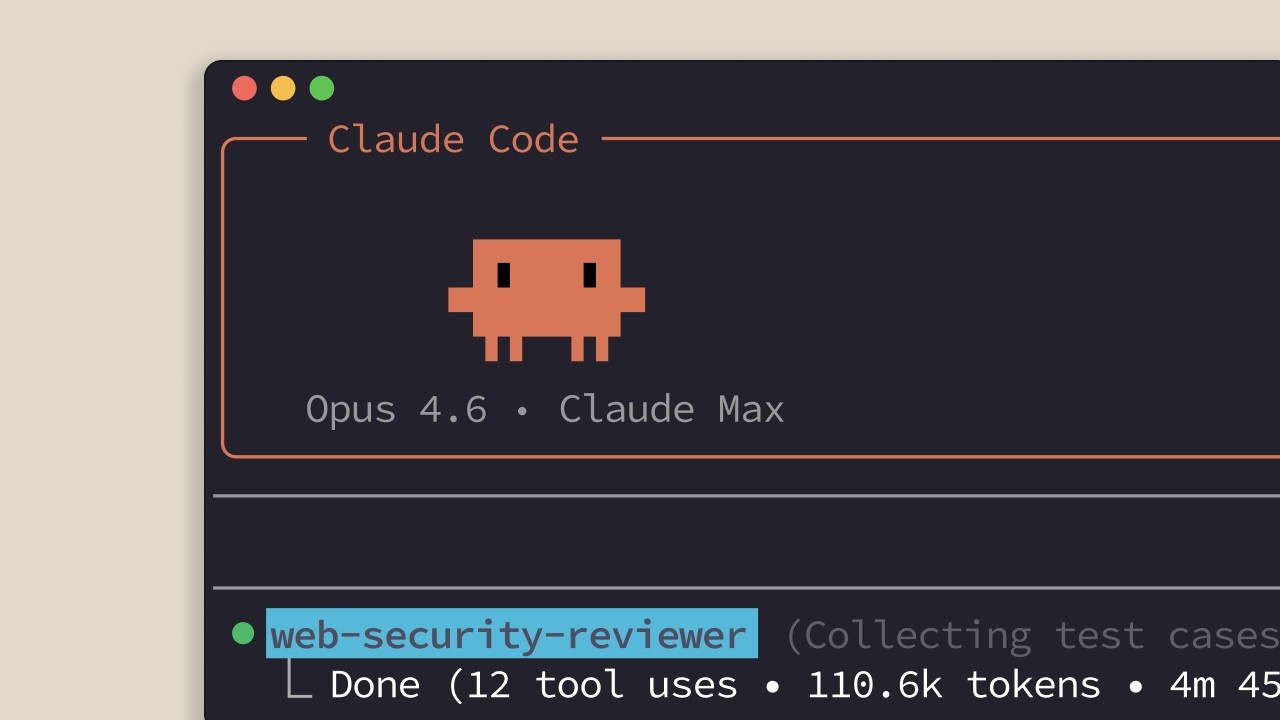
This tutorial from Anthropic's Claude Code series covers four concrete patterns that separate reliable subagents from ones that drift, stall, or stomp on files they shouldn't touch. The narrator walks through each pattern with code-reviewer and web-search subagents as running examples, showing exactly which config knobs to turn and why. ## [00:03] Controlling sub-agent behavior with name and description Every message sent to the main context-window agent includes the name and description of each registered subagent in the system prompt. That means the description does double duty: it tells the orchestrator *when* to launch the subagent and provides the template it uses when writing the input prompt. The tutorial demonstrates with a code-reviewer subagent. In the original config, the orchestrator writes a generic prompt telling the subagent to call `git diff` itself. Updating the description to say "you must tell the agent precisely which files you want it to review" shifts ownership of file selection to the orchestrator — the next run produces a noticeably more specific input prompt. The same lever works for web-search subagents: adding "return sources that can be cited" to the description causes the main thread to include that instruction automatically when it delegates. > *"If you want to better control when the main agent launches a sub agent automatically, you should modify the name and description."* ## [01:41] Defining output formats The narrator identifies output format as the single most impactful improvement available. Without one, a subagent has no clear signal for when it has done enough — it keeps running, accumulating context, and burning tokens. A structured output format creates a natural stopping point. The subagent knows it is finished when the required fields are filled. Practically, this means adding an explicit schema — a summary block, a findings list, a status field — directly to the subagent's system prompt. > *"Without a defined output format, sub agents struggle to decide when enough research has been done and they tend to run much much longer than sub agents that are given an output format."* ## [02:04] Reporting obstacles in the summary When a subagent solves a problem — a dependency conflict, a command that needs unexpected flags, an environment quirk — the main thread needs that information or it will hit the same wall on the next step. The solution is to require obstacle reporting in the output format itself. The narrator lists the categories that should always surface: obstacles encountered, setup issues, workarounds discovered, commands that needed special flags or configuration, and imports or dependencies that caused problems. Baking these into the required output schema ensures the main thread inherits the subagent's hard-won discoveries rather than rediscovering them from scratch. > *"Otherwise, the main thread has to rediscover the same solutions, obstacles encountered, any setup issues, workarounds discovered or environment quirks, commands that needed special flags or configuration, dependencies or imports that cause problems."* ## [02:42] Limiting tool access by role Tool access is not just a safety control — it is a clarity tool. A readonly subagent with only `glob`, `grep`, and `read` cannot accidentally modify files, which makes its role unambiguous to anyone reading the config. The narrator maps three access tiers to three subagent roles: a research subagent gets read-only access because exploring the codebase never requires writes; a reviewer gets `bash` for `git diff` but still no file-editing tools; only subagents explicitly tasked with changing code — like one applying CSS updates — get `edit` and `write`. With several subagents in play, the tool list becomes a machine-readable summary of what each one is supposed to do. > *"Only give edit and write to sub agents that should actually change your code, like a styling agent applying CSS updates."* ## [03:27] Four patterns for effective sub-agents The tutorial closes with a one-sentence recap of all four patterns: structured output, obstacle reporting, specific descriptions, and restricted tool access. Each pattern reinforces the others — precise descriptions reduce ambiguity in input prompts, output formats create stopping points, obstacle reporting preserves context across agent boundaries, and minimal tool access prevents side effects that would compound any remaining ambiguity. > *"So effective sub agents use structured output report obstacles have specific descriptions and limit tool access."* ## Entities - **Anthropic Tutorial Narrator** (Person): host of the Claude Code subagents tutorial series, presenting on behalf of Anthropic - **Claude Code** (Software): Anthropic's agentic coding tool that orchestrates subagents to complete multi-step engineering tasks - **Subagent** (Concept): a specialized Claude instance launched by an orchestrator agent, given its own system prompt, tool access, and input prompt - **Output format** (Concept): a required schema defined in a subagent's system prompt that creates a stopping condition and structures information returned to the main thread - **Obstacle reporting** (Concept): a pattern of requiring subagents to surface workarounds, dependency issues, and environment quirks in their output so the orchestrator does not need to rediscover them - **Tool access scoping** (Concept): restricting each subagent to only the tools its role requires — read-only for research, bash for review, edit/write only for agents that must change files - **Anthropic** (Organization): creator of Claude and the Claude Code agentic coding platform
What are subagents?
Sub-agents are specialized assistants that Claude Code can delegate tasks to — each one runs in its own isolated context window, does its work autonomously, then hands back a focused summary while the full intermediate trace gets discarded. This two-minute tutorial from Anthropic walks through why that isolation matters for keeping the main context window usable, shows a concrete code-exploration scenario that illustrates the tradeoff, and lists the built-in sub-agents that Claude Code ships with today. ## [00:03] What sub-agents are A sub-agent runs in its own separate conversation context window, initialized with a custom system prompt you define. The parent agent (Claude Code in the main thread) hands the sub-agent a task description based on what you asked for. The sub-agent works through it autonomously, then returns a summary to the main thread — while all the intermediate work stays isolated. > *"Sub-agents are specialized assistants that Claude can delegate tasks to."* The critical design point: once the sub-agent finishes, its entire conversation thread gets completely discarded. Only the returned summary survives back into the main conversation. ## [00:24] Managing the context window Every tool call Claude makes in the main thread — file reads, searches, function traces — accumulates in the main context window. Over a long session, that fills up fast. Sub-agents exist specifically to offload discrete research or action tasks so the cost doesn't land in the main window. > *"Each sub-agent runs in its own conversation contacts window with a custom system prompt that you define."* The tradeoff is explicit: the main window gains a clean context, but it loses visibility into how the sub-agent reached its conclusions and what it discovered along the way. You get the answer, not the reasoning trace. ## [01:13] A concrete example: the payment system Say you're using Claude Code to figure out which service handles refunds in an unfamiliar codebase. Without a sub-agent, Claude might read 15 files, run several searches, and trace through multiple function calls — and all of that fills the main context window even though you only needed one fact. > *"With a sub-agent, you get the answer without the journey."* The sub-agent explores the codebase, discovers the answer, and returns a focused summary — keeping your main context clean. The lost visibility is the cost: you won't see which files it read or which traces it followed to get there. ## [02:00] Claude Code's built-in sub-agents Claude Code ships with three built-in sub-agents ready to use immediately: - **General-purpose sub-agent** — for multi-step tasks that require both exploration and action. - **Explore sub-agent** — fast searching of codebases without the overhead of a full task loop. - **Plan sub-agent** — runs during plan mode to research and analyze the codebase before presenting a plan to you. > *"And you can also create your own sub-agents with custom system prompts and tool access."* Beyond these three, you can define custom sub-agents with their own system prompts and tool access lists, tailored to specific workflows. ## [02:30] When to use sub-agents Sub-agents pay off when you have a discrete, self-contained question or task that would otherwise dump a lot of intermediate context into your main window. > *"Sub-agents like Claude Code break work into focused pieces, keep your main context window clean, and bring back just what you need, whether you're using the built-in ones or creating your own."* They're most valuable in longer Claude Code sessions where context window pressure accumulates — offloading a sub-task to a sub-agent rather than letting it sprawl through the main thread directly extends how long a session stays effective. ## Entities - **Anthropic Tutorial Narrator** (Person): narrator of the "Claude Code subagents" tutorial series produced by Anthropic - **Claude Code** (Software): Anthropic's agentic coding assistant; the host environment in which sub-agents operate - **Claude** (Software): the underlying AI model powering Claude Code and its sub-agents - **Sub-agent** (Concept): a specialized assistant Claude Code delegates tasks to, running in an isolated context window with its own system prompt - **Context window** (Concept): the finite token buffer holding all conversation history, tool calls, and results; sub-agents prevent it from filling with intermediate work - **General-purpose sub-agent** (Software): built-in Claude Code sub-agent for multi-step exploration-and-action tasks - **Explore sub-agent** (Software): built-in Claude Code sub-agent optimized for fast codebase searching - **Plan sub-agent** (Software): built-in Claude Code sub-agent that researches the codebase during plan mode before presenting a plan - **Anthropic** (Organization): creator of Claude and Claude Code; producer of this tutorial series
What are skills?
Claude Code skills are reusable markdown files that encode specialized knowledge once — Claude then activates them automatically whenever a request matches, without the user needing to repeat instructions or type a slash command. This three-minute tutorial covers what skills are, where they live, how they differ from CLAUDE.md files, and the signal that tells you it is time to write one. ## [00:03] The repetition problem skills solve Every time you explain your team's coding standards, re-describe how you want PR feedback structured, or remind Claude of your preferred commit message format, you are repeating yourself. The narrator opens with three back-to-back examples to name the exact friction point skills address. > *"Every time you explain your team's coding standards to Claude, you're repeating yourself."* ## [00:20] What a skill is and how Claude picks one A skill is a markdown file that teaches Claude how to do something once. Claude stores the instruction, then applies it automatically whenever the situation calls for it. In Claude Code, that file is SKILL.md. The description field inside that file is the key mechanism: when you ask Claude to review this PR, it compares your request against every available skill description and activates the matching one. > *"Claude reads your request, compares it to all available skill descriptions, and activates the ones that match."* ## [01:05] Where to store skills: personal vs project Skills live in two places depending on who needs them. Personal skills go in ~/.claude/skills and follow you across every project: commit message style, documentation format, how you like code explained. Project skills go in .claude/skills inside the repository root; anyone who clones the repo gets them automatically. That second location is where team standards live: brand guidelines, preferred fonts and colors for web design. > *"Anyone who clones the repository gets these skills automatically."* ## [01:42] Skills vs CLAUDE.md: automatic and context-efficient Claude Code offers several customization layers, and skills occupy a distinct niche. CLAUDE.md files load into every conversation unconditionally, right for rules like always use TypeScript strict mode. Skills load on demand, only when they match the current request, and only the name and description enter context at that point. The full skill body loads only when triggered. That keeps the PR review checklist out of the context window while you are debugging, and pulls it in only when you actually ask for a review. Slash commands require you to type them; skills do not. > *"Skills are unique because they're automatic and task-specific."* ## [02:27] When to write a skill Skills work best for specialized knowledge tied to specific tasks: code review standards your team follows, commit message formats, brand guidelines. The closing rule is blunt and practical: if you find yourself explaining the same thing to Claude repeatedly, that is a skill waiting to be written. > *"If you find yourself explaining the same thing to Claude repeatedly, well, that's a skill waiting to be written."* ## Entities - **Anthropic Tutorial Narrator** (Person): narrator and host of the Claude Code skills tutorial series - **Claude Code** (Software): Anthropic's AI coding assistant; the runtime where skills are discovered and applied - **SKILL.md** (Concept): the markdown file that defines a skill — contains a name, description, and instructions for Claude - **CLAUDE.md** (Concept): project-level or global instruction file that loads into every Claude Code conversation unconditionally, contrasted with skills - **Anthropic** (Organization): creator of Claude and Claude Code
Sharing skills
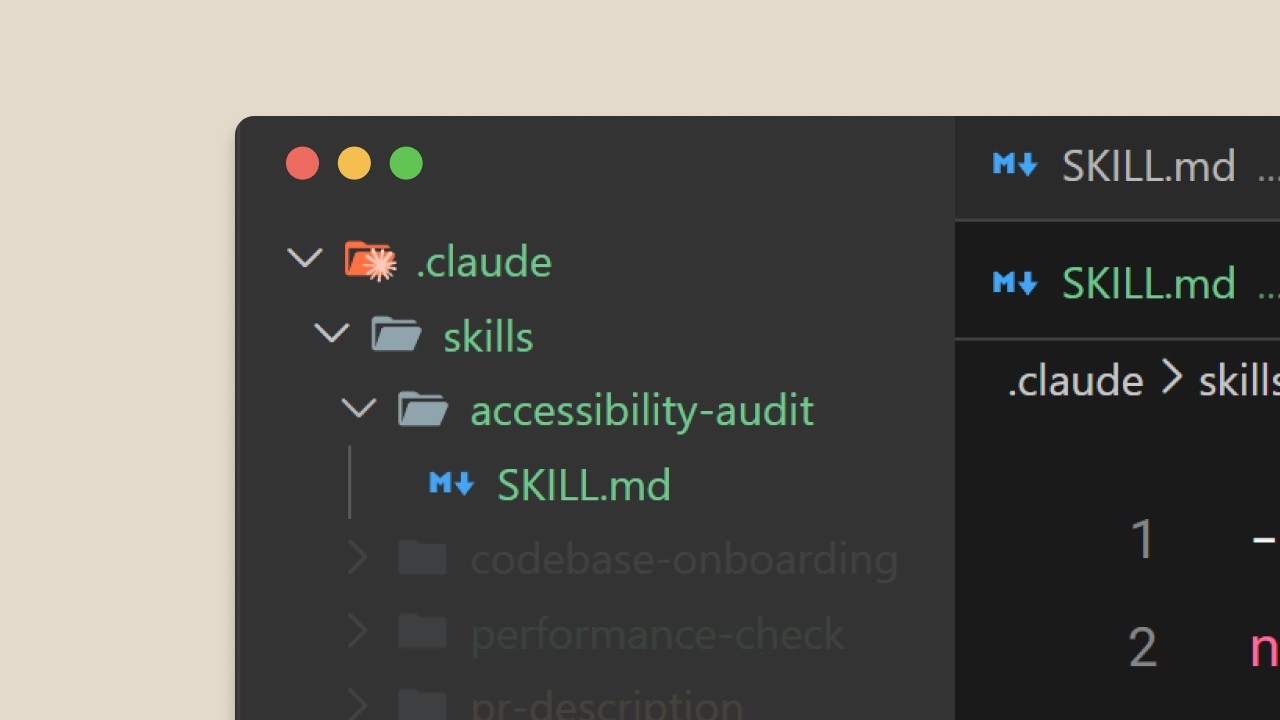
A PR review skill used by one engineer is useful; the same skill deployed across a team standardizes code review and creates a consistent experience throughout the organization. This tutorial walks through four concrete distribution methods — repository commits, plugins, enterprise managed settings, and custom sub-agents — and explains exactly when each one applies. The sub-agent section carries a non-obvious caveat: sub-agents don't inherit skills automatically, and built-in agents can't access them at all. ## [00:01] Why sharing multiplies skill value A skill kept to one developer does its job. The same skill pushed to a team locks in standards, eliminates per-person drift, and means every review looks and feels the same. The narrator opens with a direct contrast between individual and team-scale use before listing the four sharing mechanisms. > *"A PR review skill that only you use is helpful. The same skill shared across your team standardizes code review and provides a consistent experience amongst your organization which is much better."* ## [00:18] Committing skills to your repository The lowest-friction method: place skills in `.claude/skills` inside the project repo. Anyone who clones the repository gets those skills immediately — no install step, no extra tooling. Updates push through the normal `git pull` cycle. This path fits team coding standards, project-specific workflows, and skills that reference the codebase's own structure. > *"Anyone who clones the repository gets these skills automatically. No extra installation, it's just what you're doing already."* ## [00:45] Distributing skills through plugins Plugins extend Claude Code with custom functionality designed to travel beyond a single project. Inside the plugin project, a `skills/` directory mirrors the structure of `.claude/` — skill name, `SKILL.md`. Once published to a marketplace, any Claude Code user can download and activate the plugin. This channel is best for skills general enough to serve the broader community rather than one team's conventions. > *"Think of plugins as ways to extend Claude Code with custom functionality, but designed to be shared across teams and projects."* ## [01:26] Enterprise-wide deployment via managed settings Administrators can push skills to every developer in an organization through managed settings. Enterprise skills take the highest priority: they override personal, project, and plugin skills that share the same name. The intended use is mandatory standards — security requirements, compliance workflows, coding practices that must be uniform. The narrator stresses the word "must" explicitly: these aren't suggestions. > *"This is for mandatory standards, security requirements, compliance workflows, or coding practices that must be consistent across the organization."* ## [01:52] Custom sub-agents and explicit skill loading Sub-agents don't inherit the main conversation's skills. Built-in agents (explorer, planner, verify) can't access skills at all. Only custom sub-agents — defined by an `agent.md` file in `.claude/agents` — can use skills, and only the ones explicitly listed in the `skills:` field of that file. Skills load when the sub-agent starts, not on demand, so the list should stay tight: only skills always relevant to the agent's purpose. The tutorial demonstrates creating a sub-agent with the Claude Code sub-agent creator and attaching skills to an existing `agent.md`. > *"Built-in agents like the explorer, planner, and verify can't access skills at all. Only custom sub-agents you define can use them, and only when you explicitly list them."* ## [03:18] Recap: choosing the right distribution method The closing beats map each method to its scenario: project directories for team access, plugins for cross-repository sharing, enterprise deployment for org-wide mandatory standards, and explicit sub-agent skill lists for isolated task delegation. The sub-agent reminder lands again — list only the skills always relevant to a given agent's job, because they load at startup, not lazily. > *"Share skills through project directories for team access, plugins for cross-repository distribution, or enterprise deployment for organization-wide standards."* ## Entities - **Anthropic Tutorial Narrator** (Person): single presenter for the Claude Code skills tutorial series - **Claude Code** (Software): Anthropic's AI coding assistant; the runtime environment where skills are authored and deployed - **Skills** (Concept): reusable instruction sets placed in `.claude/skills` that extend Claude Code's behavior - **Plugins** (Concept): distributable packages that bundle skills for sharing across teams and marketplace users - **Managed settings** (Concept): enterprise administrator mechanism to deploy skills org-wide with highest priority override - **Sub-agents** (Concept): custom Claude Code agents defined via `agent.md` in `.claude/agents`; the only agent type that can load skills, and only when explicitly listed - **Anthropic** (Organization): company that built Claude Code and produces the Claude Code skills tutorial series
Configuration and multi-file skills
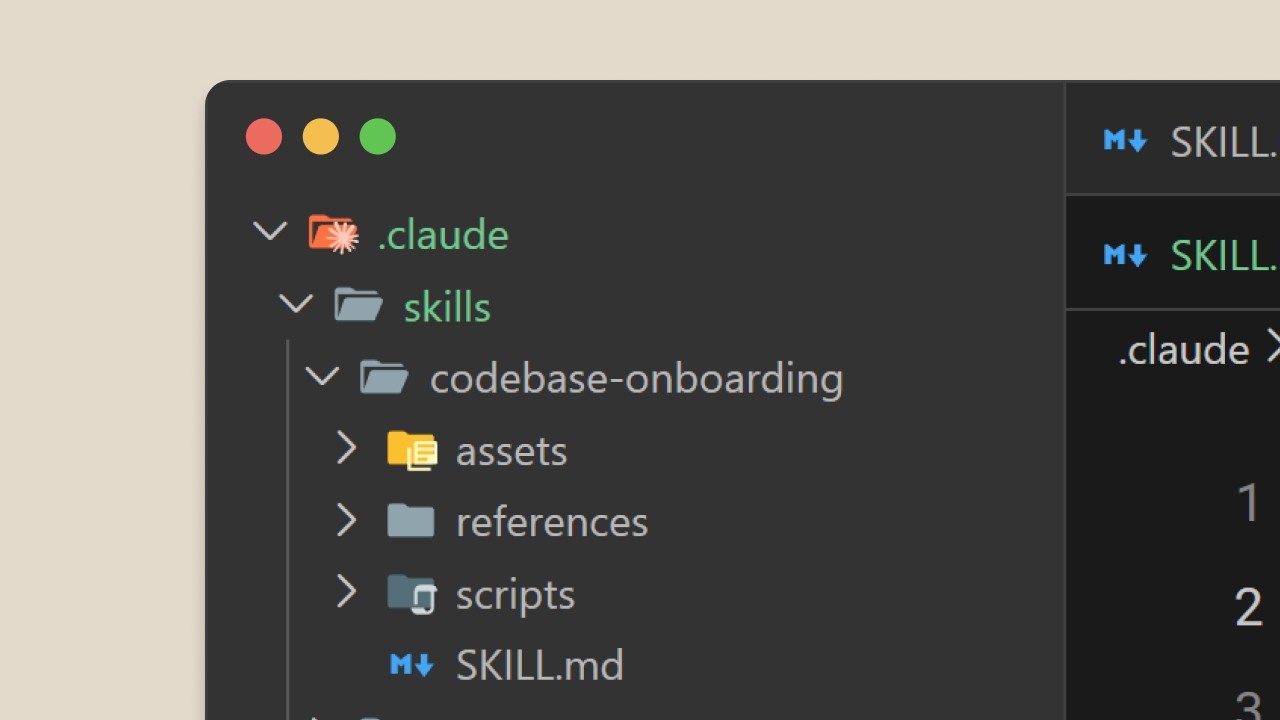
A four-minute tutorial from the Claude Code skills series covering the advanced configuration fields that turn a basic skill into a reliable, context-efficient tool. The narrator walks through the full agentskills.io field set — `name`, `description`, `allowed_tools`, `model` — then explains how to structure larger skills using progressive disclosure so that reference material and scripts load only when needed, not on every invocation. ## [00:02] Overview of advanced skill fields The agentskills.io open standard defines several fields beyond the mandatory `name` and `description`. `name` must be lowercase with hyphens, capped at 64 characters, and must match the directory name. `description` tops out at 1,024 characters and is the primary signal Claude uses for skill matching. Two optional fields round out the configuration: `allowed_tools`, which constrains which tools the skill can invoke, and `model`, which pins the skill to a specific Claude version. > *"A basic skill works with just a name and description, but here are some other advanced tips that can make your skills really effective in Claude Code."* ## [00:39] Writing effective descriptions A vague description — "help with dogs" — leaves Claude guessing at scope and triggers. A good description answers exactly two questions: what does this skill do, and when should Claude use it? Matching keywords to the natural phrasing of user requests is the lever for fixing skills that fail to trigger. > *"A good description answers two questions. What does this skill do? And when should Claude use it?"* ## [01:20] Restricting tools with allowed_tools `allowed_tools` is the mechanism for locking a skill to a defined surface — read-only access for security-sensitive workflows, for instance. When the field is set, Claude can only call those tools without asking for permission; no editing, writing, or Bash. Omitting the field entirely leaves Claude's normal permission model intact. > *"When this skill is active, Claude can only use those tools without asking permission. No editing, no writing, no bash commands."* ## [01:49] Progressive disclosure for multi-file skills Skills share Claude's context window with the live conversation. Stuffing everything into a single 20,000-line SKILL.md bloats context on every invocation and makes the file painful to maintain. The solution: put essential instructions in `SKILL.md` and move reference material into separate files Claude reads only when the user's request actually requires them. The standard suggests three supporting directories — `scripts/` for executable code, `references/` for documentation, and `assets/` for images and templates. A link in `SKILL.md` acts like a table of contents entry; if the topic never comes up, the file never loads. Scripts in the skill directory run without their source loading into context at all — only their output consumes tokens. The narrator recommends keeping `SKILL.md` under 500 lines; exceeding that is a signal the skill should be split. > *"It's like having a table of contents in the context window rather than fitting the whole entire document in there."* ## [03:18] Recap: skill metadata and best practices The tutorial closes by restating the full configuration surface: `name` and `description` are required; `allowed_tools` restricts the tool surface; `model` pins the Claude version. Descriptions need concrete action verbs and trigger phrases to match reliably. For larger skills, progressive disclosure keeps `SKILL.md` under 500 lines and defers supporting files until they're actually needed. Scripts execute without loading source, keeping context lean. > *"Scripts can execute without loading their contents, keeping context efficient."* ## Entities - **Anthropic Tutorial Narrator** (Person): single host for this tutorial series, presenting Claude Code skill configuration. - **Claude Code** (Software): Anthropic's CLI tool that loads and executes skills from the agentskills.io standard. - **agentskills.io** (Organization): open standard defining the skill manifest schema, including `name`, `description`, `allowed_tools`, `model`, and directory conventions. - **SKILL.md** (Concept): the primary manifest file for a Claude Code skill; should stay under 500 lines with links to supporting files. - **allowed_tools** (Concept): optional skill field that whitelists specific Claude tools, enabling read-only or sandboxed skill modes. - **Progressive disclosure** (Concept): structuring a multi-file skill so that reference files and scripts load into context only when the active request requires them. - **Context window** (Concept): shared token budget between the conversation and any skill files Claude loads; the key resource progressive disclosure is designed to conserve.
Creating your first skill
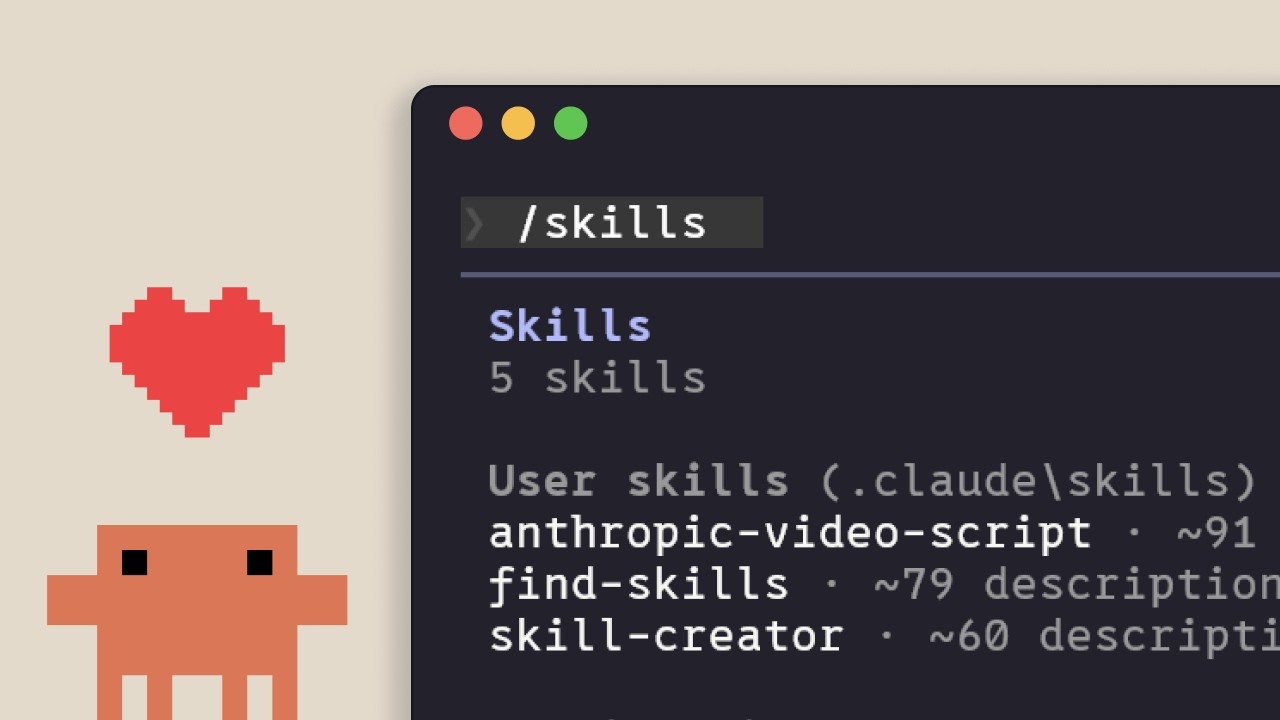
This 3-minute tutorial walks through building a personal Claude Code skill from first principles: create a directory with a SKILL.md file, verify the skill loads at startup, and watch Claude apply it against a real request. The second half explains exactly how Claude's skill-loading pipeline works—from the four scan locations and the name-only startup pass, to the confirmation gate and the four-tier priority order that resolves naming conflicts. ## [00:03] What This Tutorial Builds The narrator opens with the concrete goal: a skill that teaches Claude to explain code using visual diagrams and analogies. After building it, the tutorial will also trace what happens internally when Claude picks up and executes a skill. > *"This skill will teach Claude how we would like it to explain code using visual diagrams and analogies."* ## [00:18] Creating the Skill File Personal skills live under the home directory (not inside a project), so the first step is making a new directory named after the skill inside `~/.claude/skills/`. Inside that directory goes a single `SKILL.md` file. Three sections matter: `name` (the identifier Claude stores at startup), `description` (the matching criteria Claude uses to decide whether to invoke the skill), and everything after the second `---` delimiter (the actual instructions Claude follows when the skill fires). > *"Take into consideration that we're creating a directory with the skill name inside of the skills directory."* ## [00:52] Loading and Testing Your Skill Claude Code scans for skills at startup, not on demand, so a session restart is required after creating the file. Running `/skills` should list "PR description" (or whichever skill was just created). To test, make a branch with some changes and send the plain-English request "Write a PR description for my changes." Claude surfaces that it's invoking the PR description skill, then reads the diff and writes a description that matches the template—same format every single time. > *"Claude will then show you that it's using the PR description skill."* ## [01:25] How Claude Loads Skills Under the Hood At startup, Claude Code scans four locations: enterprise managed settings, personal `~/.claude/skills/`, the project's `.claude/` directory, and installed plugins. It loads only the `name` and `description`—not the full content. When a request arrives, Claude compares it against those stored descriptions; "explain what this function does" overlaps with "explain code with visual diagrams" so the skill matches. Claude then asks for confirmation before reading the complete SKILL.md. That confirmation gate keeps the user aware of which context is being injected. > *"It loads only the name and description of each skill, not the full content. This is important later."* ## [02:02] Priority Rules and Naming Conflicts Cloning a repository that ships its own skills can create name collisions. Claude resolves them with a fixed priority ladder: enterprise (highest) → personal → project → plugins (lowest). An enterprise `code-review` skill beats a personal `code-review` skill every time. The practical fix is descriptive naming: `security-review` or `frontend-pr-review` instead of the generic `review`, so conflicts never arise in the first place. > *"If your company has an enterprise code review skill and you create a personal code review skill, the enterprise version of that takes precedence."* ## [02:52] Updating and Removing Skills Updating a skill is a direct file edit: open the SKILL.md, change what needs changing, save. Removing a skill means deleting the directory. Both operations require restarting Claude Code for the change to take effect—the skill list is built once at session startup, not watched for live changes. > *"Edit the skill.md file to update a skill and restart Claude Code for changes to take effect."* ## Entities - **Anthropic Tutorial Narrator** (Person): single host walking through the skill creation tutorial for the Claude Code skills series - **Claude Code** (Software): Anthropic's CLI for Claude; scans for skills at startup and applies them when user requests match skill descriptions - **SKILL.md** (Concept): the single file that defines a skill—contains YAML frontmatter (name, description) and freeform instruction text after the second `---` delimiter - **Skills** (Concept): reusable, named instruction sets that teach Claude a consistent behavior pattern; stored as directories containing a SKILL.md file - **Enterprise Skills** (Concept): organization-managed skills that sit at the top of the four-tier priority order, overriding personal, project, and plugin skills - **Anthropic** (Organization): creator of Claude and Claude Code; produces this tutorial series at claude.com/resources/courses
How skills compare to other Claude Code features
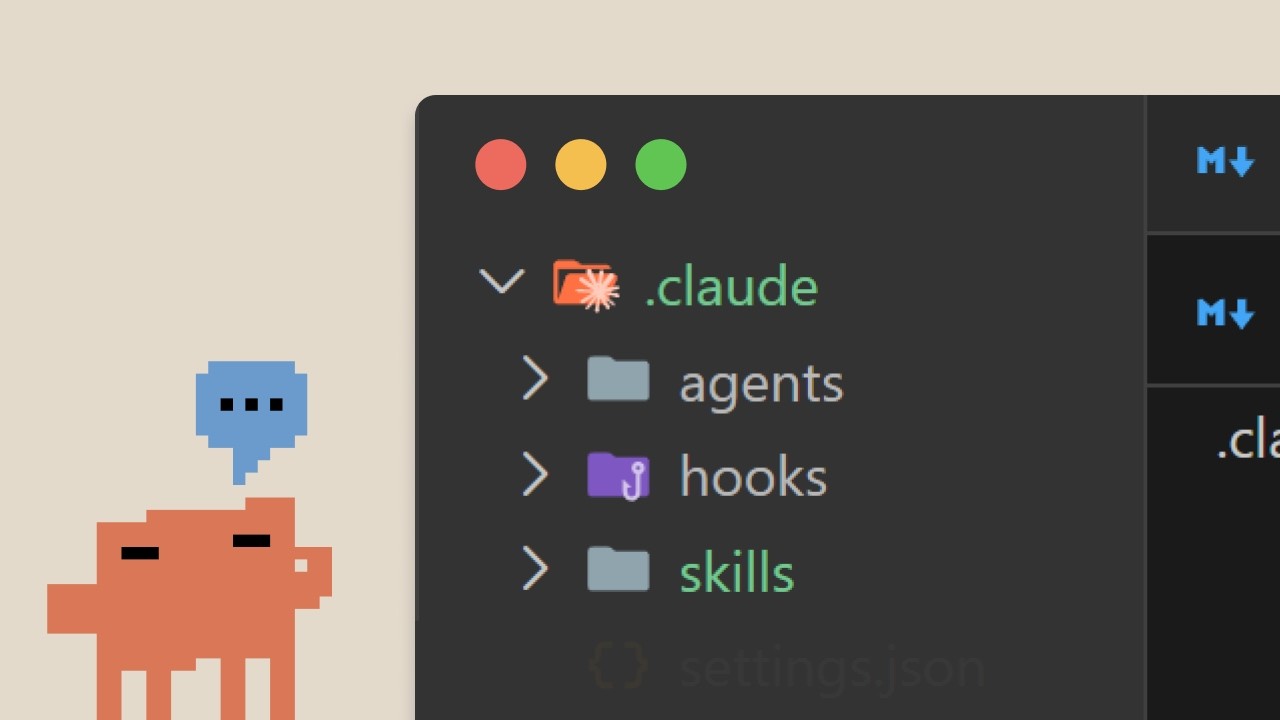
Claude Code gives developers five distinct customization handles — Skills, CLAUDE.md, subagents, hooks, and MCP servers — each built for a different job. This three-minute tutorial maps each option to its correct use case so you don't reach for Skills when CLAUDE.md will do, or wire up a hook when a subagent is what you actually need. ## [00:02] Five customization options, one decision problem Claude Code ships with five ways to shape how it behaves: Skills, CLAUDE.md, subagents, hooks, and MCP servers. The narrator names all five in rapid succession and immediately reframes the question away from "what are these?" toward "which one belongs here?" > *"They solve different problems. Knowing when to use each prevents you from building the wrong thing."* The rest of the tutorial is essentially an answer to that one sentence. ## [00:18] CLAUDE.md vs Skills: always-on vs on-demand CLAUDE.md is a file Claude reads at the start of every conversation, no activation required. It's the right home for project-wide constraints that must never be forgotten — framework choices, coding style, database rules. Skills, by contrast, load on demand: your PR review checklist only enters the context when you actually ask for a review, not while you're writing new code. > *"Use Claude MD for project-wise standards that always apply constraints like never modify the database schema, framework preferences, and coding style."* The dividing line is permanence vs relevance. If the instruction must hold for every prompt in the project, it belongs in CLAUDE.md. If it's only useful some of the time, it belongs in a Skill. ## [01:03] Skills vs Subagents: shared context vs isolated execution Skills inject knowledge into the current conversation — their instructions join the existing context. Subagents work differently: they receive a task, spin up a separate execution context, work independently, and hand back results without touching the main conversation. > *"Use sub agents when you want to delegate a task to a separate execution context. You need different tool access that the main conversation does. You want isolation between delegated work and your main context."* Use Skills when expertise should inform Claude's reasoning throughout an ongoing conversation. Use subagents when you want a clean boundary between the main session and a delegated unit of work — different tools, no bleed-over. ## [01:42] Hooks vs Skills: event-driven vs request-driven Hooks fire automatically on events — run a linter every time Claude saves a file, validate input before a specific tool call. They're not triggered by what you ask; they're triggered by what Claude does. Skills are the opposite: request-driven, activating when a query matches them. > *"A hook might run a llinter every time Claude saves a file or validate input before certain tool calls. They're all event driven, while skills, they're request driven. They activate based on what you're asking."* If the behavior must happen unconditionally on a system event, it's a hook. If it should shape how Claude thinks when asked, it's a Skill. ## [02:15] Combining all five for comprehensive customization A well-configured Claude Code setup uses each tool for its natural role: CLAUDE.md for always-on project standards, Skills for task-specific expertise that shouldn't clutter every prompt, hooks for automated side effects, subagents for isolated delegated work, and MCP servers for external tool access. They're not alternatives — they compose. > *"Don't force everything into skills when another option fits best. You can use multiple at a time."* Skills activate automatically when a topic is relevant; CLAUDE.md is always present; subagents run in isolation; hooks fire on events; MCP provides external tools. Pick the right layer for each concern and combine them freely. ## Entities - **Anthropic Tutorial Narrator** (Person): Host of this Claude Code skills tutorial series, presenting on behalf of Anthropic. - **Claude Code** (Software): Anthropic's AI-powered coding assistant; the subject of the tutorial series. - **Skills** (Concept): On-demand knowledge packages that activate when Claude matches a user request; inject instructions into the current conversation context. - **CLAUDE.md** (Concept): A configuration file that loads into every Claude Code conversation automatically; used for always-on project-wide standards and constraints. - **Subagents** (Concept): Separate execution contexts spawned to handle delegated tasks in isolation from the main conversation. - **Hooks** (Concept): Event-driven automation that fires on specific Claude actions such as file save or tool calls, independent of user requests. - **MCP Servers** (Software): Model Context Protocol servers that supply external tools to Claude Code sessions. - **Anthropic** (Organization): Creator of Claude Code and publisher of the Claude Code skills tutorial series.