ポッドキャスト世界の声を聴き、思考の刻みを見る。
チャンネルを探す
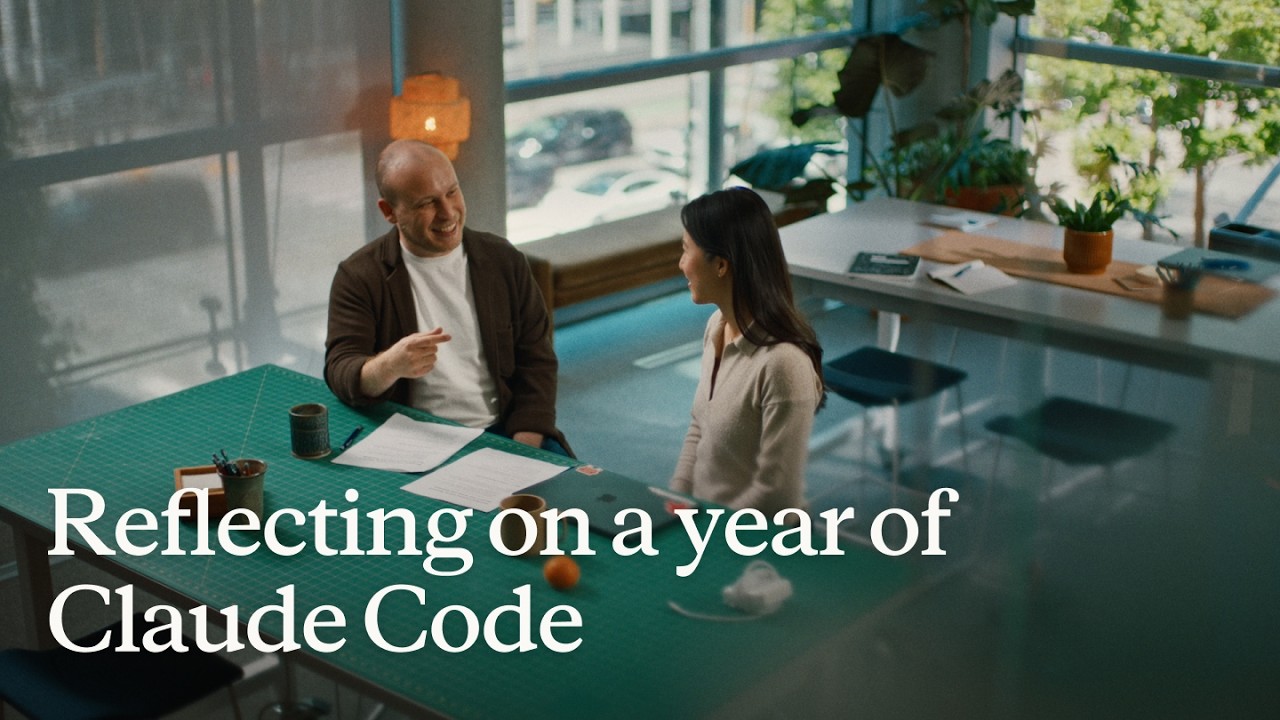
Reflecting on a year of Claude Code
Boris Cherny (creator and Head of Claude Code) and Cat Wu (Head of Product, Claude Code) look back on Claude Code's first year — from a Slack demo that earned two emoji reactions to running thousands of autonomous agents daily. They walk through how they think about verification, why auto mode replaced plan mode, how routines are eliminating entire categories of manual engineering work, and why the shift from "I write code" to "I talk to a loop" represents two major platform leaps in barely 18 months. ## [00:00] The origins and evolution of Claude Code Boris recalls posting the first Claude Code demo to Slack and getting exactly two reactions. A year later, his workflow involves "armies of agents" — a single loop prompting agents that prompt other agents, forming trees of thousands. The meta-principle that carried the tool this far: every time Claude makes a mistake, don't just correct the output — write the fix into a CLAUDE.md file or a skill so Claude can run unsupervised forever. > *"Every single time Claude makes a mistake, I don't tell Claude to do it differently. I tell it to write it to the CLAUDE.md or to make a skill… and if you can do this, then Claude can just run forever."* ## [01:10] How to make Claude good at verification Both Boris and Cat push back on the narrow view that "verification" means lint, type-check, and unit tests — things that were already automated before agents existed. Real agent verification means the agent can actually run the software under test. Boris cites a moment with Opus 4 where he asked Claude to build a feature and test itself by opening its own CLI — "crazy" at the time, table stakes now. Cat's current approach: a desktop development skill that has Claude spin up the local desktop app, use computer use to click through the UI, hit edge cases, and update the skill itself whenever it discovers a new failure mode. > *"I have it read Slack and understand: hey, is staging down right now, or has someone else already hit this? And then when it debugs the whole issue, I tell it to update the desktop development skill."* ## [03:14] Roles merging: Claude Code beyond engineers Boris recounts the moment he first saw a designer opening PRs — his initial alarm giving way to "okay the code looks good, so maybe it's fine." Cat reports that across enterprises, engineers adopt Claude Code first, then adjacent roles lean over their shoulders: designers making prototypes directly in the app, PMs shipping changes, the finance team running projections inside Claude Code, data scientists with it permanently on-screen. > *"It's kind of like all the roles are merging."* ## [04:48] Using routines for CI, code review, and more Cat describes a Claude Code power user on their team who shipped voice mode and then set up a routine monitoring every GitHub issue and bug report on that feature, automatically drafting fixes and pinging PRs. He later extended it to catch any unresponded bug older than five hours. Cat's own experience: she shipped a small feature with an edge case she missed, a bug was filed, and before she got to it that evening, Claude Code told her "another Claude has already fixed this." Boris adds that routines now handle all code review, babysit every PR, rebase, and respond to CI failures. He hasn't done those manually in a long time. > *"He has another routine that just looks for bug reports that haven't been responded to in five hours and puts up a fix, and he merges the ones that are easy to verify."* ## [06:43] Boris' go-to feature: auto mode Boris stopped using plan mode once Claude 4.6 arrived; by 4.7 the explicit planning step was no longer necessary. He now starts an agent in auto mode and moves directly to the next task without watching it. He traces the shift from the early permission-prompt model — where you had to approve every tool call — to auto mode routing suspicious actions to a classifier instead. Human attention degrades when 99% of prompts are harmless: eyes glaze, the one dangerous prompt slips through. Auto mode concentrates attention on genuinely flagged cases only. > *"Auto mode is more safe than reading every single permission prompt, because it means that you're only paying attention to the most important thing and not being spammed a bunch of things that are just 99% yes."* ## [08:10] Securing auto mode: red teaming and evals Shipping auto mode required building trust before it reached users. Cat describes the process: collecting thousands of full agent trajectories alongside permission prompts, having the auto mode classifier label each one, confirming it was "extremely good," then bringing in red teamers to attempt prompt injection attacks against the codebase. Every successful attack became an eval. Internal teams ran their own injection attempts to surface further gaps. The result is a model hardened not just against known attacks but against the most sophisticated adversarial constructions the team could devise. > *"It's not only just protecting you against the vulnerabilities that are out there in the wild today, but the most intelligent attacks that we can construct."* ## [10:24] Why loop is the next leap Boris frames two platform jumps in 18 months. First: stop writing source code directly — talk to an agent and let it write the code. Second, happening now: stop talking to an agent directly — talk to a loop or routine that prompts Claude Code on your behalf. Both felt obvious in hindsight, but neither was easy to see from inside the engineering mindset he brought to the project. > *"I don't talk to an agent anymore. I talk to a loop or I talk to a routine and it prompts Claude for me, and it's just crazy."* ## [11:06] How engineering orgs and responsibilities are changing Boris anchors the current transition to a 1990s Harvard Business Review piece asking why companies weren't seeing productivity gains from personal computers — and answering that computers needed to be at the center of every business process, not a side appliance next to the paper filing cabinet. At Anthropic, new hires don't ask colleagues questions; they ask Claude Code. Companies figuring out AI fastest are the ones putting it at the center of operations. Cat notes that the computer transition took 10–15 years; AI is compressing that because work is already digitized and Claude Code can both write and run code. > *"What you have to do is you throw out the filing cabinet. You have to throw out all your paper and all your pens and then you put a computer in the center and everything has to run through the computer."* ## [13:30] Is the future product or engineering? Boris' answer: both roles are merging into one. The Claude Code product team all writes code, the devrel team all writes code, designers write code, and engineers now ship products end-to-end — scoping the idea, building it, working with legal, marketing, and security to take it to market. The beneficiaries right now are people with high curiosity, strong product taste, and an appetite for end-to-end ownership. > *"AI really benefits people who have a lot of curiosity, have a lot of product taste, who love to have this end-to-end ownership."* ## [14:20] Working with hundreds of agents: using agent view, voice mode, and Remote Control Boris's multi-agent setup a few months ago: six terminal tabs, six git checkouts, manual context-switching. Today: one tab, the new agent view, and the desktop app handling work-tree cloning automatically. The unexpected change: roughly half his engineering now happens on his phone via Remote Control. He starts a task at his desk, walks to get coffee, checks in from his phone, starts new agents on the spot, and dictates to them via voice mode. Cat recalls noticing that Boris's laptop sat untouched on his desk for two consecutive days while he was actively merging PRs — he confirmed he was coding from his couch. > *"I'll like get coffee and then I'll check in on my agents and maybe I'll start another agent. And sometimes I'm talking to someone and we come up with a new idea — I'll just start an agent on the spot."* ## [16:05] From context engineering to context minimalism Boris traces the prompt engineering arc: Sonnet 3.5 required heavy prompt engineering; Opus 4 required careful context engineering; today's models need neither. The prescription now: give the model the minimal system prompt, the minimal tool set, and a way to pull in whatever context it actually needs — then let it work. Cat calls herself a "context minimalist": tell the model only what it needs to know, because too much upfront context is micromanagement, and the model often knows a better path anyway. > *"You give it the minimal possible system prompt, the minimal possible tools, and then you let the model figure it out."* ## [17:17] What's next for Claude Code Boris refuses to predict the specific form factor, only the direction: agents running longer, more autonomously, in parallel batches of dozens to thousands rather than one at a time. The exact interface for coordinating that many agents will be "really different than what came before" and won't come from Boris or Cat — it will come from the team and the broader community building with Claude Code every day. > *"In a year it's going to be a totally new set of things and it's going to be so surprising if it's still these same things."* ## Entities - **Boris Cherny** (Person): Head of Claude Code at Anthropic, creator of the tool; one of two interview subjects. - **Cat Wu** (Person): Head of Product, Claude Code at Anthropic; one of two interview subjects. - **Claude Code** (Software): Agentic coding tool developed at Anthropic, runs in the terminal; primary subject of the episode. - **Auto mode** (Concept): Claude Code permission model that routes tool-call decisions to a classifier instead of prompting the user for every action; replaces the earlier per-prompt approval flow. - **Loop / Routines** (Concept): Automated agents triggered by events (e.g., new GitHub issue, unresponded bug report) that prompt Claude Code without human initiation; described as the second major platform leap. - **Context minimalism** (Concept): Philosophy of providing models only the necessary system prompt and tools, letting the model pull additional context as needed rather than front-loading everything. - **Anthropic** (Organization): AI safety company that develops Claude and Claude Code. - **Remote Control** (Software): Claude Code feature enabling users to manage running agents from a mobile device. - **Agent view** (Software): New Claude Code interface for managing multiple parallel agents from a single pane.
はじめてのManaged Agentをリリースする
AnthropicのApplied AIエンジニアであるIsabella Heが37分間のライブセッションで、空の`agent.py`から始め、ツール呼び出しをストリーミングしセッションを永続化するStreamlitアプリを完成させる。P99レイテンシースパイクを診断するSREインシデント対応エージェントを題材に、5分間のアーキテクチャ解説と実装を組み合わせ、参加者がサブエージェント・メモリ・Vaultsへと発展させるための基礎を提供する。 ## [00:19] ようこそ&アジェンダ Isabella HeはAnthropicのApplied AIチームを「プロダクト・研究・カスタマーの接点」と位置づけ、セッションの三部構成——プラットフォームの概要、実装コーディング、dreamingやサブエージェントといった高度な機能の紹介——を示す。動機となるシナリオは深夜3時のオンコール呼び出しで、Managed Agents上に構築するSREエージェントがそれを自律的に処理する。 > *「今日の目標は、Managed Agentsの上で実際にエージェントを構築し、ハーネスが内部でどう動くかを理解し、最初のインシデント対応エージェントをリリースできる状態にすることです。」* ## [02:10] Messages APIからManaged Agentsへ Isabella Heは製品の変遷をたどる。2023年のMessages APIは生のトークンアクセスを提供したが、コンテキスト管理・エージェントループ・コンパクションは開発者自身が実装する必要があった。Agent SDKはClaude Codeのファイルシステムアクセスを加えたものの、ホスティングは引き続き自己管理だった。Managed Agentsはその第三世代で、Anthropicがスケーリング・サンドボックス化・オブザーバビリティ・ツールランタイムを担い、チームは「10〜15倍速くプロダクション投入」できる。 メンテナンスコストの具体例として、Sonnet 4.5が「コンテキスト不安」を示し早期にタスクを終了していた事例を挙げる。Anthropicがハーネスにパッチを当て、Opus 4.5ではその挙動が完全に解消された——それ以前のパッチはすべて不要になった。 > *「ハーネスはエージェントと共に進化すべきです。だからこそClaude Managed Agentsでは、コンパクション・キャッシング・コンテキスト不安にまつわる複雑さはAnthropicが処理します。」* ## [05:55] コアプリミティブ:Agent・Environment・Session Managed Agentsアプリケーションは三つのオブジェクトで構成される。**Agent**はペルソナを保持し、モデルの選択・システムプロンプト・MCPサーバー・スキルを定義する。**Environment**は実行コンテナで、エージェントの「脳」に対する「手」にあたり、前日からAnthropicマネージドクラウドと自前コンピュートの両方に対応する。**Session**はその二つを束ね、データファイルをマウントする。ユーザーメッセージ・ツール呼び出し・レスポンスといったイベントは、単一のレスポンスとしてトークンを返すのではなく、ストリームとして呼び出し元に流れる。 エージェントループとツール実行を分離したことで、P95のTime to First Tokenが90%超削減され、サンドボックス化されたコンテナ境界による認証情報の漏洩リスクも排除された。 > *「この分離により、P95レイテンシーのTime to First Tokenで90%超の削減をチームが実測しました。」* ## [09:15] ワークショップのセットアップ 参加者はワークショップリポジトリをクローンして`ship-your-first-managed-agent`に移動し、仮想環境を作成、依存パッケージをインストール、`.env`にAnthropic APIキーを貼り付けて`streamlit run app.py`を実行する。Isabella HeがStreamlitのURLにインシデント対応チャットUIが表示されることを確認し、ここから実装を始める。 > *「進めながら、あるいは後でご自分の時間に試していただいてもかまいません。画面に映す内容に合わせてついてきてください。」* ## [10:48] エージェントをステップごとに構築する 未完成の`agent.py`と完成形の`agent_complete.py`を並べ、Isabella Heが6つのコードブロックを順番にコピーする。 1. **Agent定義** — Claude Opus 4.7を使う`SRE_AGENT`、エージェントの役割と利用可能なツール(get_metrics・get_recent_deploys・get_diff・fetch_logs)を記述した最小限のシステムプロンプト。 2. **Environment** — デモ用にネットワーク制限なしのAnthropicクラウド環境。プロダクションではallowlistへの制限またはClaude MCPトンネル経由のルーティングが可能。 3. **ログのアップロード** — Files APIでログファイルを添付し、エージェントがそのファイルに対してコードを実行できるようにする。コンテキストエンジニアリングが開発者の反復作業の大半を占めるとIsabella Heは指摘する。 4. **Session作成** — `agent_id`・`environment_id`・アップロード済みリソース参照を渡して全体を結びつける。 5. **イベントストリーミング** — セッションから生のトークンではなくイベントを受け取り、リアルタイム表示とオブザーバビリティログを実現する。 6. **ローカルツール+Session削除** — `get_metrics`・`get_recent_deploys`・`get_diff`をローカル実行ハンドラーとして登録し、削除されたセッションのログが完全に消去されることを明示したうえでセッション削除の呼び出しを追加する。 > *「残るのはローカルツールを渡すことだけです。これでエージェントが私のコンピューターやインフラ上でアクションを取り始められます。」* ## [19:43] エージェントの実行とライブデモ 「インシデントをデバッグして」というプロンプトで新しいセッションを起動する。エージェントは`sandbox_bash`・`get_recent_deploys`・`get_diff`を順に呼び出し、各ツール呼び出しとレスポンストークンをUIにストリーミングしながら、構造化されたインシデントレポートを返す。P99レイテンシースパイク(ベースラインの10倍)は、Aliceによるリファクタリングコミットがデータベースプールを枯渇させたことが原因と特定される。 プロダクション版ではClaude Codeへのアクセスを追加し、修正案の提示からPRのオープン、クローズまでを人間が介在しないクリティカルパスで完結させられると説明する。ブラウザを強制リフレッシュしてもすべてのセッションがクラウドの状態から復元され、ローカルデータベースが不要なことを確認する。 > *「ツール呼び出しをすべてスクロールすると、ログの観点からすべてがクラウドに永続化されているのがわかります。オブザーバビリティコンソールにもすべて記録されます。」* ## [27:18] アーキテクチャ総括・高度な機能・Q&A Isabella Heはイベント駆動アーキテクチャを整理する。セッションはリクエスト-レスポンスのペアではなくイベントで通信し、イベントログによってコンテナ再起動後もエージェントループを再実行せずにセッションを再開できる。続けて四つのプレミアム機能を紹介する。 - **サブエージェント** — オーケストレーターが子エージェントを生成し、並列処理とコンテキストバジェット管理にそれぞれ固有のコンテキストウィンドウを割り当てる。 - **メモリ / Dreaming** — エージェントが自分のセッションログを振り返り、保持すべき情報を判断することで、セッションをまたいだ自己改善と好みの記憶を実現する。 - **Outcomes** — 開発者がルーブリックを定義し、エージェントは明示的な手順ではなく、望む結果を生み出すツール呼び出しを自ら選択する。 - **Vaults** — 独立したエンドポイントとエージェントコンテナの間で暗号化された認証情報ストア。アーキテクチャに組み込まれた脳と手の分離に基づき、ユーザーおよびセッション単位で管理される。 セッションの締めくくりとして、続きの「dreaming」セッションとManaged Agentsコンソールのオブザーバビリティダッシュボードを案内する。 > *「Managed Agentsが内部でどう動くかについて、皆さんに少しでもメンタルモデルを持ち帰ってもらえれば嬉しいです。SREエージェントをリリースできた皆さん、誇りに思ってください。」* ## 登場人物 - **Isabella He** (人物): Member of Technical Staff、AnthropicのApplied AIチーム所属、発表者兼ワークショップリード - **Claude Managed Agents** (ソフトウェア): Anthropicが提供するプロダクション対応エージェントの管理インフラハーネス。スケーリング・サンドボックス化・オブザーバビリティ・ツールランタイムを担当 - **Agent SDK** (ソフトウェア): Claude Codeへのアクセスを可能にした旧Anthropicハーネス。ホスティングは開発者が管理する必要があった - **Claude Opus 4.7** (ソフトウェア): ワークショップデモのSREエージェントで使用されたモデル - **Sonnet 4.5** (ソフトウェア): 「コンテキスト不安」(タスクの早期終了)を示した旧モデル。ハーネスがモデルとともに進化すべき理由の例として紹介 - **Files API** (ソフトウェア): ファイル(ログ・メトリクス)をエージェントのコンテキストにアップロードするためのAnthropic API - **Dreaming** (概念): エージェントが自身のセッション履歴を非同期で振り返り、長期記憶を更新するManaged Agentsの機能 - **Outcomes** (概念): Managed Agentsのルーブリックベースのゴール指定。エージェントは明示的な手順ではなく、定義された結果に到達するツール呼び出しを選択する - **Vaults** (概念): Managed Agentsにおける暗号化された認証情報ストア。脳と手の分離アーキテクチャによってエージェントコンテナから切り離され管理される - **MCP tunnels** (概念): MCPサーバーのトラフィックをパブリックインターネットではなくプライベートネットワーク経由でルーティングするClaudeの機能 - **Context anxiety** (概念): Sonnet 4.5で観測された挙動で、利用可能なコンテキストバジェットが残っているにもかかわらずタスクを早期に終了する現象。Opus 4.5で解消 - **Anthropic** (組織): AIセーフティ企業。ClaudeおよびManaged Agentsプラットフォームの開発元 - **DataDog** (ソフトウェア): デモのJSONベースメトリクスツールの本番代替として言及されたプロダクション監視プラットフォーム - **Streamlit** (ソフトウェア): ワークショップのインシデント対応チャットインターフェース構築に使用したPython UIフレームワーク
Trading signals that trade themselves
Tushara Fernando, Head of Data and AI at Man Group, explains how the firm integrates AI into systematic trading by codifying decades of institutional knowledge into "skills." She emphasizes that robust governance and shared workflows are essential for moving AI from individual productivity tools to enterprise-scale agentic platforms. ## [00:18] AI in Systematic Trading Man Group manages over $200 billion in assets, making the stakes for AI implementation exceptionally high for their institutional clients. Tushara Fernando describes systematic trading as an algorithmic process that uses historical backtesting to evaluate investment signals, much like managing a fantasy football team. > *A trading signal is really just this with stocks... We want to back the ones that would make money and we want to short the ones that won't.* > *[2, 43]* ## [04:38] The Role of AI-Generated Signals Man Group currently runs trading signals in production that were entirely researched, backtested, and proposed by AI. While humans review the final output for sensibility, AI handles the data acquisition, strategy proposal, and productionization of these investment ideas. > *There are trading signals running right now in production at Mang Group... that were researched, back tested and proposed by AI.* > *[4, 38]* ## [05:52] The Importance of Shared Workflows The success of a trading signal depends on the underlying workflows, such as data cleaning and outlier detection, which Fernando compares to the submerged part of an iceberg. Without shared workflows, different teams produce inconsistent results, making it impossible to compare the effectiveness of various strategies. > *If different teams are running different versions of those workflows, you get different answers.* > *[6, 50]* ## [08:43] Lessons in Skills Governance Early attempts at AI adoption failed because power users, rather than process owners, were building "skills," leading to local optimizations and errors like hardcoded cost centers. To solve this, Man Group created a governed marketplace where skills are owned by workflow owners, tested with evaluations, and tracked for usage. > *Treat those skills like production code because that's what they will become.* > *[17, 21]* ## [16:40] Scaling AI Across the Enterprise Man Group has scaled AI usage to nearly half its workforce by focusing on organizational context as a competitive moat. By treating skills as a library of institutional knowledge, the firm is preparing for a future where swarms of agents leverage these capabilities to find new investment opportunities. > *Skills governance really unlocks AI at that enterprise scale.* > *[19, 21]* ## Entities - **Tushara Fernando** (person): Head of Data and AI at Man Group. - **Man Group** (organization): An alternative investment manager with over $200 billion of assets under management. - **Claude** (product): An AI model used by Man Group for research, backtesting, and workflow automation. - **Anthropic** (organization): The AI company that assisted Man Group with skills workshops and implementation. - **Systematic Trading** (concept): Algorithmic trading capabilities that look across thousands of securities and hundreds of markets. - **Backtesting** (process): The process of running a trading strategy against historical data to evaluate its performance. - **Sharpe Ratio** (metric): A statistical factor that compares the volatility of a strategy versus its returns. - **Skills Marketplace** (product): Man Group's internal library for governed AI skills, plugins, and institutional knowledge.
Build a production-ready agent with Claude Managed Agents
This session introduces Claude Managed Agents, a suite of API endpoints designed to help developers build and deploy production-ready AI agents with built-in tools, security, and observability. The speaker outlines how core primitives like Agents, Environments, and Sessions enable complex workflows such as multi-agent coordination and human-in-the-loop controls. ## [00:00] Introduction to Managed Agent Primitives Anthropic introduces Claude Managed Agents as a suite of API endpoints providing production-ready primitives like tool calling, error recovery, and memory management. The architecture relies on 'Agents' as templates for skills, 'Environments' for sandboxed execution with granular permissions, and 'Sessions' to maintain ongoing conversational context and state transitions. > *Claude Managed Agents at a high level is just a set of API endpoints that we've developed and released... that give you access to scaled ready, production ready agent. [01:35]* ## [07:54] Secure Connectivity and Sandboxing The platform supports self-hosted sandboxes, allowing developers to use private containers and VPCs to keep sensitive data secure while maintaining model access. Additionally, new MCP tunnels facilitate safe connections to internal Model Context Protocol servers, and Credential Vaults protect authentication tokens by keeping them out of the model's context window. > *Claude can directly connect to that safely without those MCP servers ever being exposed on the internet. [09:40]* ## [10:02] Multi-Agent Orchestration and Implementation A demonstration of a multi-agent architecture shows a coordinator agent spawning specialized sub-agents for complex tasks like financial analysis and macro trend research. Developers can implement these workflows using the Anthropic SDK and tools like Claude Code, which is specifically optimized to help developers implement and iterate on managed agent APIs. > *One agent is like in charge of figuring out macro trends... whereas another one is like really good at like financial analysis. [11:36]* ## [19:28] Observability, Memory, and Infrastructure The Claude Console provides robust observability, including agent versioning, session monitoring, and the ability to edit memory stores to correct agent context. By providing integrated state transitions and durable storage out of the box, the service eliminates the need for developers to build complex custom agent loops and sandboxing fleets manually. > *With cloud manage agents, we kind of were able to get all of these things out of the box. [26:54]* ## Entities - **Anthropic** (organization): The AI research and safety company that developed the Claude model family. - **Claude Managed Agents** (software): A suite of API endpoints for building and hosting production-ready AI agents. - **MCP** (protocol): Model Context Protocol used for secure authentication and tool integration. - **Claude Code** (software): A developer tool optimized for implementing and managing Anthropic APIs. - **Bun** (software): A fast JavaScript runtime used for the technical implementation demonstrations. - **Cloudflare** (infrastructure): A cloud provider mentioned as a host for private sandboxes and environments. - **Credential Vaults** (feature): A secure storage system for authentication tokens that prevents exposure to the model. - **Memory Stores** (feature): Persistent storage allowing agents to retain and retrieve information across sessions.
How to get to production faster with Claude Managed Agents
Anthropic engineers Michael and Harrison introduce Claude Managed Agents, a platform designed to simplify the infrastructure, security, and observability required for deploying autonomous AI agents. By handling complex backend tasks like sandboxing and identity management, the system enables developers to transition from simple tool use to long-running, outcome-oriented agentic workflows. ## [01:10] The Evolution of Agentic Infrastructure Michael and Harrison trace the progression of AI from basic function calling to autonomous agents capable of managing full feature development and PRs. They argue that infrastructure, rather than model intelligence, is now the primary bottleneck for achieving productivity where months of work are completed in hours. > *where we think we're seeing things going in the future is entire quarters worth of work being able to be getting accomplished within a couple of hours.* > *[2, 34]* ## [04:22] Core Primitives and Configuration The platform provides composable primitives for context management, observability, and secure sandboxing, allowing developers to define agents via system prompts and MCP tool configurations. Features like the 'Ask Claude' button and event streams provide real-time transparency and optimization suggestions for agent sessions. > *we did all of that platform work so that you don't have to so that you can kind of pick and choose the primitives that we have available.* > *[5, 26]* ## [10:05] Advanced Orchestration and Memory Beyond single-task execution, the platform supports multi-agent orchestration where Claude can spawn sub-agents to delegate work. Advanced features like 'Dreaming' allow agents to reflect across thousands of sessions, improving long-term memory and task performance through autonomous reflection. > *It allows Claude to spawn other agent threads with their own context windows in order to delegate work to them.* > *[10, 55]* ## [11:56] Sandboxing and Secure Connectivity Anthropic offers self-hosted sandboxes and MCP tunnels to give enterprises control over network policies and audit logs while exposing private data securely. Partners like Vercel, Modal, and Cloudflare provide specialized infrastructure, ranging from lightweight isolates for rapid scaling to high-performance GPU clusters. > *MCP tunnels are basically just a way for you to get your private MCPs in your network exposed to cloud manage agents.* > *[13, 25]* ## [20:19] Real-World Automation and Optimization Companies like DoorDash and Modal are using agents for complex technical tasks, such as autonomous account management and inference tuning. By running tools like the Nvidia profiler, agents can autonomously 'hill climb' performance benchmarks to optimize workloads without human intervention. > *Claude can optimize training loops... it'll run like the Nvidia profiler. It'll read the profiles and uh it'll just go ham and and make things better.* > *[20, 39]* ## [25:23] Future Challenges: Identity and Collaboration As agents become primary users of compute, the industry faces new hurdles in identity management, egress filtering, and task resumability. The future of AI involves moving from rigid execution to collaborative 'multiplayer' environments where agents and humans dynamically pivot based on feedback. > *how do we properly assign identity all the way down the chain such that it's only getting access to the right data* > *[25, 55]* ## Entities - **Anthropic** (organization): The AI safety and research company behind the Claude model family. - **Claude Managed Agents** (product): A platform and infrastructure suite for building and deploying autonomous AI agents. - **Michael** (person): Member of Technical Staff at Anthropic working on managed agents. - **Harrison** (person): Member of Technical Staff at Anthropic working on managed agents. - **MCP** (protocol): Model Context Protocol used for tool configuration and secure tunnels. - **Cloudflare** (organization): A cloud services provider focusing on sandboxing technologies like MicroVMs and isolates. - **Modal** (organization): A compute platform specializing in high-scale GPU sandboxes and AI workloads. - **Vercel** (organization): A partner providing fluid compute infrastructure for agent sandboxes.
Building the best agentic analytics harness: Powered by Claude, built with Claude Code
Chris Merrick, CTO of Omni, details the development of 'Blobby,' an agentic analytics harness powered by Anthropic's Claude models. By combining a robust semantic layer with internal dogfooding of Claude Code, Omni enables users to translate natural language into complex data visualizations while maintaining high engineering velocity. ## [00:07] Engineering Velocity with Claude Code Chris Merrick explains how Claude Code has transformed Omni's internal development, allowing a small team of 25 to maintain high commit velocity. Even as CTO, Merrick uses the tool to stay technically involved, leveraging the efficiency of the Claude Opus model to contribute code alongside his team. > *I thank Claude very much for making me uh still able to do some software engineering from time to time. [01:12]* ## [03:14] The Semantic Layer and Business Context To bridge the gap between general LLM knowledge and specific business data, Omni utilizes a semantic layer that provides essential context like fiscal definitions and table relationships. This layer acts as a permissions and curation tool, ensuring the AI agent understands the unique nuances of a company's data environment. > *Claude is incredible at answering questions, but you need to tell it more about your business if you want it to answer questions about your business. [04:03]* ## [11:15] Architectural Evolution and the 'Blabbotomy' The team evolved their AI agent, Blobby, from a simple Q&A tool into a sophisticated harness by upgrading from Claude Haiku to Sonnet for better multi-turn performance. They addressed 'split-brain' errors—where sub-agents and outer agents failed to communicate—by consolidating all tools into a single, unified agentic brain. > *You want to be careful not to have a split brain between any sort of sub agent system and outer agent system. [15:57]* ## [16:23] Leveraging SQL and CTE Proficiency Omni shifted its query strategy from a proprietary JSON format to standard SQL to better leverage Claude’s inherent proficiency with complex Common Table Expressions (CTEs). This transition allowed the agent to handle difficult data questions in a single pass, significantly improving the accuracy of generated reports. > *Claude really likes to write SQL with CTE, common table expressions... and our parser was really good at parsing those [18:27]* ## [19:09] Evals, Observability, and UI Validation Merrick emphasizes that rigorous evaluation systems and raw trace observability are critical for ensuring the predictability required by executive users. Omni follows a 'build with AI, validate with UI' philosophy, where Blobby generates the initial dashboard and users use a workbook interface to refine and troubleshoot the results. > *Our philosophy from a product perspective is AI to build, UI to sort of validate and troubleshoot and refine. [23:21]* ## Entities - **Chris Merrick** (person): CTO and Co-founder of Omni who leads the engineering team and advocates for AI-driven development. - **Omni** (organization): An AI analytics platform that enables users to query data using natural language. - **Claude** (ai-model): The family of LLMs from Anthropic that powers Omni's analytics and internal engineering. - **Claude Code** (software): An AI-powered coding tool that significantly increased Omni's development velocity. - **Blobby** (ai-agent): Omni's AI data analyst agent designed to interpret and answer complex data questions. - **SQL** (technology): The query language that Omni's semantic layer generates to interact with data warehouses. - **Claude Sonnet** (ai-model): The specific Anthropic model used to unlock performance gains in complex agentic conversations. - **GitHub** (platform): The source of pull request (PR) data used in the agent's demonstration.
Stop babysitting your agents
Sid Budhiraja, a founding engineer of Claude Code, gave this keynote at Anthropic's Code with Claude conference to address a specific waste pattern: engineers spending most of their time staring at a screen waiting for Claude to finish, or acting as a "glorified QA tester." The talk lays out three escalating strategies—verification, parallelization, and background loops—that together let Claude run largely unsupervised. No captions existed on YouTube; transcript generated via Gemini Flash transcription (paragraph-level only, no word timestamps). ## [00:02] Opening & prerequisites Sid frames the talk as a "Claude Code 301" class and opens with a quick audience poll. Three things he calls table stakes: a high-quality CLAUDE.md file ("the single highest leverage thing you can do"), connecting external tools like Slack, Linear, and BigQuery to Claude Code so it can stitch together richer context, and setting up Claude Code on the web so that sessions are decoupled from the engineer's laptop and keep running even when the machine is closed or offline. He then lays out the structure for the rest of the talk: verification, multi-Clauding, and background loops—each building on the previous one. > *"A good rule of thumb is that if a tool is useful for you in your day-to-day life, it will also be useful for Claude. So things like Slack, Asana, Linear, Datadog, BigQuery—all of these things help Claude stitch together a much richer context for itself."* ## [05:14] Teaching Claude to verify its own work Sid asks the audience to recall how they personally verified their last feature: write code, build, run, check side effects, check logs, check the database, run unit tests, deploy to staging. That exact playbook, he argues, is also what Claude can run—if given the right tools and instructions. The key mechanism is the **loop**: an autonomous circuit where Claude writes code, hits a failure, debugs, writes more code, and keeps cycling until it reaches a success state. Once in a loop, Claude hill-climbs on a task without the engineer in the hot path. The loop works across front-end (browser-driven smoke tests), back-end (API checks), and full end-to-end flows—the principle is identical in each case. To package and distribute a verification loop, Sid recommends a **skill file**—a markdown document that stores the instructions and tool configuration for a specific verification task. Skills can be made self-improving: if you instruct Claude to update the skill every time it hits a new blocker, the document grows into a self-documenting playbook that benefits the whole team. > *"A loop essentially is an autonomous circuit that you can complete for Claude. And it allows Claude to hill climb on a given task or a given success criteria."* ## [15:46] Demo: building a verification loop live Sid demos against MonkeyType, an open-source TypeScript/Express/MongoDB/Redis typing-test application, chosen because it represents a realistic full-stack production app. Starting from a fresh Claude Code session, he tells Claude to spin up the dev server, then instructs it to use the `/chrome` Chrome MCP tool to navigate to localhost, type some text, and change a settings value—manually walking it through a basic smoke test. Once that hand-held session is complete, he tells Claude to take everything it just learned and write it into a skill file at `.claude/demo-verification`. Claude produces a skill with three sections: bring up the stack, load Chrome MCP tools, run a smoke test. He then asks Claude to build a new feature—a confetti animation on every mistype—and use the newly created verification skill to verify its own work. Claude writes the feature, hits ESLint errors, fixes them, reloads the app, and keeps cycling until the confetti appears. > *"You see the verification loop in action now where it's—it wrote some code, it encountered some issues, it fixed those issues by writing some more code, and it kind of went in a circle doing that until it came to a good state."* ## [26:38] Multi-Clauding without losing your mind Running multiple Claude instances simultaneously taxes attention, Sid's personal limit being four or five sessions before cognitive load becomes unmanageable. He covers four tools for scaling past that ceiling. The **Claude Code Desktop app** provides a unified sidebar showing all sessions across local terminal, cloud, and GitHub—sessions sorted by attention demand, color-coded, renamable. The terminal alternative is **Claude Agents** (`claude agents`), released roughly a week before the talk, which surfaces the same session list inside the terminal and sorts by urgency so the sessions that need a decision bubble to the top. **Claude Code on the Web** (claude.ai/code) runs sessions in Anthropic's cloud, fully decoupled from the engineer's hardware. And **Remote Control** (`/remote-control`) mirrors any running session to the mobile app with push notifications, so the engineer can answer Claude's questions from a car or between meetings without opening a laptop. > *"Remote Control essentially gives you the option to control any session running on any surface with your phone. If Claude needs some help from you or needs your input, your phone will buzz and you could be in your car, doing whatever you want, and you could just give Claude the input that it needs."* ## [32:41] Background loops and routines Even with good multi-session tooling, the engineer still decides when to start each session and what goal to give it. Background loops remove that last manual step. Sid describes the `/loop` command: `/loop 10 minutes "babysit my open PRs"` wakes up a Claude Code session every ten minutes, runs that prompt autonomously, and handles review comments, merge conflicts, and CI failures without the engineer watching. **Routines** are `/loop` running in Anthropic's cloud infrastructure—the same remote containers that power Claude Code on the Web. The Claude Code team itself runs two routines: one that updates docs daily, and one that scans issues and feedback and posts a summary to their Slack channel every six hours. With verification ensuring Claude's output is reliable, multi-Claude tools protecting attention across parallel sessions, and routines handling recurring bookkeeping, the engineer's role shifts from babysitter to delegator. > *"You can kind of spend your attention and your time on the tasks that you care about, and everything else can just be delegated to Claude—with high reliability and a high degree of confidence."* ## Entities - **Sid Budhiraja** (Person): Founding engineer of Claude Code at Anthropic; presenter of this keynote. - **Anthropic** (Organization): Creator of Claude and Claude Code; hosted the Code with Claude conference. - **Claude Code** (Software): Anthropic's agentic coding tool; central subject of the talk. - **Verification loop** (Concept): An autonomous write-check-fix cycle that lets Claude iterate on a task until it reaches a defined success state without human intervention. - **MonkeyType** (Software): Open-source TypeScript typing-test app (Express + MongoDB + Redis) used as the live demo target. - **Chrome MCP** (Software): Model Context Protocol tool (accessed via `/chrome`) that gives Claude programmatic control of a browser for UI verification. - **Routines** (Concept): Cloud-side scheduled Claude Code sessions with time-based or event-based triggers, enabling fully autonomous recurring tasks. - **Remote Control** (Concept): Feature (`/remote-control`) that mirrors Claude Code sessions to the mobile app with push notifications, enabling async oversight from anywhere.
How Lovable vibecodes production software at scale
Fabian Hedin, Cofounder and CTO of Lovable, walked through two production systems his team built to stop non-technical users from getting permanently blocked: Lovable Overflow, a self-maintaining corpus of issue-solution pairs injected into the agent's context at inference time, and a "vent" tool that lets the agent itself flag platform failures and auto-open PRs for engineers to review. Together they cut the platform's stuck rate by 5% — an improvement on par with a full model generation upgrade — and now drive roughly ten merged fixes per day from agent-filed pull requests. ## [00:20] From GPT-Engineer to 600 million monthly visits Lovable's lineage traces back 35 months to GPT-Engineer, a terminal program co-founded by Anton that briefly became the fastest-growing repository on GitHub. The demo — asking for a snake game, watching the model generate and execute the code end-to-end — signaled what LLMs could do for software creation, but the abstraction wasn't ready for a non-developer audience in mid-2023. Fabian marks a turning point around eighteen months ago when the chat-plus-preview model started clicking, and every three months since then a new foundational model has pushed the envelope further. Today the platform hosts 15 million projects. More telling: the sites built on Lovable collectively receive 600 million monthly visits, far more than Lovable's own traffic — evidence that users are shipping things with real reach. > *"We have 15 million projects built on the platform. We have 600 million monthly visits to the sites built on Lovable. And I think this is an interesting statistic because it's significantly more than what Lovable has itself."* ## [04:22] Production software for the 99%: why non-technical users get stuck Lovable targets the 99% of people who can't code — and deliberately holds itself to production-grade quality, not just prototyping. That combination makes the job harder than building for expert developers. When an expert gets stuck they can read the error, switch the library, or escalate to a developer-experience team. A non-technical user working at Lovable's abstraction layer — where the code is mostly out of sight — has none of those escape hatches. Fabian applies the classic software maxim: the first 90% of code takes 90% of the time, and the last 10% takes another 90%. The pattern holds in the AI era: vibe-coding gets you to a first version fast, but finishing, bug-free, takes even longer. Getting "hard stuck" in that final stretch is the worst possible user experience Lovable can deliver. > *"If they get stuck, it's a very bad experience for them. It's kind of the worst thing that can happen to them because it's much harder for them to get unstuck."* ## [09:55] Defining stuck: the is_stuck metric and three failure buckets Lovable's `is_stuck` flag fires when a user asks for the same thing three times in a row, when they explicitly complain about the output, or when they prompt and then abandon the session. A small classification model evaluates each conversation to set this signal. The team maps stuck scenarios into three buckets. The first is promptable — a differently-worded message, or slightly more context, would have solved it; Lovable's goal is to fix these before the user even realizes they need to re-prompt. The second is a platform gap: something the agent should handle but a missing or broken tool prevents it. The third is a large infrastructure investment — for example, Lovable shipped only client-side-rendered SPAs for a long time, which hurt SEO-conscious builders; they shipped server-side rendering the week of this talk. Each bucket demands a different fix, but all three share the same core vision. > *"Really our vision with Lovable on the technical side is that every app that is built on the platform should help improve the next."* ## [13:15] Lovable Overflow: fleet knowledge that routes around errors Named in honor of Stack Overflow, Lovable Overflow is a growing corpus of problem descriptions paired with solutions, harvested from real user sessions. When a user reports laggy scrolling, a lightweight retrieval model searches the corpus for similar descriptions, and if a match is relevant it injects a synthesized fix into the main agent's context — not as raw text but reformatted to fit the current situation. The harder engineering problem is keeping the corpus honest. Knowledge grows stale when a JavaScript package ships a fix, or when a new foundational model already has the fix baked into its weights. Lovable tracks a success ratio for every entry and prunes records that stop working — including entries whose embedded knowledge is now redundant in a newer model. The tension between adding new knowledge and retiring old knowledge turned out to be as important as the retrieval mechanism itself. > *"For every knowledge file we'll track its success ratio and we'll actually just remove it and prune it from the knowledge if it is outdated. So we'll continuously review every piece of knowledge in our system and make sure that it's pruned when it's no longer helpful."* ## [17:45] Venting: letting the agent report its own frustrations The second self-healing mechanism inverts the feedback loop: instead of Lovable engineers watching for failures, the Lovable agent itself files a report when it's blocked. A tool called `vent--send_feedback` is in the agent's toolset with a prompt asking it to call the tool "once per user message when tooling, docs, or platform behavior materially slows or degrades your work." The agent's complaint lands in a Slack channel, a monitor agent de-dupes and investigates, and if the issue is real, it opens a pull request for an engineer to review. About 50% of the auto-generated PRs make sense and get merged. One example: the agent hit a space-in-filename bug in the `code--copy` tool, tried URL encoding and other workarounds, then vented — and a fix was in production ten minutes later. A second example went further: the Lovable agent complained about Framer Motion's TypeScript easing types, implying the open-source library itself could benefit from a PR. Fabian floated the idea of letting the agent contribute fixes upstream to the wider JavaScript ecosystem. The vent channel also became an unexpected early-warning system. Production incidents — inference downtime, missing sandboxes, network-level failures — show up as spikes in vent volume before conventional monitoring alerts fire. In one meta case, the agent vented 43 times in a session, then filed a PR suggesting de-duplication logic to stop spamming its own creators. > *"Several times now this Slack channel with the agent venting has been kind of the first signal for us to identify a production incident. And even if it's not the first signal, it has actually become a very helpful tool for engineers to debug what is going on."* ## [26:12] Results, lessons, and what comes after self-healing Lovable Overflow reduced the stuck rate by 5% and lifted the publish rate by 2% in its first version — before incremental tuning since then. Fabian frames the 5% number in context: that's roughly the improvement Lovable sees when it upgrades to an entirely new model generation. The venting pipeline merges about ten platform fixes per day. Three lessons stood out. First, failure-mode knowledge is model-specific: when a new foundational model ships, existing Lovable Overflow entries need revalidation because some will be redundant and others will need rephrasing for the model's different behavior. Second, knowledge has a half-life — even fixes that were correct become wrong as libraries evolve. Third, an earlier attempt at this system failed not because the idea was bad but because the success signals were too coarse to tune against; 15 million apps and 200,000 new projects per day give Lovable enough signal to make it work now. Beyond these two systems, the team is fine-tuning on fleet data and building out eval coverage to gate every model release. Fabian's closing frame: Lovable users arrive with strong intent to ship real products, and when they leave stuck, that's a failure Lovable owns — the entire self-healing apparatus exists to close that gap. > *"The stuck rate is reduced by 5%. That might not sound like a big number, but in reality that is on the same order of magnitude in what we would see this metric move if we had a new generation of a foundational model in our system."* ## Entities - **Fabian Hedin** (Person): Cofounder and CTO of Lovable; delivered this keynote at Code with Claude 2026 - **Lovable** (Organization): AI software builder for non-technical users; 15M projects, 600M monthly visits to hosted sites - **Claude** (Software): Foundational model powering Lovable's agent at consumer scale - **GPT-Engineer** (Software): Open-source terminal tool co-founded by Anton (Lovable co-founder); became the fastest-growing GitHub repo in 2023 and evolved into Lovable - **Lovable Overflow** (Concept): Fleet-learning knowledge corpus — problem/solution pairs harvested from real sessions, injected into the agent's context, and continuously pruned by success ratio - **Venting / vent--send_feedback** (Concept): Agent-side tool that files platform failure reports to Slack; a monitor agent de-dupes and auto-opens PRs for engineer review - **is_stuck** (Concept): Binary metric that flags when a user has repeated the same request three times, complained about output, or abandoned a session after prompting - **Framer Motion** (Software): TypeScript animation library; cited as an example of an open-source dependency the Lovable agent identified as having a suboptimal type API
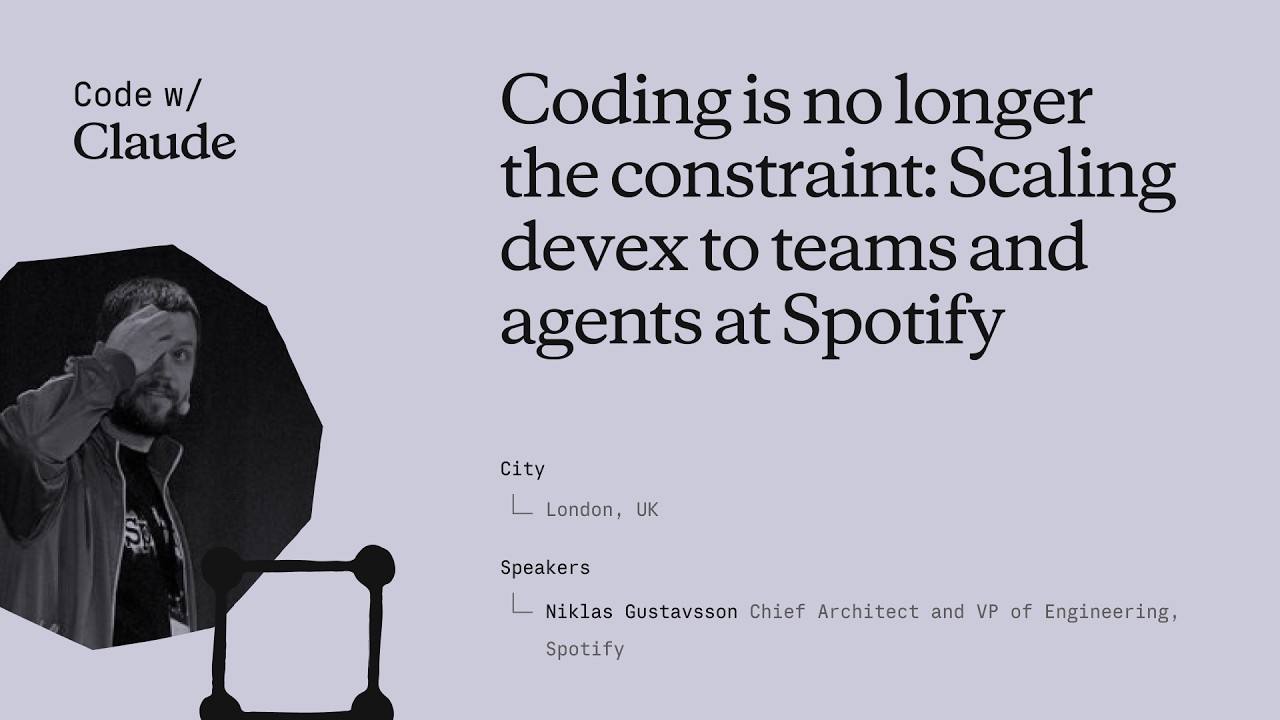
Coding is no longer the constraint: Scaling devex to teams and agents at Spotify
Niklas Gustavsson, Spotify's Chief Architect and VP of Engineering, walks through how a 3,000-person engineering org went from 0 to 99% AI tool adoption in months — and what that does to your product development constraints. The talk covers three concrete systems Spotify built: FleetShift for fleet-wide automated migrations, Honk as a background Claude-powered coding agent, and Backstage as the structured environment that makes agents reliable at scale. The central argument is that the same standardization practices that made human teams fast now make agents fast too. ## [00:18] Spotify's AI adoption surge Spotify's adoption of AI coding tools didn't grow gradually — it inflected sharply around the Claude Opus 3.5 release in November 2024. Within months, 99% of engineers used AI tools weekly, 94% reported meaningful productivity gains in the latest internal survey, and PR frequency jumped 76%. Niklas notes he had to update the PR frequency slide while preparing it because the numbers kept rising. The volume shift is also qualitative: by now, the majority of PRs shipped at Spotify are co-authored by an AI agent together with the developer, not written by a human alone. > *"Today more than 99% of our engineers use AI coding tools every week. And in the latest [survey], 94% of our engineers reports that using AI tooling has helped them become more productive."* ## [03:52] FleetShift: automating fleet-wide maintenance before AI Spotify's pre-AI problem was that its production codebase was growing seven times faster than the engineering headcount. That meant engineers spent progressively more time on maintenance — version bumps, API deprecations, security patches — leaving less capacity for new features. The answer was FleetShift, a fleet management system that treats those changes as coordinated mutations across thousands of repositories rather than per-component manual work. By the time AI entered the picture, FleetShift had already automerged 2.5 million maintenance PRs with no human in the loop: automation creates the PR, validates it in CI, and merges it. That infrastructure became the orchestration layer that Honk would later plug into. > *"Today up until today we've now merged two and a half million of those automated maintenance PRs. Work that our developers did not have to do."* ## [07:38] Building Honk — a background coding agent on Claude's Agent SDK Simple rule-based scripts work fine for config changes and dependency bumps, but fall apart on anything involving actual code modifications. Code has, as Niklas puts it, a very wide API surface — there are many ways to call the same method, and when you run a migration script across millions of lines and thousands of repos, you hit every corner case (a phenomenon with a name: Hyrum's Law). That brittleness was the forcing function for Honk. Honk is today a Claude-based coding agent wrapped inside a Kubernetes pod, scheduled by FleetShift, and equipped with CI tools so it can run builds, catch compile errors, and self-correct before opening a PR. A Java version migration that previously took multiple teams months now takes a single engineer three days. > *"Instead of writing these deterministic scripts to do these code modifications, can we use an LLM for this? [...] Out of this came a tool that we now called Honk."* ## [11:34] Honk V2 and multiplayer agent sessions Developers at Spotify quickly figured out how to invoke Honk over Slack — at-mentioning it mid-conversation and getting a PR back. That grassroots pattern pushed the team toward a more interactive product model. Honk V2, released in alpha during Hack Week the day before this talk, adds two layers on top of the original batch-migration use case. The first is integration with Chirp, Spotify's internal agent orchestration layer, which lets developers run many concurrent Honk sessions and coordinate them. The second is multiplayer: shared sessions where multiple developers can give feedback to the same agent instance simultaneously — described as "Google Docs but for Claude." Projects group those sessions into a shared workspace tracking a longer-horizon goal. > *"Basically imagine, uh, Google Docs or something similar, but for Claude."* ## [14:43] Standardization as agent infrastructure Spotify has operated for more than a decade on the principle that fewer technologies means faster execution. Limiting the stack reduces decision fatigue, makes cross-team collaboration easier, and lets engineers go deep on a smaller surface rather than maintaining breadth. That same principle, Niklas argues, directly improves agent performance. The mechanism is empirical: Spotify sees Claude produce noticeably worse outputs in their more fragmented codebases and better outputs where the stack is uniform. Backstage — their developer portal and software catalog — is the enforcement layer. It exposes component ownership, technology radar recommendations, and a "Golden State" spec for each component type. A Soundcheck UI lets teams self-assess compliance. Critically, all of these are also exposed as MCP servers and CLI tools so agents can query them directly. When Honk makes a code change, lint checks give it immediate feedback if it's using an off-radar pattern, and Niklas watches Claude self-correct against those checks in real time. > *"If Claude has a lot of other code to look at and that code looks roughly consistent, Claude will do better job. That's what we're seeing. And we actually have codebases that are more fragmented, and we can actually see Claude perform worse in those codebases."* ## [22:15] What happens when coding stops being the bottleneck The sprint Niklas closes with is a reframing: the AI transition hasn't removed constraints from product development, it has relocated them. Coding used to be where time went; now that constraint is loosening, the bottlenecks are moving to human decision-making — which ideas to pursue, which PRs actually need a human reviewer, which prototypes are worth fleshing out. On the PR review side, 76% more PRs means developers are drowning in review requests. Spotify's response is to auto-approve the low-risk ones and focus human attention where it matters. On the prototyping side, Spotify now lets anyone — including executives — open Claude in the client monorepo with a set of skills and infrastructure, prompt a feature, and get an installable app back in minutes rather than days. The talk ends with Niklas noting that in six months, Spotify's entire product development process will look fundamentally different from anything they've done before. > *"Claude and agents allows us to allow anyone to prototype in our actual production codebase. [...] This has brought prototyping for something that could take days or weeks to literally taking minutes now."* ## Entities - **Niklas Gustavsson** (Person): Chief Architect and VP of Engineering at Spotify; delivered this keynote at Anthropic's Code with Claude conference - **Honk** (Software): Spotify's internal background coding agent, built on Anthropic's Agent SDK running in Kubernetes pods; integrates with FleetShift for fleet-wide migrations - **FleetShift** (Software): Spotify's fleet management and migration orchestration platform; schedules and tracks automated PRs across thousands of repositories; has automerged 2.5 million PRs - **Backstage** (Software): Spotify's open-source developer portal and software catalog; exposes component ownership, Golden State compliance, and MCP/CLI interfaces consumed by agents - **Chirp** (Software): Spotify's internal agent orchestration layer; allows running many concurrent agent sessions and coordinating multi-developer shared sessions - **Hyrum's Law** (Concept): Principle (named after a Google engineer) that any observable behavior of a system will be depended on by some user — explaining why generic migration scripts break at scale across large codebases - **Golden State** (Concept): Spotify's per-component-type specification of recommended technologies and practices; the standard Soundcheck measures compliance against
最初の Claude Code プロンプト
Anthropic の Claude Code 101 第 2 回は、最初のプロンプトの書き方を解説する。承認モードと自動承認モードの選び方、shift+tab でプランモードに入るタイミング、そして「ダークモードを追加する」というライブタスクで優れたプロンプトがどのようなものかを実演する。 ## [00:03] Claude Code を普通の AI アシスタントのように使う 冒頭のフレーミングは意図的にハードルを下げている——Claude Code へのプロンプトは他の AI アシスタントへの指示と変わらない。要点は、Enter を押す前に決めておくことが、自分を守り、ツールを使いやすくするということだ。 > *You talk to Claude Code like you would talk to any AI assistant.* ## [00:15] 承認モードと自動承認モード(shift+tab) 最初から 2 つのモードが用意されている。デフォルトの承認モードでは、ファイルの変更前に毎回確認が入る。自動承認モードでは、ファイルの編集や作成は自動で通過するが、シェルコマンドの実行には許可が必要だ。shift+tab で切り替えられ、設定を掘り起こす必要はない。ナレーターはどちらが「正しい」かを明言せず、どれだけ関与したいかに応じて選ぶよう促す。 > *In auto accept mode, it will automatically approve an edit or creation of a file, but ask your permission to run commands.* ## [00:40] プランモード:コードを書く前の読み取り専用リサーチ 同じ shift+tab メニューに 3 つ目のモードが隠れている——プランモードだ。Claude はプロンプトを受け取り、読み取り専用ツールでコードベースを調査し、曖昧な点を質問し、ファイルに一切触れる前に詳細なプランを返す。多段階の機能実装や安全なコードレビューなど、エージェントが書き始める前にアプローチを確認したい場面に最適だ。 > *Plan mode takes your prompt and uses read-only tools to analyze your code base and do research on your suggested implementation.* ## [01:10] ライブデモ:ダークモード切替をプロンプトで実装 デモがこの動画の核心だ。プロジェクトのルートから shift+tab を数回押してプランモードに入り、3 つのことを同時に行うプロンプトを書く:目標(「アプリ全体のダークモード」)、UI の指定(「ヘッダーにトグルスイッチ」)、そして Claude がリサーチすべき制約(「既存のライトテーマに合うコントラスト色を探して」)。目標とインターフェースと制約——これが優れた最初のプロンプトの暗黙のテンプレートだ。 > *Can you create a toggle switch on the header that allows user to toggle between light mode and dark mode?* ## [01:46] Claude が実際に行ったことを確認する Claude がプランを返してユーザーが承認した後の価値は、監査可能性にある:Claude が何をして、どのように結論に至ったかを明示的に確認できる。ナレーターはレンダリングされたダークモードを目視確認して承認する——「なかなかいい」がリスクの低い UI 作業における妥当なレビュー基準であり、実際に確認することが大切だという暗黙の教訓がある。 > *At the end of all this, we can see explicitly what Claude did and how it came to its conclusion.* ## [02:09] まとめ:詳細に記述し、プランモードを活用する 締めくくりの経験則:プロンプトはできる限り詳細に書き、Claude に実行前の細部まで調査させたいときはプランモードを使う。ステップごとに関与したい場合は承認モードが手元の作業に合う。 > *When using Claude Code, try to be as descriptive as possible with your prompt.* ## Entities - **Anthropic Tutorial Narrator** (Person): Claude Code 101 チュートリアルシリーズにおける Anthropic 公式のナレーター。 - **Claude Code** (Software): Anthropic のターミナルベースの agentic コーディングアシスタント。プロンプト解説の主題。 - **Approval mode** (Concept): デフォルトモード。Claude Code がファイル変更のたびに許可を求める。 - **Auto-accept mode** (Concept): ファイルの編集・作成を自動承認するが、シェルコマンドは許可が必要。 - **Plan mode** (Concept): コードを書く前に詳細なプランを生成する読み取り専用リサーチモード。shift+tab で切替。 - **shift+tab** (Shortcut): Claude Code の承認・自動承認・プランモードを切り替えるキーボードショートカット。
Claude Code はどのように動作するか
Anthropic の Claude Code 101 第2話がエンジンの内部を開ける:コンテキストを収集し、行動し、結果を検証するエージェントループ;コンテキストウィンドウがあふれる前に自動圧縮される仕組み;プレーンなテキスト入出力に対してツールが実際にもたらすもの;そして shift+tab で切り替える4つの権限モード。 ## [00:04] 最初の問い:チャットアプリとの違いとは ナレーターはビデオ全体を一つの問いとして組み立てる——Claude Code はチャットアプリではない、ではその形はどのようなものか?答えとして展開されるのがエージェントループだ。 > *We know that Claude code is different from usual chat applications, but how does it work?* ## [00:13] エージェントループ——収集、行動、検証、繰り返し ループには4つの拍子がある。プロンプトを入力する。Claude はモデルと対話して必要なコンテキストを収集し、モデルはテキストまたはツール呼び出しを返す。Claude はアクションを実行する——ファイルの編集、コマンドの実行。そして結果がプロンプトを実際に満たすかどうかを検証する。合格すれば停止し、失敗すれば作業が完了して検証可能になるまで再びループする。ループの実行中もユーザーはロックアウトされない——コンテキストを追加したり、中断したり、モデルをゴールへと誘導したりできる。 > *And if they don't, Claude goes back and runs the loop again until the results are complete and verifiable.* ## [01:02] コンテキストウィンドウと自動圧縮 コンテキストウィンドウは Claude の作業記憶だ——会話、ファイルの内容、コマンドの出力、振り返ることができるすべて。それは有界だ。上限に達すると、Claude Code は会話を自律的に圧縮する:何を削除し何を要約するかを決め、スレッドを失わずにウィンドウを元に戻す。 > *Once you reach that limit, Claude code compacts your conversation, which automatically determines what it can take out of the context window and what it can summarize in order to bring the context window back down.* ## [01:26] ツール——ファイル読み取り・コード実行・Web検索へのセマンティックディスパッチ ほとんどの AI アシスタントはテキスト入力とテキスト出力のみで、その間には何もない。ツールはそれを変える——エージェントがゴールに近づくためにいつコードを実行するかを決定できるようにする。ファイルを読む、Web を検索する、シェルコマンドを実行する。Claude Code は利用可能なツールに対してセマンティック検索を行い、どれを呼び出して出力を消費するかを選択する。 > *Tools let Claude code and other agents determine when to execute code to get closer to a task.* ## [01:52] 権限モードとそれをスキップするコスト デフォルトでは、Claude Code はファイルを編集したりシェルコマンドを実行する前に確認を求める。shift+tab で代替モードを切り替える:**自動承認編集**はプロンプトなしでファイルを書き込むが、コマンドの前はまだ確認する;**プランモード**は Claude を読み取り専用ツールに制限し、何かに触れる前に行動計画を作成できる。ナレーターは明白なトレードオフを指摘する——エージェントに自由裁量を与えると、ミスが起きる前に捕まえにくくなる。 > *Giving Claude code free reign to run commands means a mistake could be harder to catch before even happens.* ## [02:28] まとめ——チャットウィンドウでない理由 ターミナルに組み込まれた4つのプリミティブ:エージェントループ、管理されたコンテキストウィンドウ、ツール、設定可能な権限。この組み合わせ——コードベースを読み、それに対して行動し、自分の作業を検証する——が Claude Code をチャットボックスから切り離すものだ。 > *It can read your code base, take action, and verify its own work, and that makes it fundamentally different from a chat window.* ## エンティティ - **Anthropic Tutorial Narrator** (Person): Claude Code 101 チュートリアルシリーズにおける Anthropic の公式ナレーター。 - **Claude Code** (Software): Anthropic のエージェント型ターミナルコーディングアシスタント。本エピソードで解説される4つのプリミティブを中心に構築されている。 - **Agentic loop** (Concept): すべての Claude Code セッションを駆動する「コンテキスト収集→行動→検証→繰り返し」サイクル。 - **Context window** (Concept): 会話、ファイルの内容、コマンド出力を保持する Claude の有界な作業記憶。オーバーフロー時に自動圧縮される。 - **Tools** (Concept): エージェントが呼び出せる副作用——ファイル読み取り、Web 検索、コマンド実行——ツールカタログへのセマンティック検索で選択される。 - **Permission modes** (Concept): デフォルト(確認)、自動承認編集、プランモード(読み取り専用)——shift+tab で切り替える。 - **Plan mode** (Feature): Claude が変更前に行動計画を作成できる読み取り専用の権限モード。
Claude Code のインストール
Claude Code の公式インストールガイドです。Anthropic のナレーターが、ターミナル・VS Code・JetBrains・Claude Desktop・Web など、すべてのサポート対象プラットフォーム向けの1行インストーラーを順番に解説し、最後に使い方を選ぶ際の簡単な基準を紹介します。 ## [00:04] ターミナル向け1行インストーラー(macOS・Linux・WSL・Windows) デフォルトはターミナルからのインストールです。macOS・Linux・WSL ユーザーは1つの `curl` コマンドで完了します。Homebrew も利用できますが、自動更新には対応していません。Windows では PowerShell が `Invoke-RestMethod` を使用し、CMD には専用の `curl` スニペットがあり、`winget` も利用可能ですが、Homebrew と同様に自動更新はありません。 > *If you're on macOS, Linux, or WSL, use this curl command to install it in one go. If you prefer to use Homebrew, you can also use brew install to install it, but note that this doesn't have auto-update capabilities.* ## [00:33] プロジェクトで claude を実行してサインイン インストール後、プロジェクトに `cd` して `claude` を実行します。初回起動時にカラーテーマの選択とサインインフローが表示され、Pro・Max・Enterprise・API キーのいずれかでログインできます。Enterprise アカウントは明示的にそのオプションを選択する必要があります。起動時のディレクトリがアクセス境界となり、Claude Code はそのフォルダとすべてのサブフォルダを参照しますが、上位ディレクトリにはアクセスできません。 > *Whatever directory you decide to run cloud in, it will have access to that directory and all of its subfolders.* ## [01:02] VS Code 拡張機能 拡張機能パネルを開き、Anthropic 製の Claude Code 拡張機能を検索し、青い認証チェックマークを確認してからインストールします。再起動が必要な場合があります。インストール後、コマンドパレット(`Ctrl/Cmd+Shift+P`)から新しい Claude Code タブを開けます。開いているファイルからロゴをクリックする方法もあり、設定からGUI を完全に無効化してターミナル体験のみを使うこともできます。 > *You can also opt out of the UI and just use the terminal experience directly in your settings file.* ## [01:32] JetBrains プラグイン VS Code と同様の手順です。JetBrains Marketplace から Claude Code プラグインをインストールし、IDE を再起動すると、再起動後に Claude ロゴが表示されます。クリックするとエディターの横にサイドペインが開き、ターミナル体験が利用できます。 > *For JetBrains IDEs, you can install the Cloud Code plugin from the JetBrains Marketplace. Once you install, restart your IDE.* ## [01:51] Claude Desktop と Web 版 claude.ai/code Claude Desktop はサインイン後、アプリ上部に「code」トグルが表示され、Claude Code を利用できます。チャットスタイルの操作感はそのままに、特定フォルダに限定して動作し、権限も調整可能で、クラウド実行モードもあります。Web 版は `claude.ai/code` からアクセスでき、デスクトップ版とほぼ同じ体験ができますが、GitHub リポジトリのみに制限されます。 > *On the web, you can access Claude code by going to claude.ai/code. This works very similar to the desktop app. However, you're restricted to GitHub repositories only.* ## [02:27] 最適な使い方を選ぶ ナレーターの経験則:新機能を最速で入手したいならターミナルが最善です。IDE 統合はほぼ同じ体験をエディター内で提供します。デスクトップは Claude をバックグラウンドで動かしながら別の作業をしたいときに最適です。Web は GitHub リポジトリへのリモートアクセスや複数セッションの並行実行に向いています。 > *If you want to constantly keep up to date with everything, the terminal is the best bet. Features ship there the fastest.* ## Entities - **Anthropic Tutorial Narrator** (Person):Anthropic の Claude Code 101 コースのナレーター。 - **Claude Code** (Software):Anthropic の AI コーディングツール。ターミナル・IDE・デスクトップ・Web でインストール可能。 - **Homebrew / winget** (Software):公式 curl/PowerShell インストーラーの代替となるパッケージマネージャー。どちらも自動更新には非対応。 - **VS Code extension** (Software):Anthropic が公開している Claude Code 拡張機能。インストール前に青い認証チェックマークを確認する。 - **JetBrains plugin** (Software):JetBrains Marketplace で配布される Claude Code プラグイン。IDE 再起動後にサイドペインが表示される。 - **Claude Desktop** (Software):「code」トグルで Claude Code を使えるデスクトップアプリ。フォルダ限定とクラウド実行モードをサポート。 - **claude.ai/code** (Service):Claude Code の Web 版。GitHub ホストのリポジトリのみ対応。
CLAUDE.md ファイル
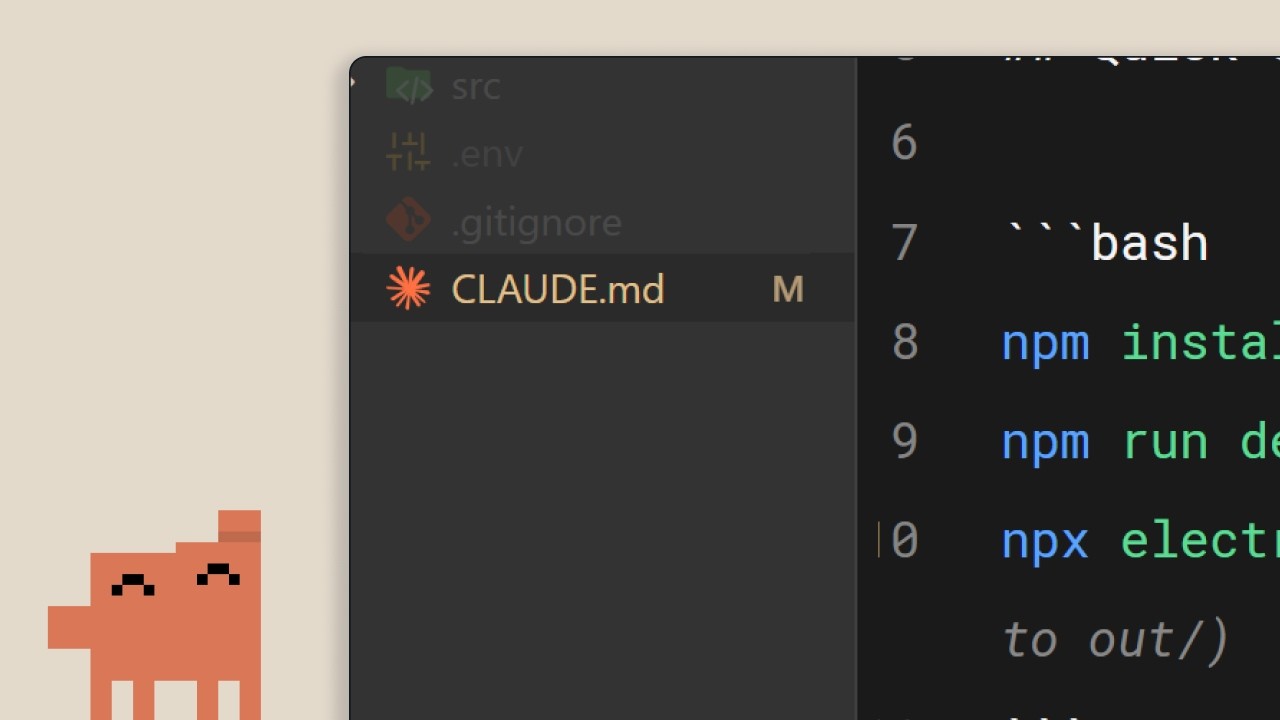
AnthropicのClaude Code 101第2回では、Claude Codeを「見知らぬ他人」から「チームメンバー」に変える唯一のファイル `CLAUDE.md` を取り上げます。何を書くべきか、プロジェクト/ユーザー階層はどう責任を分担するか、そしてファイルが古いルールの羅列に成り下がらないための3つの習慣を解説します。 ## [00:02] Claude Code が永続的記憶を必要とする理由 `CLAUDE.md` がなければ、セッションのたびにゼロから始まります。Claude はコードベースを再度走査し、依存関係を推測し、すでに実装済みの内容を再発見しなければなりません。そうした推測こそが、操作を難しくする原因です。このファイルは、新しいセッションごとにその再探索を省略するために存在します。 > *When you open up Claude Code without a claude.md file, it's like it has to start fresh every single time.* ## [00:34] CLAUDE.md の正体と /init コマンド プロジェクトのルートに置く普通の Markdown ファイルで、セッション開始のたびに自動的に読み込まれ、プロンプトに直接追加されます。いわば「コードベースのオンボーディングスクリプト」です。手書きしたくない場合、`/init` コマンドが既存コードをスキャンして初稿を生成します。チュートリアルの例では3つの短いブロックで構成されています:スタック(Next.js 15 app router、Tailwind、Drizzle ORM)、コマンド(開発サーバー、テスト、lint)、コードスタイルルール(2スペースインデント、名前付きエクスポート、APIルートは `app/api`、server actions を優先)。これを読み込むと、Reactコンポーネントの依頼に対して、修正のやりとりなしに最初からプロジェクトのスタイルに合ったコードが生成されます。 > *It's a markdown file that you add to the root of your project and Claude Code reads it automatically every time you start a session.* ## [01:34] 記憶の階層:プロジェクトとユーザー バージョン管理にコミットすべきです。プロジェクトレベルの `CLAUDE.md` はチーム全体のためのものだからです。ただし第2の階層もあります。設定フォルダにあるユーザーレベルの `CLAUDE.md` で、すべてのプロジェクトを横断して引き継がれます。コメントの書き方や好みの書法など、個人の好みはここに置き、共有ファイルを汚染しません。 > *But there's actually a hierarchy of memory files depending on who it's for.* ## [02:01] CLAUDE.md を有用に保つ3つのコツ ナレーターが推奨する3つの習慣。第一に、Claude に繰り返し修正が必要なこと(「APIルートではなく常にserver actionsを使え」)があれば、明示的にメモリへの保存を依頼して修正をセッション間で持続させます。第二に、既存ドキュメントはファイルにコピペするのではなく `@filepath` で参照します。第三に、逆説的ですが、新プロジェクトは `CLAUDE.md` なしで始め、どこで繰り返し修正が必要になるかを観察します。その摩擦点だけがファイルに書くべき内容です。これによりファイルを肥大化させずにコンパクトに保てます。 > *We recommend you start off a project without a claude.md file so you can see where you have to constantly course correct the model.* ## [02:39] まとめ:コンテキストが決め手 一言で言えば:フラストレーションの多いセッションと生産的なセッションの差はコンテキストにあり、`CLAUDE.md` はその届け手です。小さく始め——スタック、好み、コマンド——実際の摩擦から育てていきましょう。 > *Start with your stack, your preferences, and then commands, and just build from there as you go.* ## エンティティ - **Anthropic チュートリアルナレーター** (Person): AnthropicのClaude Code 101シリーズの公式ナレーション担当。 - **CLAUDE.md** (Concept): プロジェクトルートに置く Markdown ファイル。Claude Code がセッションごとに自動ロードし、ユーザープロンプトに永続的なコンテキストを追加する。 - **/init** (Command): 既存コードベースをスキャンして初期 `CLAUDE.md` を生成する Claude Code コマンド。 - **プロジェクトレベルとユーザーレベルの CLAUDE.md** (Concept): 2層の記憶階層。プロジェクトファイルはリポジトリルートにあり、バージョン管理で共有される。ユーザーファイルは設定フォルダにあり、個人の好みをすべてのプロジェクトで引き継ぐ。 - **@filepath 参照** (Concept): 既存ドキュメントファイルを内容を複製せずに `CLAUDE.md` から参照する構文。 - **Next.js 15 / Tailwind / Drizzle ORM** (Software): チュートリアル例の `CLAUDE.md` で使用されたスタック。実際のファイルの様子を示すために使用。
Claude Code における MCP
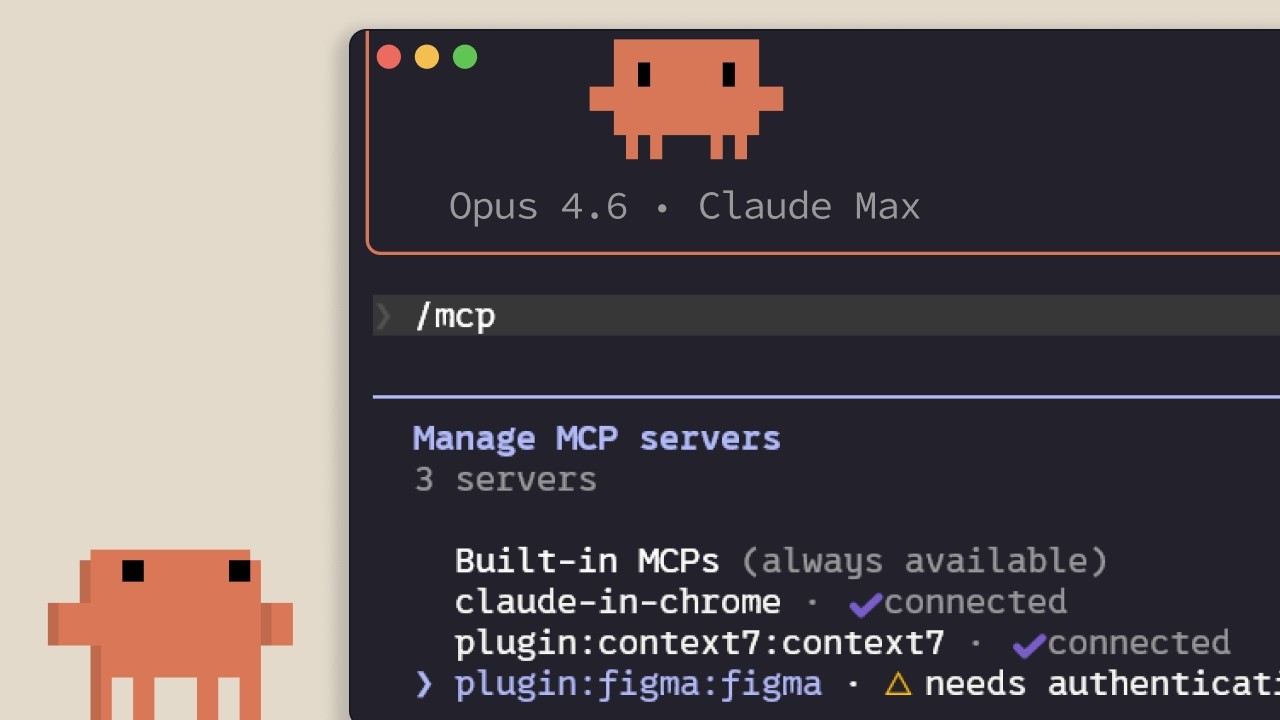
AnthropicによるClaude Code内のModel Context Protocolの解説:接続先、サーバーの追加とスコープ設定の方法、そして各サーバーがコンテキストウィンドウに与える隠れたコスト。Linear・GitHub・社内ツールとClaude Codeを連携させようとしている開発者向け。 ## [00:02] MCPが存在する理由——コンテキストはエディターの外にある 最初の要点:Claude Codeが必要とするコンテキストのほとんどはリポジトリの中にない。データベース、生産性アプリ、公開パッケージの中に散在している。MCPは、Claudeがそれらのリソースへ自律的にアクセスし、いつ呼び出すかを自分で判断できるようにするオープン標準だ。手動でコピー&ペーストする手間を省ける。 > *Model Context Protocolは、Claude Codeが外部のツールやデータソースに接続できるようにするオープン標準です。* ## [00:35] ツールとMCPサーバーが実際に接続するもの サーバーを列挙する前に、解説者は「ツール」という概念を整理する。Claude Codeのようなエージェントはツールを使ってアクションを実行する——これがテキストを返すだけのチャットと根本的に異なる点だ。具体例として2つ紹介される。チームのLinear issueをセッションに取り込むLinear MCPサーバーと、使用中の依存関係の最新ドキュメントをストリーミングするContext7サーバー。その他数百のサーバーがclaude.com/connectorsで公開されている。 > *ツールはClaude Codeのようなエージェントにアクションを実行する能力を与え、タスクをより効果的に完了させます。* ## [01:14] サーバーの追加:HTTP対STDIO、そして/mcp サーバーは`claude mcp add`で追加し、2種類ある。**HTTP**サーバーはプロバイダーがリモートでホストし、ネットワーク経由でアクセスする。**STDIO**サーバーはローカルプロセスとして自分のマシン上で動作する。インストール後、セッション内の`/mcp`コマンドで接続済みサーバーを一覧表示し、ステータスを確認し、不要なサーバーを無効化できる。 > *HTTPサーバーはリモートサービス向け……STDIOサーバーはマシン上で動くローカルプロセス向けです。* ## [01:42] 3つのスコープ:local・user・project(.mcp.json) 各サーバーは3つのスコープのいずれかに属する。**local**は現在のプロジェクトのみ・自分だけに限定する。**user**はすべてのプロジェクトで利用可能にする。**project**は`.mcp.json`ファイルをバージョン管理にコミットし、そのコードベースで作業するチームメンバー全員が同じサーバー設定を自動的に取得できるようにする。 > *projectスコープは.mcp.jsonファイルを使い、バージョン管理にコミットすることで、コードベースで作業する全員が自動的に同じサーバーを取得します。* ## [02:04] ツール定義はコンテキストを消費する——CLIやskillを優先すべき場合 コネクターリストを渡されたときに誰も教えてくれない落とし穴がある。設定済みのMCPサーバーは、使用中かどうかに関わらず、ツール定義をコンテキストウィンドウに注入する。解説者が示す対策は複数ある。`/mcp`で未使用サーバーを無効化する。`gh`や`aws`のようなCLIが存在する場合はそちらを優先する——CLIは永続的なツール定義を持たないため。あるいはワークフローをskillにラップする——skillはClaude側で呼び出しが決まるまで名前と説明しかコンテキストに置かない。MCPツール定義がコンテキストの10%を超えると、Claude Codeはツール検索モードに切り替わり、必要なツールをオンデマンドで探索する——便利だが、プリロードされている場合より信頼性は低い。 > *MCPサーバーは使用していなくても、ツール定義をコンテキストウィンドウに追加します。サーバーを多く設定していると、利用可能なコンテキストを圧迫します。* ## [03:10] まとめ 覚えておくべき3点:`claude mcp add`でサーバーをインストールし、`.mcp.json`でチームと共有し、`/mcp`で実際に使っていないサーバーを整理する。 > *Claude MCPaddでサーバーを追加し、.mcp.jsonでプロジェクトにスコープ設定してチームが自動取得できるようにし、使っていないサーバーを無効化してコンテキスト使用量を管理してください。* ## 登場人物・用語 - **Anthropic チュートリアルナレーター** (Person): Claude Code 101シリーズのAnthropicによる公式ナレーター。 - **Model Context Protocol (MCP)** (Standard): Claude CodeがHTTPまたはSTDIOサーバーを通じて外部ツールやデータソースに接続できるようにするオープンプロトコル。 - **Linear MCP server** (Software): チームのLinear issueをClaude Codeセッションに取り込むコネクター。 - **Context7 MCP server** (Software): 使用中の依存関係の最新ドキュメントをClaude Codeに提供するコネクター。 - **.mcp.json** (Config): バージョン管理にコミットするプロジェクトスコープのマニフェスト。チームメンバー全員が同じMCPサーバー設定を継承する。 - **/mcp** (CLI command): 接続済みMCPサーバーの一覧表示・確認・無効化を行うセッション内コマンド。 - **Tool search mode** (Feature): MCPツール定義がコンテキストウィンドウの10%を超えたときにClaude Codeが入るフォールバックモード。ツールをオンデマンドで探索する。 - **Skill** (Concept): 完全なMCPサーバーの軽量な代替。Claudeが本体を読み込むまで、コンテキストには名前と説明のみが置かれる。
Running an AI-native engineering org
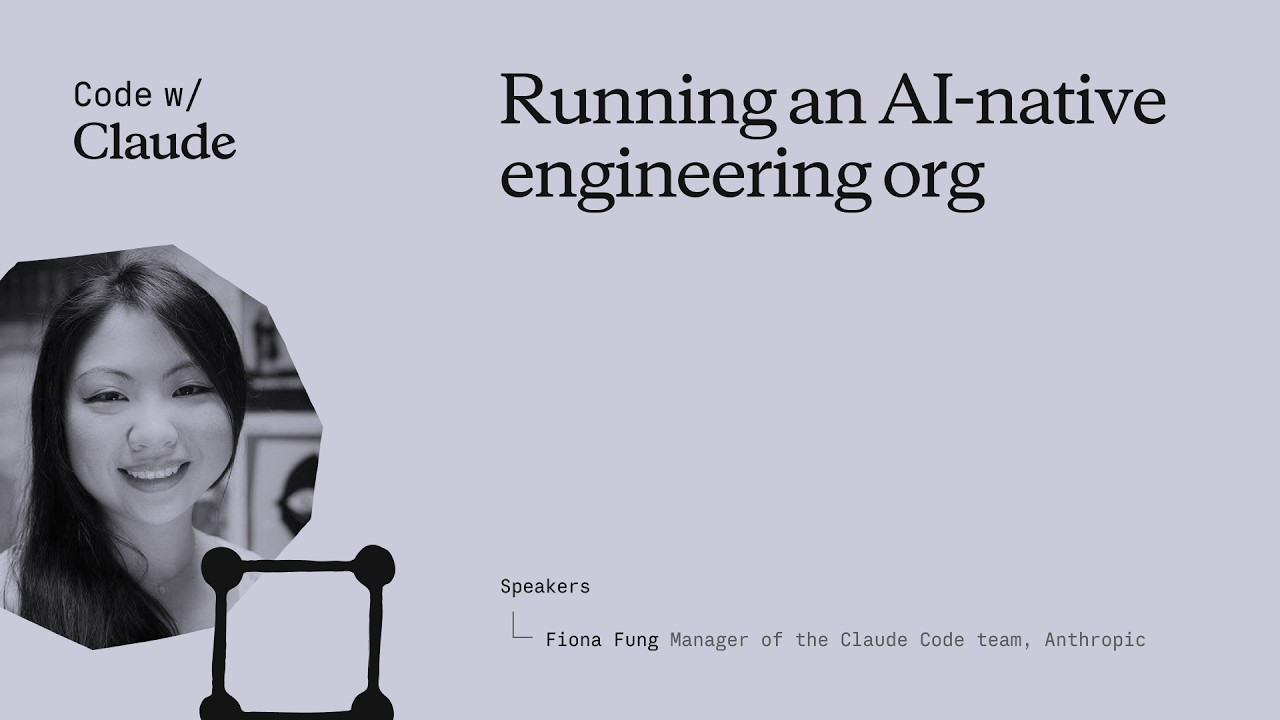
Fiona Fung, who runs engineering and product for Claude Code and Cowie at Anthropic, walks through what broke when agentic coding became the team's default — review, ownership, planning, hiring — and the norms they rewrote to keep shipping. The throughline: when coding stops being the bottleneck, every process built around protecting expensive engineering bandwidth quietly stops working, and the manager's job is to notice and rewrite them fast. ## [00:00] Intro and the five themes Fiona opens with a confession that the room is much fuller than she expected (Boris and Jared's session is still letting out), takes a selfie with the audience, and frames the talk. Background: she grew teams at Meta and Microsoft before Anthropic, and is now responsible for Claude Code and Cowie engineering and product. The deck she's about to walk through has already been rewritten in the past month — routines didn't exist when she first wrote the slides. She previews five threads: bottlenecks have shifted, team norms had to be rewritten, how they rolled them out, what signals say the changes are working, and the open questions she's still sitting with. > *"I did this slide deck maybe like a month ago and already I've had to change some of the content cuz when I started this deck, there were no routines."* ## [02:10] The shift: bottlenecks have moved Fiona's subtitle for the whole talk is *what served you prior may not serve you any longer*. She takes the audience back to shipping Visual Studio 2005 on CD-ROMs — hard deadlines because the manufacturing lab had to print discs — and points out that the move from CDs to online distribution already rewired how teams ship. The new shift is bigger: for years coding throughput and engineering bandwidth were the expensive things, and that's quietly stopped being true on Claude Code. When the bottleneck moves, it doesn't disappear — it relocates to verification, review, cross-functional handoffs, and security. The questions that matter now are "is this code correct?" and "is this safe?", and the old planning and ownership norms quietly stop serving the team. > *"What served you prior may not serve you any longer."* ## [07:40] Rewriting team norms: code review, JIT planning, technical debates Inside Claude Code the team had to rewrite the norms one by one. Code review is the first — human judgment shifts to "who actually needs to look at this." Planning is the second — Fiona calls it JIT planning, like JIT compiling, because prototyping is no longer the expensive step that justifies a six-month roadmap. Technical debates are the third: code wins. Instead of two engineers arguing on a doc, both prototype the API and look at impact on callers, and Fiona made a point of caring about the API's downstream effects as much as the implementation itself. The unifying rule: when building is cheap and arguing is expensive, you don't let the last person who checks in win — you build the routines that get *you* the last word. > *"When building is cheap, arguing expensive, again, how does that shift your team norms a bit?"* ## [13:30] Routines and Claude as a second pair of hands With morning coffee Fiona now reads what a routine produced overnight rather than kicking off the work herself. The team leans on Claude code review heavily — Claude babysits PRs, handles styling, lint, and feedback requests, catches bugs before commit, and adds tests — while humans focus on the calls where trust is still being built. She also stresses product sense in tooling: she themed Claude's terminal output ice blue with snowflakes over the holidays, then pulls back to the bigger point that catching bugs earlier (shift left) and automating the double-click question matter more than any one tool. > *"Where do you trust Claude a lot, but then where do you still want a human?"* ## [16:45] Cross-functional gaps and hiring for the hard parts Fiona walks through a survey-update story: she didn't have a dedicated content designer, so Claude became her partner for terse, terminal-appropriate copy. Meanwhile PMs on the team write code, and engineers lean into PM work. The flip-side conclusion for hiring: non-traditional coders can now do more engineering, so the leader's job is to double down on the hard parts the team is actually missing. When she joined, Claude Code was strong on product generalists and creative folks but thin on distributed-systems expertise — that's where she pushed recruiting. > *"With Claude, you have non-traditional coders now being able to do more engineering, but you also have engineers that we can also now lean in to do other roles."* ## [18:51] Flat org and answering customer feedback yourself Fiona pushed her recruiters into an uncomfortable place: hire managers, but have them start as ICs first. The recruiter thought she was crazy; Fiona's answer is that dogfooding Claude Code is the job, and if a candidate isn't up for it the team is better off finding out early. Flat structure plus Claude as a context-switching aid is what lets her, as a manager, still ship code and answer customer requests directly from her desktop Claude Code — instead of routing every customer question through a triage system, she pulls up the local repository and answers it herself. > *"You want to hire managers and they will start as an IC first. No manager would be interested in that."* ## [25:00] Signals you're trending right and open questions The team's working metric is unglamorous and direct: every commit is cloud-assisted by default, and Fiona hasn't seen a non-Claude commit in roughly four months. But she warns against fetishizing the "X percent of code generated by AI" headline — throughput is one signal, not the goal. The end question is what product you're making more delightful and what problem you're solving, with quality and reliability watched alongside volume. She closes with the section she calls "audit your own effort," opens up the questions she's still asking herself, and hands suggestions back to the audience to take to their own teams. > *"For us, it's by default every commit is cloud-assisted. I don't think I've seen a non-cloud-assisted commit probably in the last 4 months or so."* ## Entities - **Fiona Fung** (Person): Director of Engineering at Anthropic, runs Claude Code and Cowie engineering + product; previously led teams at Meta and Microsoft. - **Boris** (Person): Engineering lead on Claude Code, frequent collaborator referenced throughout. - **Kat (Cat)** (Person): Anthropic colleague who gave a keynote earlier the same day on Claude code review. - **Claude Code** (Software): Anthropic's agentic coding tool that is now the default for the team Fiona runs. - **Cowie** (Software): Sister product Fiona's team also owns engineering + product for. - **Anthropic** (Organization): The company building Claude and Claude Code. - **JIT planning** (Concept): Fiona's term for shifting from a six-month roadmap to just-in-time planning, modeled on JIT compilation. - **Shift left** (Concept): Moving bug-catching and verification earlier — into automation and tooling — instead of relying on review after the fact. - **Routines** (Concept): Repeatable Claude-driven workflows the team relies on so a single human gets the last word on outcomes rather than the last commit timestamp winning.
Claude Code の Hooks
Anthropic による Claude Code Hooks の短い解説動画。編集のたびに、ツール呼び出しのたびに、コミットのたびに必ず実行しなければならない処理のための決定論的な仕組みだ。核心的なメッセージ:「常に prettier を実行して」と claude.md に書いてモデルに期待しているなら、すでに負けている。Hook に移そう。 ## [00:02] Hooks とは何か、なぜ決定論的なのか Hooks は Claude Code のライフサイクルの固定ポイントで発火し、ナレーターの主張はプロンプトレベルの指示とは異なり、常に実行されるということだ。claude.md でファイル編集後に prettier を実行するよう指示すれば、ほとんどの場合はうまくいく。しかし「ほとんどの場合」こそが、Hook が埋める隙間だ。意図は同じでも、LLM への提案ではなくランタイムによって強制される。 > *You can tell Claude in your claude.md file to run prettier after every file edit and most of the time it will do that, but sometimes it won't. It's not perfect. But a hook makes it happen every single time with no exceptions.* ## [00:37] 主な使用例 4つの代表的な例でスコープが示される:ファイル編集後の自動フォーマット、コンプライアンスのための実行コマンドのログ記録、本番ファイルへの変更などの危険な操作のブロック、そして Claude が長いタスクを完了したときの通知送信だ。 > *Common use cases could include auto formatting after file edits, logging all executed commands for compliance, blocking dangerous operations like modifying production files, and sending yourself notifications when Claude finishes a task.* ## [00:52] Hooks の設定と5つのライフサイクルイベント 設定は `settings.json` に記述する:イベントを選択し、オプションでどのツールに適用するかをマッチャーで絞り込み、シェルコマンドを指定する。5つのイベントがループをカバーする。`UserPromptSubmit` は Claude がプロンプトを受け取る前、`PreToolUse` と `PostToolUse` は各ツール呼び出しを前後から挟み、`Notification` は Claude がユーザーに通知を送るとき、`Stop` は Claude が応答を完了したときに発火する。 > *Pre-tool use which runs before a tool call, post-tool use runs after a tool call completes. Notification runs when Claude sends a notification, and stop runs when Claude finishes responding.* ## [01:22] post-tool-use hook による自動フォーマット 代表的な例:`Edit` または `MultiEdit` のマッチャーを持つ `PostToolUse` Hook は、Claude がファイルを変更するたびに発火する。コマンドは拡張子を確認し、適切なフォーマッターにルーティングする。TypeScript なら prettier、Go なら gofmt、Python なら ruff、プロジェクトが標準とするものなら何でも対応できる。 > *You set a post-tool use hook with a matcher of edit or multi-edit, right? So, it fires whenever Claude modifies a file. The command checks the file extension and runs the appropriate formatter.* ## [01:49] pre-tool-use と終了コードによるツール呼び出しのブロック `PreToolUse` Hook は stdin で JSON 形式のツール名と入力を受け取り、終了コードで判断する:`0` は続行、`2` はブロックだ。Hook がブロックした場合、stderr に書き込んだ内容が Claude へのフィードバックとして渡され、モデルは理由を把握して計画を調整できる。ここでハードルールを強制する。本番設定ディレクトリへの書き込みをブロックし、`rm -rf` を含む bash コマンドを拒否し、main へのコミットをブロックする。ナレーターの言葉:チームが保証を必要とするもの、単なる提案ではない。 > *If it exits with code two, the action is blocked and the STD error message gets fed back to Claude's feedback so Claude knows why it was blocked and can adjust.* ## [02:26] プロジェクトレベルの Hooks とチーム共有 `.claude/settings.json` の Hooks はプロジェクトスコープであり、リポジトリにコミットできる。つまりチーム全員がクローン時に自動的に継承する。`CLAUDE_PROJECT_DIR` 環境変数でスクリプトを参照すれば、Claude のカレントディレクトリがどこであってもコマンドが正しく解決される。最後の原則:何かが毎回必ず実行される必要があるなら、プロンプトに書かずに Hook に入れよう。 > *If something needs to happen every time without fail, don't put it in a prompt. Put it in a hook.* ## Entities - **Anthropic Tutorial Narrator** (Person): Claude Code 101 チュートリアルシリーズの Anthropic 公式ナレーター。 - **Claude Code** (Software): Anthropic のエージェント型ターミナルコーディングツール。Hooks がライフサイクルイベントに接続する。 - **Hooks** (Concept): Claude Code のループの固定ポイントで発火する決定論的なコマンド。プロンプトレベルの指示に代わるランタイム強制の仕組み。 - **settings.json** (Configuration): Hooks を宣言する場所。プロジェクトルートの `.claude/settings.json` をリポジトリにコミットすることでチームが同じルールを共有できる。 - **PreToolUse / PostToolUse / UserPromptSubmit / Notification / Stop** (Events): Hook が接続できる5つのライフサイクルイベント。 - **CLAUDE_PROJECT_DIR** (Environment variable): Hook コマンド内でプロジェクト相対パスのスクリプトを参照するための環境変数。Claude のカレントディレクトリに依存しない。
Claude Code とは何か?
Anthropic による Claude Code の公式解説——その正体、Claude.ai との違い、そして LLM にコードベースに対してコマンドを実行させる前に知っておくべき3つのことを紹介します。ターミナルツールを初めてインストールしようとしている開発者向けの内容です。 ## [00:04] Claude Code の概要と動作環境 Claude Code はエージェント型コーディングツールとして位置づけられています。コードベースを理解し、ファイルを編集し、コマンドを実行し、すでに使用している開発者ツールと統合します。ターミナル、VS Code、JetBrains IDE、Claude デスクトップアプリ、ウェブなど複数の環境で利用できますが、このウォークスルーではターミナルを標準的な体験として取り上げます。 > *Claude Code is an agentic coding tool that understands your code base, edits your files, run commands, and integrates with your existing developer tools to help you get things done faster.* ## [00:34] Claude.ai との違い 重要な違いはモデルの能力ではなくアクセス方法にあります。Claude Code はターミナルとコードベース全体に直接アクセスするため、チャットへのコピー&ペーストの繰り返しが不要になり、ツールがその場で作業を完結させます。「AI エージェント」という呼び方は、この直接実行の仕組みを端的に表現したものです。 > *Unlike Claude AI, Claude Code has direct access to your files in your terminal and your entire code base.* ## [00:51] AI エージェントと Claude Code でできること ここでいう AI エージェントとは、環境と対話して定められた目標を達成するための行動を取るソフトウェアのことです。最も基本的な形では、ツール、外部サービス、他のエージェントにアクセスできるリアルタイムループ上の LLM です。Claude Code では、コードベースの読み取りと説明、ファイルをまたいだバグのトレース、ビルドスクリプトやテストの実行、パッケージのインストール、そして次の行動を決めるための最新 API ドキュメントのウェブ取得といった具体的な能力に変換されます。 > *An AI agent is a software that can interact with its environment and perform actions to complete a defined goal.* ## [01:45] 始める前に知っておくべき3つの概念 ナレーターは日々の使用に影響する3つの特性を挙げています。第一に、**コンテキストウィンドウ**は Claude の作業メモリであり、大容量ですが有限です。そのためエージェントはコードベースを全部読み込む代わりに、戦略的にナビゲートする必要があります。第二に、Claude Code はコマンドの実行やファイルの変更前に**許可を求めます**。すべてのステップを自分で管理したい場合も、ほぼ自律的に動かしたい場合も、制御は常にあなたの手元にあります。第三に、**間違いを犯すことがあります**。意図を読み違えたり、バグを導入したり、修正を過剰にエンジニアリングすることがあります。出力は他のツールの結果と同様に扱い、鵜呑みにしないでください。 > *By default, Claude Code will ask you before running commands or making changes to your code base.* ## [02:34] まとめ Claude Code はエージェント型コーディングツールで、コードベースを読み取り、ファイルを編集し、コマンドを実行し、外部ツールに接続することで、より速く開発を進める手助けをします。現在、ターミナル、VS Code、JetBrains、Claude デスクトップアプリで利用可能です。 > *Claude Code is an agentic coding tool. It reads your code base, edits your files, runs commands, and connects to external tools to help you ship faster.* ## エンティティ - **Anthropic Tutorial Narrator** (Person): Claude Code 101 チュートリアルシリーズに向けた Anthropic の公式ナレーター。 - **Claude Code** (Software): Anthropic のエージェント型ターミナルベースのコーディングアシスタント。コードベースに直接作用します。 - **Claude.ai** (Software): チャットベースの Claude 製品。Claude Code の環境内実行と対比されます。 - **AI agent** (Concept): リアルタイムループ上でツール、外部サービス、他のエージェントにアクセスし、定められた目標を追求する LLM。 - **Context window** (Concept): Claude の作業メモリ。有限であるため、エージェントはコードベース全体を読み込む代わりに戦略的にナビゲートします。 - **VS Code / JetBrains IDEs** (Software): Claude Code がターミナルや Claude デスクトップアプリと並んで統合されているエディタ。
Claude Code における探索→計画→コード→コミット ワークフロー
Anthropic による 3 分間のウォークスルー。Claude Code で作業する際に最も重要な習慣とされるループを解説:計画モードで先にリサーチし、ファイルに触れる前に「完了」の定義を明確にし、プッシュ前にサブエージェントに差分をレビューさせる。 ## [00:03] 探索-計画-コード-コミットがいきなりコードを書くより優れている理由 冒頭のメッセージは明快だ——コースから習慣を一つだけ身につけるなら、このワークフローにすること。対抗しようとしている失敗パターンは、タスクを Claude に貼り付けてすぐにコードを生成させる反射だ。速度は上がるが、後で修正コストがかさむ。 > *Without this, most people jump straight to pasting in Claude to write code, which means more course correcting later on.* ## [00:21] 計画モード:編集前の読み取り専用リサーチ 計画モードは探索と計画を一つの動作にまとめる方法だ。Claude はファイルを読み込み、ウェブ検索を実行できるが、書き込みは禁止されている——プロンプトから Shift+Tab で切り替える。ナレーターは実際のリクエスト(画像アップロードパイプラインに WebP 変換を追加し、配置場所・必要な依存関係・アプローチを把握する)でデモを行う。Claude が計画を返し、不足があれば修正を依頼する。サイクル全体で方向転換のコストが最も低い場所だ。まだ何も書かれていないから。 > *With plan mode, Claude can't edit files. It just reads files to gather research on how to tackle this implementation.* ## [01:11] 計画を承認し、Claude がコーディング中に軌道修正する 計画が良さそうに見えたら、承認で Claude に実行を戻し、チェックリストをこなさせる。ファイル編集を自動承認するか毎回確認するかを選べる。Claude は自力でトラブルシューティングするが、介入も想定しておく。計画モードがここで効果を発揮するのは、エージェントが計画を生成したリサーチコンテキストを持ち続けているからで、飛行中の修正が一からやり直す代わりに正しい場所に着地する。 > *This is the benefit of working with plan mode because after the plan is finished, we also have the context of how it got to the results to help it guide its next decision.* ## [01:39] 成功基準を明確にして Claude に本物のツールを与える 「正しい」の定義がない計画は Claude に推測させるだけだ。成功の姿を言語化し、エージェントが実際に検証できるよう装備する。Claude+Chrome 拡張機能で構築したばかりの UI をブラウザタブで操作してテストできる。テストスイートはループのたびに検証基準を提供し、Claude 自身がテストを書くこともできるが、あらかじめグラウンドトゥルースとして検証済みであることが前提だ。耐久性のヒント:Claude が同じ問題に繰り返しぶつかるときは、修正内容を CLAUDE.md ファイルに永続化させて再学習を防ぐ。 > *In order for Claude to be confident in its results, it has to be clear on what it deems correct.* ## [02:24] サブエージェントレビュー、コミット、振り返り プッシュ前に、差分に対してサブエージェントコードレビュアーを起動する——実装への思い入れがない第二の目だ。次に Claude に自分のスタイルでコミットメッセージを作成させて出荷する。振り返りでは各ステップを再定義する:探索がコンテキストを与え、計画が成功を定義し、コードは計画に収束する往復であり、コミットはレビューしてプッシュし次へ進む段階だ。 > *A tip before you commit, run a sub agent code reviewer to look at your code.* ## Entities - **Anthropic Tutorial Narrator** (Person): Claude Code 101 コースにおける Anthropic の公式ナレーター。 - **Claude Code** (Software): このエピソードで推奨日常ループを紹介しているエージェント型ターミナルコーディングツール。 - **Plan mode** (Feature): Shift+Tab で切り替える読み取り専用モード——Claude がリサーチして計画を提案するが、ファイルは編集できない。 - **Claude + Chrome extension** (Software): Claude Code がタスク完了を宣言する前に Chrome タブを操作して UI 変更を検証できるようにする。 - **CLAUDE.md** (File): ここでは Claude が繰り返し再学習する修正の永続化先として使われるプロジェクトメモリファイル。 - **Subagent code reviewer** (Pattern): 人間がプッシュする前に差分をレビューする、コミット前の Claude サブエージェント。
Claude Code のコンテキスト管理
Anthropic の Claude Code 101 チュートリアルによるコンテキスト解説——何がウィンドウを埋めるか、自動コンパクションはいつ起動するか、セッションをスリムに保つための実用的な手段(/compact、/clear、/context、claude.md、MCP トグル、スキル、サブエージェント)。 ## [00:03] コンテキストが有限である理由とその重要性 コンテキストは Claude のワーキングメモリであり、すべてのプロンプト、ファイル読み取り、ツール呼び出し結果が同じウィンドウに積み重なります。ウィンドウは大きいものの有限であるため、マルチステップセッションを始めたら入力内容の最適化は不可欠です。 > *Every file it reads, every command it runs, every message you send, it all takes up space in the context window.* ## [00:39] 自動コンパクションと /compact コマンド 上限に近づくと、Claude Code は自動でコンパクション——重要な情報を要約し、不要なツール呼び出し結果を削除して空きを作ります。`/compact` を手動で実行することもでき、作業の記憶を保ちながら余裕を確保したいときに便利です。トレードオフ:コンパクションにより初期ターンの詳細が失われることがあります。 > *Compaction will summarize important details and remove the unnecessary tool call results and free up a lot of space in your context window.* ## [01:11] /clear と /context:リセットと使用状況の確認 前のセッションの記憶を完全に消去したい場合、`/clear` ですべてをリセットできます。空間がどこに消費されているかを確認するには、`/context` でサイズの合計、最も消費しているカテゴリ、内訳グラフを表示できます——コンパクトとクリアどちらを選ぶか決める前の診断ツールです。 > *To check the state of your context, run the /context command.* ## [01:35] 経験則:機能開発中はコンパクト、機能切替時はクリア ナレーターは明快なヒューリスティックを示します。同じ機能に取り組んでいて上限に近づいたら、コンパクト——関連する履歴を引き継ぎたいからです。計画が完了し新しいことを始めるなら、クリア——古い会話が新しい作業にバイアスをかけます。 > *If you have finished the plan and want to start on a new feature, then clear. You don't want the previous conversation to present bias in anything new that you want to create.* ## [01:57] claude.md、プロンプトの具体性、少なく書いて多くを得る セッションをまたいで Claude に記憶させたい内容はすべて `claude.md` に書き、毎回同じ情報を再発見させないようにします。また逆説的ですが、短いプロンプトはコンテキストをより多く消費します——曖昧な質問は Claude がコードベースを grep し推論を重ねるからで、それがウィンドウを埋めます。具体的な説明を一文二文加えるだけで、その後の空間を大幅に節約できます。 > *The irony behind writing a smaller prompt is that it in the long run, it will take up more context.* ## [02:26] コンテキスト管理ツールとしての MCP サーバー・スキル・サブエージェント MCP サーバーは、公開しているすべてのツールをデフォルトでコンテキストに読み込みます——関連性があれば問題ありませんが、不要なら高コストになるため、プロジェクトに無関係なものはオフにしましょう。スキルは MCP サーバーに似ていますが、ツール全体をコンテキストに展開しません。サブエージェントは独立したウィンドウを持ち並行して動作するため、「認証エンドポイントはどこか」といった調査タスクには、プロセス全体ではなく答えだけを受け取るためにサブエージェントを派遣できます。 > *Sub agents run in parallel with your main agent but has a complete separate context window.* ## [03:06] まとめ Claude Code でのコンテキスト管理は、長く生産的なセッションと行き詰まったセッションを分ける鍵です。`/compact` で長いセッションを要約し、`/clear` でリセットし、プロンプトは具体的に書き、`/context` でウィンドウの消費状況を確認し、答えだけ必要な作業はサブエージェントに委任しましょう。 > *Managing context within cloud code is crucial. Use slash compact to summarize long sessions and slashclear to start fresh.* ## エンティティ - **Anthropic Tutorial Narrator** (Person): Claude Code 101 チュートリアルシリーズにおける Anthropic 公式のナレーター。 - **Claude Code** (Software): Anthropic のエージェント型ターミナルコーディングアシスタント。本エピソードのテーマはそのコンテキストウィンドウ。 - **Context window** (Concept): Claude のワーキングメモリ——有限であり、プロンプト・ファイル読み取り・ツール呼び出し結果によって埋められる。 - **/compact** (Command): 履歴を要約しツール呼び出しのノイズを削除して空きを確保するスラッシュコマンド(自動トリガーも可)。 - **/clear** (Command): セッションを完全にリセットして新しい作業をクリーンな状態で始めるスラッシュコマンド。 - **/context** (Command): コンテキストの合計サイズと各カテゴリの消費量を報告するスラッシュコマンド。 - **claude.md** (File): プロジェクトレベルのメモリファイル。Claude がセッションをまたいで読み込み、同じ情報を再発見しないようにする。 - **MCP servers** (Software): 公開ツールをデフォルトでコンテキストに読み込むツールプロバイダー——無関係な場合はオフに。 - **Skills** (Feature): MCP サーバーの軽量代替で、ツール全体をコンテキストに読み込まない。 - **Sub agents** (Feature): 独立したコンテキストウィンドウを持つ並行エージェント。スコープを絞った質問に答えながらメインウィンドウを汚染しない。
サブエージェントを効果的に使う
中間作業をメインスレッドに残す必要がないときこそ、サブエージェントは真価を発揮する。しかし闇雲に委任すると状況は悪化する。このチュートリアルは、有効な委任(調査・コードレビュー・ドメイン固有のシステムプロンプト)と、コンテキストを浪費して必要な情報を失うアンチパターン(専門家ペルソナ主張・順次パイプライン・テスト実行器)の境界線を明確にする。 ## [00:03] イントロ:サブエージェントが助けになる場面とならない場面 シリーズのここまでは、サブエージェントの作り方と設計を扱った。最終回は運用の問いに移る。独立したエージェントを生成することで本当に恩恵を受けるタスクはどれで、逆効果になるタスクはどれか。 答えは一つのテストに集約される。中間作業はメインスレッドにとって重要か?探索と実行が切り離されているとき、サブエージェントは元が取れる。各ステップが前のステップの発見に依存するとき、受け渡しコストはまさに必要な詳細を奪っていく。 > *"Simply put, the difference comes down to whether the intermediate work matters to your main thread."* ## [00:32] 調査タスク:探索をメインスレッドから切り離す 認証フローの追跡が具体例だ。メインスレッドが必要なのは JWT 検証がどこで行われているかという答えであり、途中で読んだ十数個のファイルではない。調査サブエージェントはコードベース全体をスキャンし、ファイルをまたいで関数呼び出しを追い、一つの正確な答えを返す。JWT 検証は middleware/auth.js の 42 行目にあり、route/api.js から呼ばれている。 探索の全プロセスはサブエージェントのコンテキストに閉じ込められる。メインスレッドは結論だけ受け取り、検索履歴でウィンドウを埋めることなく先へ進む。 > *"Your main thread receives JWT validation happens in middleware/auth.js at line 42, called from the Express router and route/api.js, or something like that."* ## [01:15] コードレビューのサブエージェント:フレッシュな視点でフィードバック Claude が自分で書いたコードをレビューすると、バイアスが生まれる。すべての決定に立ち会っているため、外から見たときの違和感に気づきにくい。レビューアーサブエージェントはこれを根本から回避する。diff と変更されたファイルだけを見て、コードがどのように書かれたかの履歴を一切持たない。 このクリーンな状態がもう一つの利点も生む。命名規則、セキュリティパターン、アーキテクチャルールといったプロジェクト固有のレビュー基準を、サブエージェントのシステムプロンプトに一度書いておけば、メインスレッドがターンごとに思い出さなくても一貫して適用される。 > *"A reviewer sub agent sees the changes in a separate context. It runs get diff, reads the modified files, and applies its specialized review criteria without the history of how the code was written."* ## [01:59] カスタムシステムプロンプト:コピーライティングとスタイリング Claude Code のデフォルトプロンプトは簡潔で技術的な出力に最適化されている。ランディングページやマーケティングメールにはまったく向かない。コピーライティングサブエージェントはトーン・対象読者・構成について全く異なる指示を受け、デフォルト設定では生み出せないアウトプットを生成する。 同じ考え方が CSS にも当てはまる。スタイリングサブエージェントがシステムプロンプトでデザインシステムのファイルを参照すると、一行書く前から色変数・余白規則・コンポーネントパターンが自動でコンテキストに読み込まれ、すべてのスタイル決定が実際のシステムを反映したものになる。 > *"Claude Code's default prompt tends towards concise, technical writing, which really isn't what you want for a landing page or email campaign, unless you want to put your customers to sleep."* ## [02:57] アンチパターン:専門家主張・パイプライン・テスト実行器 確実に結果を悪化させる三つのパターンがある。一つ目は「あなたは Python の専門家です」「あなたは Kubernetes のスペシャリストです」といったペルソナプロンプトだ。Claude はもともとその知識を持っているため、何も加わらない。専門家ラベルを貼るだけのためにサブエージェントを立ち上げても、分離のオーバーヘッドを払うだけでメインスレッドにはできなかったことは何もない。 二つ目の順次パイプラインは、ステップが本当に独立していないと破綻する。バグの再現・デバッグ・修正という三段構成は整然として見えるが、実際には機能しない。デバッグエージェントが必要なのは再現エージェントのライブコンテキストであり、その圧縮サマリーではないからだ。 三つ目のテスト実行器サブエージェントは情報を能動的に隠す。テストが失敗したとき、何が問題だったかを診断するには生の出力が必要だ。「テスト失敗」とだけ返すサブエージェントは、直接出力なら即座にわかる詳細を取り出すために追加のデバッグスクリプトを書かせる羽目になる。 > *"A sub-agent that returns a test failed forces you to create additional debug scripts to get details that would have been visible in direct output."* ## [04:10] シリーズまとめと判断の決め手 シリーズ全体を振り返ると、サブエージェントは /agents で作る隔離スレッドで、サマリーを返し、構造化出力と具体的な説明で設計する。使い所は調査・コードレビュー・カスタムシステムプロンプトが必要なタスク。専門家ペルソナ主張・多段依存パイプライン・テスト実行は避ける。 フレームワーク全体は一つの問いに集約される。中間作業は重要か?重要でなければ、委任すればいい。 > *"The key question, does the intermediate work matter? If not, then delegate it."* ## 登場人物 - **Anthropic Tutorial Narrator**(人物):Claude Code サブエージェントチュートリアルシリーズの進行役、Anthropic 所属 - **Claude Code**(ソフトウェア):Anthropic の AI コーディングアシスタント。サブエージェントを作成・オーケストレーションする実行環境 - **Subagent**(概念):メインコンテキストから生成される隔離された Claude スレッド。完全な作業コンテキストを公開せず、圧縮サマリーを返す - **JWT(JSON Web Token)**(概念):コードベース内で認証ロジックを追跡する調査サブエージェントの実例として使用 - **System prompt**(概念):サブエージェントごとの指示セット。Claude Code のデフォルトプロンプトとは異なるドメイン固有の動作を実現する - **Anthropic**(組織):Claude および Claude Code サブエージェントチュートリアルシリーズの開発元